


Remember MySpace? Before Facebook took over the social media world, MySpace was the place to be. Launched in 2003, it became especially popular with musicians and artists who used it to share songs, photos, blog posts, and updates with fans. Although MySpace is no longer the social media giant it once was, it still has a strong connection to music and entertainment.
But there is a catch: downloading songs from MySpace isn't as easy as it sounds. To make matters worse, MySpace lost much of the music uploaded between 2003 and 2015 during a server migration. So, if you're trying to recover an old MySpace song – or simply want to save music that's still available – where do you start?
In this guide, we'll show you 4 ways to download MySpace songs, including audio recording software, online recorders, the Internet Archive, and browser cache. Your MySpace playlist may be old, but your options don't have to be. Let's dive in.

Part 1. Can You Download Songs from MySpace?
MySpace does not provide a general download option for songs on its website. Whether you can access an old MySpace song also depends on whether the original audio is still available. Some older music may no longer play because of MySpace's past data migration issues.
If a song is still playable on a MySpace profile, one practical way to save it is to record the audio while it plays. This is where audio recording software can help. For example, ViWizard Audio Capture can record audio from MySpace and other websites and save the recording in common audio formats.
For songs that are no longer available on MySpace, you can also check archived copies through the Internet Archive or try recovering previously cached audio from your browser.
Part 2. How to Download MySpace Songs with Audio Recording Software
If you are trying to recover an old MySpace song or save a track that is still available today, ViWizard Audio Capture can be a practical option. Since MySpace no longer offers a general download button for its songs, recording the audio as it plays can help you preserve music that might otherwise be difficult to access. It also works beyond MySpace, so you can record audio from different websites in one place.
Download MySpace Songs with ViWizard Audio Capture
Why do we recommend ViWizard? ViWizard Audio Capture can retain available metadata from the recorded MySpace tracks, such as the title, artist, album, year, and genre. You can also edit the ID3 tags manually if any information is missing or needs to be corrected. After recording, you can save the tracks in popular formats including MP3, AAC, WAV, and FLAC. This way, you can easily organize your MySpace music and play the recordings on different devices for offline listening.

Key Features of ViWizard Audio Capture
Free Trial Free Trial* Security verified. 5, 481,347 people have downloaded it.
- Record streaming audio and system audio from different sources
- Capture music, podcasts, and online audio content
- Export recorded audio in 17 formats for different devices and platforms
- Record audio automatically without saving tracks individually
- Organize captured audio files with customizable output options
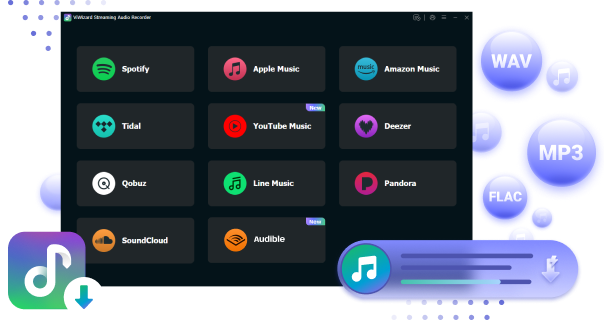
 Step 1: Launch the ViWizard Program and Adjust Settings
Open ViWizard Audio Capture on your computer and click the bar in the top-left corner to view the available applications. If your browser isn't listed, click the Plus (+) icon to add it, or drag and drop the browser directly into the main interface. Make sure the browser you'll use to play the MySpace song is included before you start recording.
 Step 2: Set Output Format for MySpace Songs
Next, click the Format bar to open the settings window, where you can select your preferred output format and customize parameters such as bit rate, sample rate, audio channel, and codec. You are recommended to choose MP3, which is compatible with most devices. Don't forget to click the 'OK' button to save your changes.
 Step 3: Play and Record MySpace Songs
On the main interface of ViWizard Audio Capture, click Start and select the web browser you added. Log in to your MySpace account, find the song or album you want to record, and start playback. ViWizard will automatically detect the audio and begin recording, with a recording window showing the progress.
 Step 4: Download Facebook Audio as MP3
Once completed, stop playing the MySpace music or close the entire browser. If you only want to save a small clip of the recorded music, you can click the 'Edit' icon to modify the tracks as needed. Once you're finished, click the 'Save' button to store the MySpace recordings on your computer. You can also click the 'History' button to view and listen to your downloaded MySpace music files.
Part 3. How to Download Archived MySpace Songs with Browser-Based Players
In 2018, MySpace lost a large amount of older user-uploaded content during a server migration, including millions of songs. Luckily, some MySpace music had already been saved by an academic research project between 2008 and 2010.
The Internet Archive later received this collection, known as the MySpace Dragon Hoard. It contains about 490,000 MP3 tracks. You can search the collection through the Internet Archive or community projects such as Lost Myspace. If you find the song you want to download, play it to confirm and then click Download.
3.1 Download Archived MySpace Songs with Internet Archive
To save an archived MySpace song:
01Open the MySpace Dragon Hoard viewer.
02Search for the artist or song you want.
03Check the search results for a matching track.
04Play the song in your browser to confirm it is the right one.
05Look at the Download Options section on the right side of the Internet Archive page.
06Click Show All and download individual MP3 or ZIP files to your computer.
Not every MySpace song was preserved, and some archived tracks may be unavailable or difficult to identify.
3.2 Download Archived MySpace Songs with Lost Myspace
Lost Myspace is a community project built around the music preserved from old MySpace. It provides a more convenient way to search and listen to parts of the rescued collection without manually browsing through thousands of cryptically named files. Here's how to use it:
01Visit Lost Myspace.
02Enter the artist or song name in the search box.
03Browse the results and find the track you want.
04Click the available Play option to listen to the song.
05If the track plays successfully, click Download under the song name.
06Then your File Manager will automatically open, and you can rename it and save it to your computer.

Part 4. How to Download MySpace Songs with an Online Recorder
If you want to save money and don't want to download any software to your computer, you can use free online recorders. Here we recommend MP3Juice. It is a web-based music search and download tool. It searches for audio from different online sources and can provide MP3 downloads when a matching track is available. Here is a specific guide about how to use it.
Download MySpace Songs with MP3Juice

01Go to the MP3Juice website.
02Enter the name of the MySpace music into the search box instead of its URL.
03Press Enter, and the possible music will appear on the list.
04To find the exact music you want, you can review and play it before you download it.
05Download the desired music by tapping on the MP3 button, then tap DOWNLOAD NOW. It may take you a few minutes to download MySpace songs to your file manager.
Part 5. How to Save MySpace Songs from Your Browser Cache
If you can still play a MySpace song in your browser, you may be able to find its temporary audio data in the browser cache. When you play a song, the browser may temporarily store parts of the audio on your computer.
This method is less reliable with modern browsers because cached files are often stored in a format or location that is difficult to access. Still, it's worth trying if other methods don't work.
Recover MySpace Songs from Browser Cache
01Open your browser and go to the MySpace page with the song.
02Click Play and let the song play from start to finish.
03Close or pause other browser tabs that are playing media.
04Open your browser's cache or temporary files location.
05Look for recently created files with a large file size.
06Check the files to find the cached audio track.
07Copy the audio file to your desktop or another folder.
08If necessary, rename the file with the appropriate audio extension, such as .mp3.
09Open the file with a media player to check whether it plays correctly.
If you can't find the song in the cache, the browser may have stored the audio in a protected or temporary format. In that case, you can try recording tools instead.
Part 6. Conclusion
Downloading songs from MySpace is not as simple as clicking a download button, especially for older music. Some tracks may still be playable on MySpace, while others may only be available through archived collections or browser cache. We covered 4 ways to download MySpace songs:
ViWizard Audio Capture: Record both old and new tracks while they play on MySpace or other websites.
Internet Archive and Lost Myspace: Find and download archived MySpace music.
MP3Juice: Search for available music online and download it as MP3.
Browser Cache: Recover audio that your browser has temporarily stored.
Among these methods, ViWizard Audio Capture offers the most flexibility. With the help of this reliable tool, you can capture any sound, whether generated from popular music streaming services like YouTube Music, SoundCloud, and others, or from various media programs. Just choose the method you prefer and enjoy MySpace music!
You May Be Interested


From new releases to old favorites, Matt Smith is always on the lookout for good music. He follows the latest in digital entertainment and shares songs and media he thinks are worth checking out.

Leave a Comment (0)