


Ever signed up for Deezer Premium and later wondered how to cancel it without getting lost in settings or menus? You're not alone. Many users try Deezer for its ad-free music, offline downloads, and high-quality streaming—but eventually decide it's time to switch or stop the subscription.
The good news is that canceling Deezer Premium subscription is not complicated. In this guide, we will walk you through how to cancel Deezer Premium step by step, whether you are using the app, website, Apple, Google Play, or PayPal. You will also learn how to switch plans and what actually happens after you cancel, so you stay in full control of your music experience. Let's start!
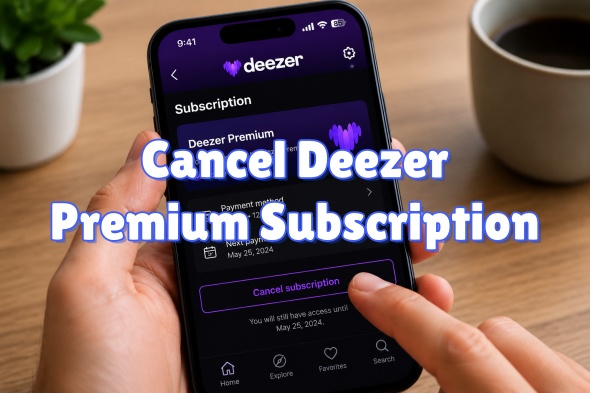
Part 1. What Is Deezer Premium Subscription?
Deezer Premium is a paid streaming subscription that removes ads for users. With Deezer Premium, you have access to a catalog of over 120 million tracks, Hi-Fi audio, downloadable music, and ad-free playback. So, what about the difference between Deezer Free and Premium?
| Features | Deezer Free | Deezer Premium |
|---|---|---|
| Price | Free | $11.99/month (there are discounts for annual, university student, and family plans) |
| Audio Quality | Compressed 128kbps MP3 | lossless Hi-Fi sound, 16-bit/44.1 kHz FLAC |
| On-Demand Playback | Limited, basically shuffle play | Yes, any track, any time |
| Skips | Limited, per hour | Unlimited |
| Skip Without Limits | No | Yes |
| Offline Listening | No | Yes |
| Ads | Yes | No |
| Device Linking | Mobile and desktop | Up to 3 devices |
| Built-in Tools | No | SongCatcher, synchronized lyrics |
Part 2. How to Cancel Deezer Premium Subscription
Though Deezer Premium sounds great, you still want to cancel it. Because a free plan is still workable, or you want to move to another streaming service like Spotify or YouTube Music.
Then, how to do it? You can cancel a Deezer subscription via the Deezer app or website. If you subscribe to Deezer Premium through a third party like Apple, Google Play, or PayPal, you must deactivate your subscription through their platforms, not directly on Deezer.
2.1 Cancel Deezer Subscription Via Deezer App or Website
You can cancel your Deezer subscription directly through the Deezer mobile app or the Deezer website with ease.
On Deezer App (iOS & Android)
01Open the Deezer app on your phone and choose Favorites at the bottom bar.
02Choose Settings in the top right corner.
03Tap Manage my account or Account management.
04Choose Manage my subscription.
05Tap Cancel my subscription.
06Select the reason for canceling and tap Confirm.
On Deezer Website
01Choose a web browser you like and visit the Deezer website.
02Click your profile picture at the top right.
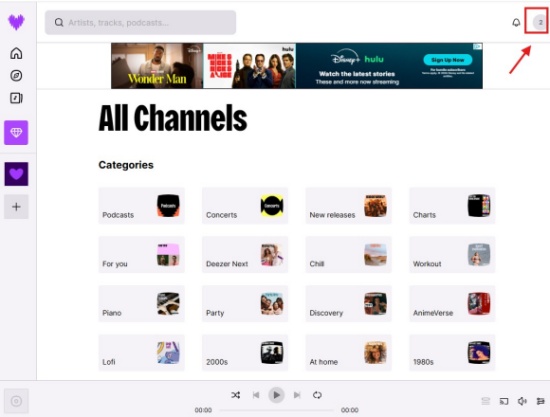
03Choose Account Settings from the given list.
04Click Manage my subscription > Cancel my subscription.
05Choose a reason for canceling the subscription and click Confirm.
2.2 Cancel Deezer Subscription Via Apple App Store (iOS)
If you subscribed to the Deezer subscription through the Apple App Store, you can follow the step-by-step instructions.
On iPhone or iPad
01Activate your device and go to Settings.
02Tap your Name or Apple Account at the top of the screen.
03Tap Subscriptions.
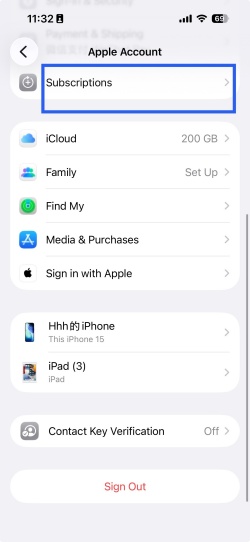
04Scroll on the screen to tap Deezer.
05Select Cancel Subscription > Confirm.
On Mac
01Open your computer and navigate to the App Store.
02Select your Name or Sign in at the bottom bar.
03Click Account Settings, and scroll to click Manage.
04Locate Deezer, click Edit or the subscription, and choose Cancel Subscription.
2.3 Cancel Deezer Subscription Via Google Play (Android)
Removing the Deezer app on your phone will not cancel your subscription. It is necessary to operate this on an Android device through the Google Play Store.
01Open your phone and tap Google Play Store.
02Tap the profile picture in the top-right corner to check the Google account used to purchase the Deezer subscription.
03Navigate to Payments & subscriptions, followed by Subscriptions.
04Scroll through the list and tap Deezer.
05Select Cancel subscription and follow the prompts to confirm.
2.4 Cancel Deezer Subscription Via PayPal
You can directly cancel Deezer's billing agreement from your PayPal dashboard.
01Open your web browser and navigate to PayPal. Log in.
02Click Settings in the top-right corner.
03Choose payments at the upper part of the page.
04Select Manage your Automatic Payments.
05Choose the Deezer subscription among the active agreements.
06Confirm by clicking Cancel, Stop, or Stop paying with PayPal.
Part 3. How to Switch to Different Deezer Plans
Now, as a Deezer Premium subscriber, if you want to switch your Premium to Duo or Family, you can do so via the app or web browser. And for users subscribed through Apple or a mobile provider, Deezer cannot change your plan; you need to cancel your Premium subscription first, wait for it to expire, and then resubscribe to your desired plan. Here are the steps.
Using the Deezer App (iOS & Android)
01Open your phone and tap Deezer (purple heart).
02Tap your profile picture in the top-left corner, then Settings.
03Locate the Subscription section and tap Plan Management.
04Select Manage my subscription.
05Tap Switch and choose your desired tier.
06Enter your payment details when prompted.
Using the Web Browser
01Choose a web browser you like.
02Sign in to your account at Deezer Offers .
03Click the plan you want.
04Type the login credentials and payment information to confirm the switch.
Users Subscribed Through Apple or a Mobile Provider
01Cancel your current subscription through your provider's settings (Part 2).
02Wait for your current billing cycle to expire.
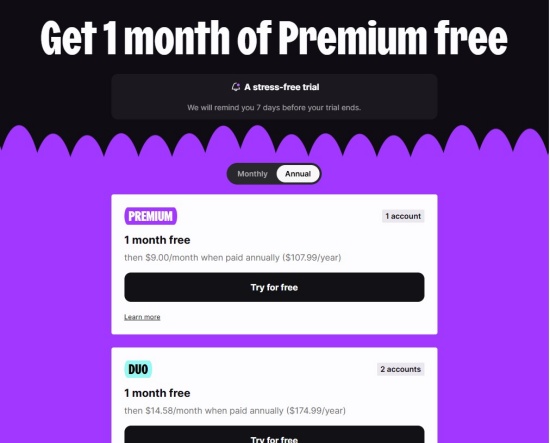
03 Log in to the Deezer Plan page to subscribe to your liked plan.
Part 4.How to Know Your Deezer Subscription Is Canceled
How can you know your Deezer subscription has been cancelled? You can check your account credentials, find the confirmation email in your inbox, verify the third-party billing, or see your plan options.
Check Your Account: Browse your status on the Deezer Account page. If you have cancelled it successfully, your current plan will remain active until your billing expires.
Find the Confirmation Email: Open your email inbox to search for a message from Deezer confirming your cancellation.
Verify Third-Party Billing: If you subscribed through Apple, Google, or a movie provider, verify the cancellation through that specific service's subscription manager rather than directly on Deezer.
See Your Plan Options: If the option to "Cancel subscription" is missing, and the Deezer app only offers "See plans," you have already cancelled your subscription, and now you are on the Free tier.
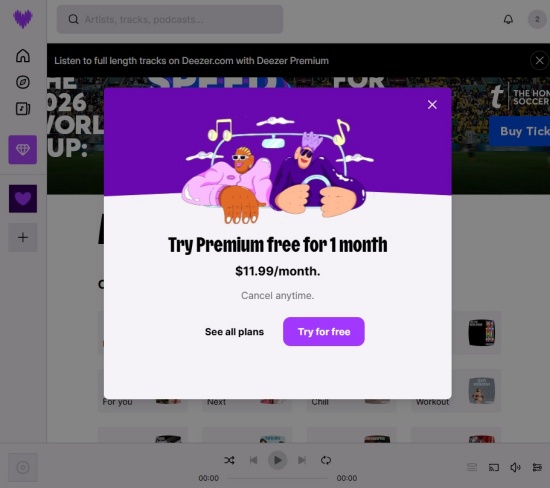
Part 5. What Happens If You Cancel Your Deezer Premium Subscription?
If you have canceled your Deezer Premium subscription, you return to the free, ad-supported tier when your current billing cycle ends. Still, you have access to your playlists and favorite tracks, but you cannot enjoy downloaded music. For more details, keep reading.
- Complete Your Paid Time: You will still enjoy your Premium features, such as SongCatcher and unlimited skipping, until your current subscription period ends.
- Offline Listening: The songs you have saved from Deezer will become grey and unplayable without an internet connection at the end of the billing cycle.
- Playlists and Favorites: Your data, including your profile, playlists, and liked songs, remains intact in your "My Music" library.
- Free Tier Limitations: Getting back to the Free tier means you will have ads, limited skips, shuffle play, and inferior audio quality.
Part 6. How to Keep All Your Deezer Music Without a Subscription
When you cancel Deezer Premium, your account eventually switches back to the Free tier, which means offline downloads disappear and your listening experience becomes more limited again, even though your playlists and liked songs remain in your library. In other words, you don't lose your music collection—but you do lose true ownership and offline access.
To avoid that limitation, you can keep your Deezer music permanently by saving it locally before your subscription ends. ViWizard Deezer Music Downloader lets you download your most-streamed tracks directly to your device and save them in high quality. It supports multiple formats like FLAC, AIFF, M4A, M4B, WAV, and MP3, and also lets you customize audio settings such as bit rate, sample rate, and bit depth up to 24-bit/320 kbps/192 kHz. Each file preserves original ID3 tags for easy music management, and it converts Deezer tracks at up to 65× faster speed while maintaining sound quality.

Ready to build your own Deezer music collection? ViWizard Deezer Music Converter helps Deezer subscribers save songs, albums, playlists, and artists with reliable music conversion. Convert your favorites and create a personal audio library.
How to Download Deezer Music Using ViWizard
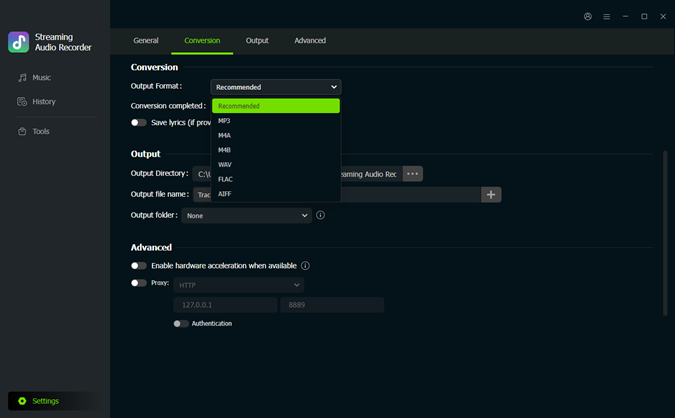 Step 1: Set Your Output Format and Audio Quality
After installing ViWizard Deezer Music Downloader, open it and click the menu icon in the top-right corner. Go to Preferences > Conversion. Choose your preferred output format, such as MP3, WAV, FLAC, AIFF, M4A, or M4B. You can also adjust audio settings like bitrate, sample rate, and bit depth, up to 24-bit, 320 kbps, and 192 kHz. Once you're done, click Save to apply your settings.
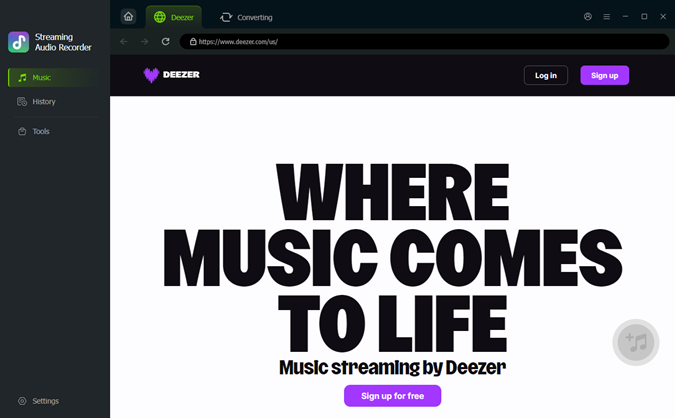 Step 2: Log in to Deezer
Return to the main screen and select Deezer as the source platform. The built-in Deezer web player will open automatically. Log in with your Deezer account so you can access your playlists, albums, and liked songs.
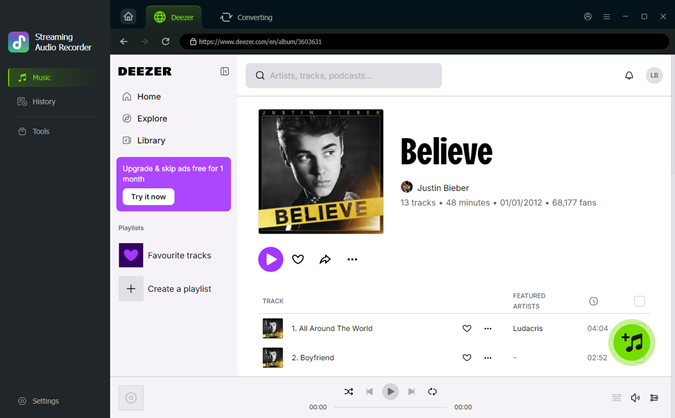 Step 3: Select the Music You Want to Keep
Browse your Deezer library as usual. Open the playlists, albums, or tracks you want to keep. Click the "+ Add to List" button to add them to the conversion queue. ViWizard will scan and load the selected songs for you.
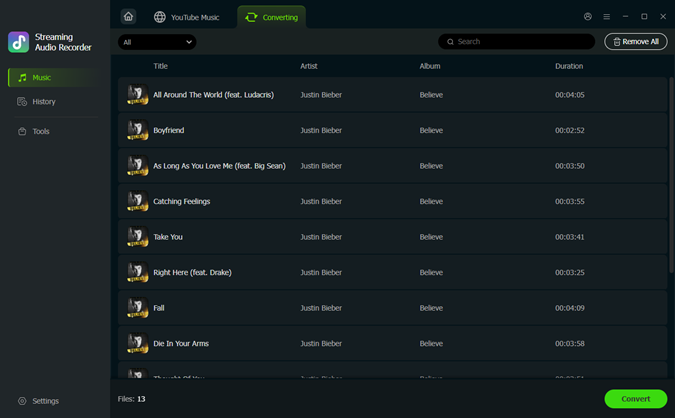 Step 4: Convert and Save Your Deezer Music
Once your songs are ready in the list, click Convert to start downloading. ViWizard will process your music at high speed while preserving original audio quality and ID3 tags. After conversion, go to the output folder to find your saved files. You can keep your Deezer music permanently and listen offline—even after canceling your subscription.
Part 7. FAQs about Canceling Deezer Premium Subscription
Can I still listen to my music after canceling?
Yes. Before the billing cycle ends, you can still listen to your favorite tracks and enjoy other Premium features. However, if the paid time is over, your favorites are visible, though. You cannot play downloaded music or skip songs randomly.
Why can't I find the "Cancel Subscription" option?
Two reasons: You are already on the Free tier, so the cancellation option disappears; another reason is that you subscribed through a third party, like Apple App Store or Google Play, and if so, try cancelling through those platforms instead of Deezer.
Will I get a refund if I cancel early?
No, Deezer does not issue pro-rated refunds for unused time in a billing cycle. Your premium account remains active for the duration you pay.
Conclusion
Canceling Deezer Premium is simple, but it changes how you listen to music. After your billing cycle ends, your account returns to the free plan with ads and limited features, while your playlists and liked songs stay saved.
If you want to keep your music even after canceling, tools like ViWizard Deezer Music Downloader can make a big difference. It helps save your favorite songs in high quality, and you can enjoy an unlimited number of tracks. Just give it a shot!
You May Be Interested


Dave Henry loves movies and all things video. He likes checking out different video formats and trying new media players to see how they change the viewing experience.

Leave a Comment (0)