


You find a great music video or live performance on Dailymotion and want to save its audio for offline listening. But when you look for a download option, you may notice that Dailymotion doesn't offer a direct way to save videos as MP3 files. So, how can you convert a Dailymotion video to MP3?
There are some simple ways to do it. You can use desktop software for more control over audio quality and output settings, or choose an online converter for quick download. In this guide, we'll introduce 7 Dailymotion to MP3 converters, explain how to use them, and compare their safety, audio quality, output formats, and cost in Part 4 to help you choose the right one. Let's dive in.

Part 1. Can I Convert Dailymotion Video to MP3?
Yes, but Dailymotion does not offer a built-in option to convert videos to MP3. The platform is mainly designed for video streaming and sharing, so it does not provide a direct audio download feature for its videos.
So, how can you get MP3 audio from a Dailymotion video? You can use an online Dailymotion to MP3 converter or desktop software such as ViWizard Audio Capture. The right choice depends on whether you want a quick browser-based conversion or more control over the output audio.
If you want to save the converted MP3 to your phone, you can first download it to your computer and then transfer the file to your phone using a USB cable. This is a simple option when you don't have a suitable mobile converter.
Part 2. Best Dailymotion Video to MP3 Software Converter
If you want to download a Dailymotion video to MP3 on your Windows or Mac, you may need safe and reliable software. Here we recommend ViWizard Audio Capture. Compared with online converters, ViWizard generally provides a more stable experience and lets you fully control the output audio.
ViWizard Audio Capture
After installing ViWizard Audio Capture, you can customize the output formats, such as MP3, WAV, OGG, AAC, etc. Once set up, ViWizard records the audio while preserving the original audio quality. Best of all, when you get the recording, you can trim the unwanted parts as you please. Besides Dailymotion videos, ViWizard can capture various sounds from the computer system, including the audio from twitch clips and music from SoundCloud, Deezer, and other music platforms. Follow the steps to start recording Dailymotion videos as MP3. Here are the steps to convert Dailymotion videos to MP3 with ViWizard.

Key Features of ViWizard Audio Capture
Free Trial Free Trial* Security verified. 5, 481,347 people have downloaded it.
- Record streaming audio and system audio from different sources
- Capture music, podcasts, and online audio content
- Export recorded audio in 17 formats for different devices and platforms
- Record audio automatically without saving tracks individually
- Organize captured audio files with customizable output options
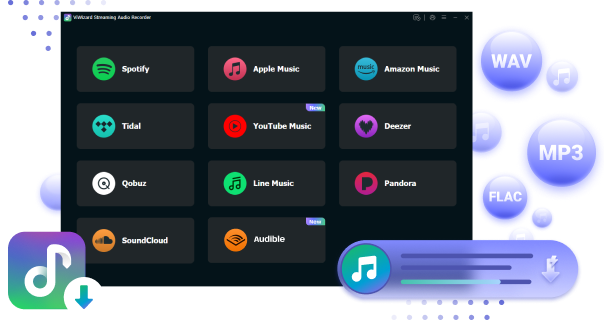
Download Dailymotion Videos to MP3 with ViWizard Audio Capture
 Step 1: Launch ViWizard Audio Capture and Access Dailymotion
Click on the Free Trial button to install and launch ViWizard Audio Capture on your computer. Ensure that the web browser you want to use to open Dailymotion is visible within the application.
 Step 2: Configure Output Parameters for Dailymotion Video
Click the Format button located at the bottom-left corner of ViWizard to customize your audio settings. Set the format to MP3 and adjust the channel, codec, sample rate, and bit rate to your preference. Click OK to save these settings.
 Step 3: Start Capturing and Converting from Dailymotion
Click the Start button, which will also launch the web browser you selected before. Within the browser, find the Dailymotion video you wish to capture, and start playing it. ViWizard will automatically record the audio in real time as the video plays.
 Step 4: Edit the Downloaded Dailymotion Audio
Upon completion, click the Edit button for each track to split or merge tracks and even combine multiple audio pieces if you want. You can also manage the ID3 tags of the tracks. Click Save to export the downloaded tracks. To find the files, click History on the left sidebar, which lets you easily browse through all the converted and downloaded audio tracks from Dailymotion.
Transfer Downloads to Different Devices (Optional)
After you get the Dailymotion MP3 downloads on your computer, you are free to transfer them to your MP3 player or Phone, with a USB cable.
01Connect your device to your computer.
02Launch the File Manager on your computer (File Explorer for Windows or Finder for Mac).
03Locate the folder where your converted MP3 files are saved.
04Select the music files you wish to transfer to your device and copy them.
05In the File Manager, locate your device storage and open it. Then, paste the copied music files into the music storage directory of your device.
Part 3. Best Dailymotion Video to MP3 Online Converters
If you don't want to install desktop software, an online Dailymotion video to MP3 converter can be a more convenient option. Most online tools work directly in your browser: you paste the Dailymotion video URL, choose MP3, and download the converted file.
However, online converters can differ in terms of supported URLs, audio quality, conversion speed, ads, and download limits. Some may also change their availability over time. Below are several options worth considering.
3.1 SaveTheVideo.com
SaveTheVideo.com is an online video downloader that allows users to download videos from various platforms, including YouTube, Dailymotion, Vimeo, and more. The service enables users to save videos in different formats and resolutions, including MP3 for audio extraction. It features a user-friendly interface, making it easy to paste video URLs and initiate downloads. But this converter requires a strong internet connection.
01Copy the URL of the Dailymotion video.
02Go to the SaveTheVideo.com website.

03Paste the copied Dailymotion URL into the box and click on Start.
04In the pop-up window, you can select the format and the audio quality you like. Also, you can cut a clip of audio by clicking on the Cut button.

05Once converted, click the download button.

- No software installation
- Supports multiple output formats
- Simple URL-based conversion
- Convenient for quick conversions
- Built-in tools to trim or cut the audio clip
- May display advertisements
- Some Dailymotion URLs may not be supported
- Available features can change
- Varying audio quality
- No batch downloads

This post shows the top methods to convert YouTube to MP3. Read on to discover how to download and convert YouTube videos to MP3 effortlessly.
3.2 SAVEMP3
SAVEMP3 is a browser-based tool designed to extract audio from online videos. It provides a simple way to convert supported Dailymotion videos to MP3 without installing a desktop application. Its simple interface is suitable for users who only need basic video-to-audio conversion.
01Copy the Dailymotion video URL.
02Go to the SAVEMP3 website and paste the copied Dailymotion link into the box.
03Click on the Preparing button to start converting.
04Tap on the download icon to save it to your computer. You can find the downloaded files by clicking on the download button at the top right corner of the browser.
05Trim the audio by clicking the scissors icon on the right side of the extracted audio.
- Easy for beginners
- No installation required
- Simple conversion process
- Convenient for occasional use
- Cut or select specific sections of the audio clip before converting
- May contain advertisements or pop-ups
- Supported websites may vary
- Audio customization options may be limited
3.3 noTube Converter
noTube Converter is an online media converter. It lets you process supported video URLs directly from your browser. It supports audio conversion to formats such as MP3, without installing software.
01Copy the Dailymotion video URL.
02Open the noTube Converter website.
03Paste the URL into the provided field.
04Select MP3 from the available formats.
05Start the conversion and download the MP3 file.
- Simple browser-based tool
- Supports MP3 conversion
- No software installation or registration
- Easy URL-based workflow
- Multi-platform support
- Completely free
- Some URLs may not work
- Website availability may vary
- May include advertisements or redirects
3.4 SafeConverter
SafeConverter is a web-based video conversion tool that can process supported online video links and extract audio. Its interface is simple. For a safer experience, avoid clicking suspicious ads or download links and consider using trusted desktop software instead.
01Copy the Dailymotion video URL.

02Open SafeConverter in your browser.
03Paste the URL into the converter.
04Select MP3 as the output format.
05Start the conversion and download the finished file.
- Straightforward interface
- No desktop installation
- Supports audio extraction
- Suitable for occasional conversions
- May contain advertisements
- Some videos may not be supported
- Conversion speed can vary
- Audio quality can vary
3.5 MoiMobi
MoiMobi is a lightweight online Dailymotion video downloader that works directly in your browser. It can process public Dailymotion links, let you preview available media options, and convert videos to MP3 or MP4 without requiring an account or software installation.
01Copy the Dailymotion video link.
02Visit the MoiMobi website.
03Paste the link into the input field.
04Choose MP3 or the available audio format.
05Start the conversion and download the file.
- No software installation
- Simple to use
- Supports audio conversion
- Convenient for quick tasks
- Mobile friendly
- Supported URLs may change
- May have usage restrictions
- Conversion performance can vary
- Dependence on internet connection
3.6 AceThinker
AceThinker provides online media downloading and conversion tools for supported websites. Its online tools can process video URLs and, when supported, extract audio in MP3 format. AceThinker also offers desktop software, giving users another option if they need more features or control.
01Copy the Dailymotion video URL.
02Open the AceThinker online downloader or converter.
03Paste the URL into the input box.
04Select MP3 when the format option is available.
05Start the conversion and download the audio file.
- Simple online conversion
- Supports multiple media formats
- No installation required
- Offers desktop software
- Audio quality up to 320 kbps
- Supports multiple platforms
- Some features require paid software
- Online features may change
- May show ads and promotions
- Interface can feel less streamlined
Part 4. What Is the Best Dailymotion MP3 Converter?
Simply put, online converters are convenient for quick, occasional downloads because they require no installation. Desktop software, on the other hand, is generally a better choice if you want more stable performance and greater control over the output. Here is a quick comparison of the tools covered above:
| Converter | Type | Output | Safety | Audio Quality | Cost | Best For |
|---|---|---|---|---|---|---|
| ViWizard Audio Capture | Desktop | MP3, WAV, FLAC, etc. | ⭐⭐⭐⭐⭐ | ⭐⭐⭐⭐⭐ | Paid with free trial | Better audio control |
| SaveTheVideo.com | Online | MP3, MP4, etc. | ⭐⭐⭐ | ⭐⭐⭐⭐ | Free | Quick online conversion |
| SAVEMP3 | Online | MP3 | ⭐⭐⭐ | ⭐⭐⭐ | Free | Simple audio extraction |
| noTube Converter | Online | MP3, MP4, etc. | ⭐⭐⭐ | ⭐⭐⭐⭐ | Free | Easy URL conversion |
| SafeConverter | Online | MP3, MP4, etc. | ⭐⭐ | ⭐⭐⭐ | Free | Occasional conversions |
| MoiMobi | Online | MP3, MP4 | ⭐⭐⭐ | ⭐⭐⭐ | Free | Simple Dailymotion downloads |
| AceThinker | Online/Desktop | MP3, MP4, etc. | ⭐⭐⭐⭐ | ⭐⭐⭐⭐⭐ | Free/Paid | Multiple formats and platforms |
Part 5. FAQs about Converting Dailymotion Videos to MP3
Is it safe and legal to convert Dailymotion video to mp3?
Yes. The tools mentioned in this post are generally safe and reliable, especially the ViWizard one. But you should pay attention to the copyright issues. Downloading and converting videos may violate copyright laws if the content is protected or is forbidden to download for any reason.
What audio quality can I get from a Dailymotion MP3 converter?
Audio quality depends on the original Dailymotion video and the converter you use. Some tools offer different bitrate options, while others automatically determine the output quality. 320 kbps may be available with some converters, but it does not improve audio beyond the quality of the source.
Why can't I convert a Dailymotion video to MP3?
A converter may fail if the Dailymotion URL is unsupported, the video is private or restricted, the website is temporarily unavailable, or the converter has changed its supported services. Try another converter or use a desktop audio capture tool instead.
Conclusion
Converting Dailymotion videos to MP3 doesn't have to be difficult. If you want a quick and simple solution, an online converter can get the job done without installing software. If you prefer better control over audio quality and output settings, ViWizard Audio Capture is a handy desktop option.
In short, choose the method that works best for you, convert the Dailymotion videos you have permission to use, and enjoy the audio offline whenever you like.
You May Be Interested


From new releases to old favorites, Matt Smith is always on the lookout for good music. He follows the latest in digital entertainment and shares songs and media he thinks are worth checking out.

Leave a Comment (0)