


Twitter (X) is not only a place for short posts and videos but also a source of interesting audio content, including music clips, podcast highlights, interviews, speeches, and live discussions. However, Twitter does not provide a direct way to extract audio or save videos as MP3 files. If you want to keep these audio clips for offline listening, you will need the help of a third-party converter.
In this guide, we will introduce 9 easy ways to convert Twitter videos to MP3, including desktop software, online converters, and browser extensions. Each method has its own features, so you can choose the one that best matches your needs. Let's get started!

Part 1. Can You Convert Twitter Videos to MP3?
Yes, you can convert Twitter (X) videos to MP3. But Twitter itself does not offer a convert button. Once you find a video with music, a podcast clip, an interview, or other audio content that you want to save for personal use, you need a third-party tool to make it. The tools can be a desktop downloader, online converter, or browser extension.
These tools usually work by extracting the audio track from a Twitter video and saving it as an MP3 file. The method you choose may affect audio quality, download speed, and batch conversion at once. Before choosing a method, it is important to understand a few things about converting Twitter videos to MP3.
- Copyright and Legal Issues: Make sure you have permission to download and use the content. Downloading copyrighted material without permission can lead to legal consequences.
- Privacy Policies: Read the privacy policy of the converter you choose. This way, you will understand how your data will be handled and avoid services that collect unnecessary personal information.
- Reputation of the Converter: Use safe, well-reviewed converter apps to avoid malware or security risks. Check user reviews and ratings before downloading. If you are not sure which converter is safe, don't worry; we will recommend reliable converters in this article.
- File Size and Length Limitations: Be aware of the restrictions on file size or video length imposed by some converters. Adjust your files to complete the conversion. For example, free versions of Freemake Video Converter may limit the maximum file size or the number of conversions per day, and the length limitation is typically around 30 minutes.
Part 2. How to Convert Twitter Videos to MP3 with Desktop Downloaders
If you want a more stable way to convert Twitter videos to MP3, desktop downloaders can be a good choice. Compared with online tools, desktop software usually offers better audio quality, fewer ads, and more control over the output settings. It is especially useful if you often save audio from Twitter videos or want to process longer videos.
ViWizard Audio Capture
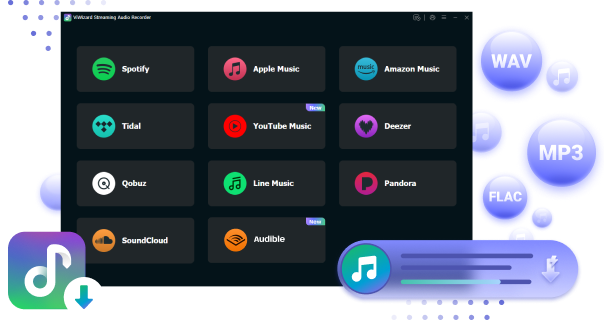
ViWizard Audio Capture is a desktop audio recording tool that can help you extract audio from Twitter videos and save it as MP3 files. Instead of downloading the video directly, it captures the audio playing on your computer and converts it into a common audio format.
There are many output formats to choose from: MP3, FLAC, WAV, AIFF, M4A, and M4B. You can also adjust audio settings such as bitrate and sample rate to balance sound quality and file size. Besides Twitter videos, it can also capture audio from other websites, music platforms, and media players. Check the step-by-step instructions to convert your Twitter videos.

Key Features of ViWizard Audio Capture
Free Trial Free Trial* Security verified. 5, 481,347 people have downloaded it.
- Record streaming audio and system audio from different sources
- Capture music, podcasts, and online audio content
- Export recorded audio in 17 formats for different devices and platforms
- Record audio automatically without saving tracks individually
- Organize captured audio files with customizable output options
 Step 1: Launch ViWizard and Select Target Browser
Install and open ViWizard Audio Capture on your computer. Click the plus icon to choose the browser you use to visit Twitter or add the Twitter app directly. If the browser you need isn't listed, you can drag and drop it into the main interface or add it by clicking the 'Plus' icon.
 Step 2: Personalize Output Parameters for Twitter Recordings
To set the output parameters, click the Format button in the bottom left corner. Set the output format and adjust sample rate, bit rate, audio channel, and codec.
 Step 3: Play and Record audio from Twitter Video
In the Capturing interface, click the Start button to launch the browser to access the Twitter website or open the Twitter app. Begin playing videos that include your desired audio. Then a recording window will appear, indicating that ViWizard Audio Capture is in recording mode and will automatically capture the audio from Twitter.
 Step 4: Download Twitter audio to MP3
Once it's over, go back to ViWizard and click Stop. To enhance your recordings, you can edit the audio as you wish by clicking the edit icon. When you finish trimming, click the Save button to store the recordings in your local files. Click History to view and play all the recorded audio as you please.
Part 3. How to Convert Twitter Videos to MP3 with Online Tools
If you are unwilling to download any software to your desktop, consider some online tools. They usually work directly in your browser, so you do not need to install extra software. Most of them only require you to copy the Twitter video link, paste it into the website, and download the extracted audio file.
However, online tools may have limitations, such as ads, download restrictions, or lower audio quality. Here we show you some popular online Twitter videos to MP3 converters and how to use them.
3.1 twdown.net
It is a web-based tool. It helps you download videos and audio from Twitter. You can paste a link to a specific Twitter post containing a video, and the site will provide download options, typically MP4 for video and MP3 for audio. Note that the conversion may be interrupted once the internet connection is poor.
01Open twdown.net and Twitter website in your browser.
02Search for your desired video and click the share icon at the lower-right of the video. Tap on the Copy link bar in the pop-up list.

03Go to the twdown.net and paste the link to the box, then click the Download button.

04Then scroll down to choose the MP3 as the file type to download.

3.2 Apowersoft Online Audio Recorder
Apowersoft Online Audio Recorder lets you record audio from various sources, including system sound, microphone, or both simultaneously. You can record streaming audio, voice calls, or any sound playing on your computer. However, it does not include a built-in audio cutter or editor, and the recorded audio quality may be inferior.
01Go to the Apowersoft Online Audio Recorder webpage on your browser.

02Set your audio input source settings to System Sound so it records computer playback rather than your microphone.

03Navigate to Twitter and prepare your desired Twitter video.
04Click the red Record button on Apowersoft, then immediately play your Twitter video.
05Click Stop to end the recording.
06If the captured audio is ok, click the Save button. The recorded audio file will be saved in MP3 format by default and can be found in the local folder.

3.3 Ssstwitter.com
SSSTwitter is a popular online Twitter video downloader known for its simple interface. It works on multiple devices, such as phones, tablets, and computers. You can use it to save Twitter videos by entering the video URL.
01Visit Twitter on your device.
02Find the Twitter video and click Share to copy its link.
03Open SSSTwitter.com and enter the URL in the download box.
04Click the download option and wait for the process.
05Save the available audio or video file to your device.
3.4 ConvertICO
ConvertICO Twitter to MP3 Converter allows you to extract audio from public Twitter/X videos and save it as an MP3 file without installing software or creating an account. Simply paste the video post URL, choose your preferred audio quality (128 kbps, 192 kbps, or 320 kbps), and download the extracted MP3 file in just a few clicks.
01Open Twitter (X), find the post containing the video.
02Copy its URL using the Share button.
03Visit the ConvertICO Twitter to MP3 Converter website and paste the copied link into the input box.
04Choose your preferred MP3 quality from 128 kbps, 192 kbps, or 320 kbps.
05Click Extract MP3 and save the converted audio file to your device.
3.5 savetwitter.net
SaveTwitter Twitter to MP3 Converter lets you quickly extract MP3 files from Twitter videos online without installing any software. It works on different browsers and devices, including computers, tablets, and mobile phones. Just copy the tweet link, paste it into SaveTwitter, and download the MP3 file in a few clicks.
01Copy the URL of the Twitter video you want to convert.
02Open the website and enter the copied URL.
03Select the available download option.
04Save the media file.
3.6 ytmp3.gg
ytmp3.gg is an online tool. You can use it to convert Twitter videos into MP3 audio without installing extra software or extensions. It supports different devices and lets you easily save music clips, podcasts, speeches, and other audio content for offline listening.
01Open Twitter (X), find the video you want to convert, and copy its link from the Share menu or your browser's address bar.
02Visit the ytmp3.gg Twitter to MP3 Converter page and paste the copied URL into the input box.
03Select MP3 as the output format to extract the audio from the Twitter video.
04Click the Convert button and wait for the process to finish.
05Download the converted MP3 file to your device for offline playback.
3.7 X Downloader
If you want to save videos or extract audio from Twitter (X), X Downloader can help you. You can save X videos as MP4 files or convert them into MP3 audio within just a few clicks. And it supports many devices, including computers, tablets, or smartphones.
01Open the Twitter post and copy the video link.
02Go to the X Downloader website and enter the copied link.
03Choose the available download option and save the converted file.
Part 4. How to Convert Twitter Videos to MP3 with Browser Extensions
If you often save audio from Twitter (X) videos, using a browser extension can be a convenient option. Unlike online converters, browser extensions work directly inside your browser and can help you download media without opening another website. They are especially useful when you frequently download videos or audio from Twitter.
However, keep in mind that not all Twitter downloader extensions support MP3 extraction. Some extensions only save videos, while others may require additional steps to convert the downloaded video into audio. Also, always choose reliable extensions and check their permissions before installing them. If you use Chrome, Chrome Audio Capture is the best option.
Chrome Audio Capture
01Enter "Chrome Web Store" in the Chrome search box.

02Navigate to Chrome Audio Capture in the store as the cover below and click it.

03Click on the Add to Chrome bar, then the extension will be added to your browser toolbar.

04Go to the Twitter webpage and navigate to your desired video.
05Locate the extension's icon which looks like a puzzle within your browser's toolbar at the top-right corner.
06Start playing the Twitter video and press the red Start Capture bar. Additional controls such as pause and stop options are provided for your convenience.

07After the recording is complete, simply click the Save Capture button on the extension. The recorded audio is generally saved in MP3 format, which can be found in your designated download folder.
Part 5. Which Twitter Video to MP3 Converter Should You Choose?
After comparing these 9 methods, you can see that each Twitter (X) video to MP3 converter has different advantages. Some tools focus on quick online conversion, while others provide better audio quality, more output options, or a more stable experience. To help you decide, we compare them from several important aspects.
| Method | Ease of Use | Audio Quality | Supported Devices | Best For | Limitations |
|---|---|---|---|---|---|
| ViWizard Audio Capture | ⭐⭐⭐⭐ | ⭐⭐⭐⭐⭐ | Windows/Mac | High-quality audio capture and flexible settings | Requires installation and real-time recording |
| twdown.net | ⭐⭐⭐⭐⭐ | ⭐⭐⭐ | Browser-based | Quick Twitter video and MP3 downloads | Limited output settings |
| Apowersoft Online Audio Recorder | ⭐⭐⭐⭐ | ⭐⭐⭐⭐ | Windows/Mac/Browser | Recording Twitter audio and other online sounds | Free version has recording limits |
| SSSTwitter | ⭐⭐⭐⭐⭐ | ⭐⭐⭐ | Mobile/Desktop browsers | Simple Twitter media downloads | Mainly focuses on video downloading |
| ConvertICO | ⭐⭐⭐⭐⭐ | ⭐⭐⭐⭐ | All browsers | Fast MP3 extraction with quality choices | Works only with public posts |
| SaveTwitter | ⭐⭐⭐⭐⭐ | ⭐⭐⭐ | PC/Mobile browsers | Beginners who want simple downloads | Fewer advanced features |
| ytmp3.gg | ⭐⭐⭐⭐⭐ | ⭐⭐⭐ | All devices | One-click Twitter to MP3 conversion | Limited customization |
| X Downloader | ⭐⭐⭐⭐ | ⭐⭐⭐⭐ | PC/Mobile browsers | Downloading videos and extracting audio | More video-focused |
| Chrome Audio Capture | ⭐⭐⭐⭐ | ⭐⭐⭐⭐ | Chrome browser | Recording Twitter audio directly in Chrome | Requires playing the video during recording |
Converting Twitter (X) videos to MP3 is simple with the right tool. Online converters are suitable for quick downloads, while desktop tools like ViWizard Audio Capture are better if you need more control over audio quality, formats, and settings.
Each method has its own advantages. Choose the one that works best for you and enjoy your favorite Twitter audio clips anytime. Remember to download and use content responsibly.
You May Be Interested


From new releases to old favorites, Matt Smith is always on the lookout for good music. He follows the latest in digital entertainment and shares songs and media he thinks are worth checking out.

Leave a Comment (0)