


Tired of watching your budget disappear on subscriptions when all you want is some good music for studying, commuting, or taking a break? If you're a student, Amazon Music has a couple of options that can make things a little easier on your wallet.
But which Amazon Music Student Plan should you choose? What's the difference between Prime Student and Unlimited Student? And how do you get the student price and keep it after signing up?
Don't worry—we'll break it all down in this guide. From plan features and pricing to sign-up, renewal, and offline listening, here's what you need to know about Amazon Music Student Plans in 2026. Let's get started!

Part 1. Overview of Amazon Music Student Plan
Amazon offers two student options for listening to music: Amazon Music Prime Student and Amazon Music Unlimited Student. Both are available to eligible students, but they come with different benefits and pricing.
1.1 Amazon Music Prime Student
Amazon Music Prime Student is part of the Prime Student membership. Eligible students can enjoy Amazon Music Prime along with other Prime benefits. With Amazon Music Prime, you can listen to over 100 million songs and podcasts without ads.
However, most of the catalog uses shuffle playback, so you can't freely choose individual songs on demand. Select All-Access Playlists offer more playback control and can also be downloaded for offline listening.
Prime Student can be a convenient option if you want Amazon's wider Prime benefits and mainly use music for casual listening.
1.2 Amazon Music Unlimited Student
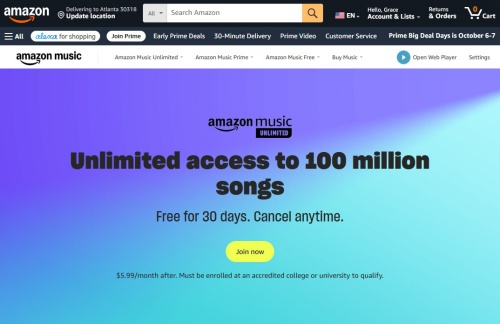
Amazon Music Unlimited Student is a separate student subscription for those who want more from Amazon Music. It provides full on-demand playback, so you can choose specific songs, albums, or playlists and skip tracks freely.
It also includes higher-quality listening options such as HD, Ultra HD, and Spatial Audio for supported content and devices. You can download music for offline listening through the Amazon Music app.
For students who listen to music more often and want more control over playback, Unlimited offers a different experience from the music benefit included with Prime Student.
Amazon Music Prime Student vs. Unlimited Student
| Feature | Amazon Music Prime Student | Amazon Music Unlimited Student |
|---|---|---|
| Included with | Prime Student | Separate subscription |
| Price | Included with Prime Student ($7.49/month or $69/year) | $5.99/month |
| Music catalog | 100+ million songs | 100+ million songs |
| Playback | Mostly shuffle | Full on-demand playback |
| Audio quality | Standard | HD, Ultra HD & Spatial Audio |
| Offline listening | Limited to eligible All-Access Playlists | Download songs and playlists |
| Prime benefits | ✅ | ❌ |
| Best for | Casual music listening | More control and music features |
Part 2. How to Get Amazon Music Student Plan
Wondering how to get an Amazon Music Student Plan? It depends on which one you want. Prime Student comes with Amazon Music Prime, while Amazon Music Unlimited Student is a separate subscription you can sign up for.
2.1 For Amazon Music Prime Student
Getting access to Amazon Music Prime Student requires signing up for a Prime Student membership, which includes ad-free, shuffle-based streaming from the 100-million-song catalog at no extra cost.
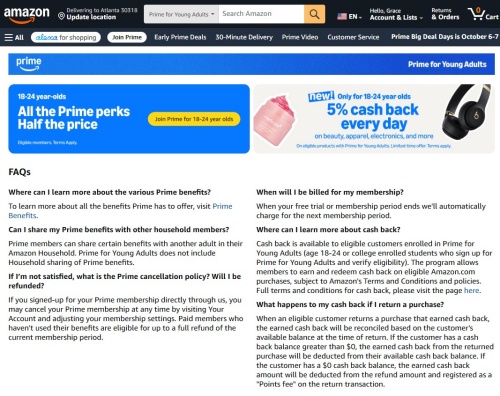
01Go to the official Prime Student sign-up page on Amazon.
02Click Try Prime Student to activate the 6-month trial offer for new student accounts.
03Verify Your Student Status:
- Enter your .edu school email address, expected graduation year, and college/university name.
- If you don't have a .edu email, upload acceptable proof of enrollment (such as a student ID card, transcript, or official tuition bill showing your name and current academic term).
04Submit your payment method. Once verified, open the Amazon Music app on any device and sign in with your Prime account to start listening.
2.2 For Amazon Music Unlimited Student
To get more control over playback, unlimited skips, and lossless audio, you can sign up directly for the standalone Amazon Music Unlimited Student Plan ($5.99/month).
01Go to the Amazon Music Unlimited Student promo page in your web browser.
02Select the option to start your 30-day free trial.
03Verify via SheerID:
- You will be redirected to the SheerID verification window.
- Enter your legal name, academic institution, and school email.
- If automated verification fails, submit a photo or PDF of a class schedule, registration receipt, or transcript.
04Confirm your payment details. Once verified by SheerID, your account will be unlocked for on-demand playback across mobile, desktop, and smart devices.
Part 3. How to Renew Amazon Music Student Plan
Student discount rates apply for up to 4 consecutive years, but Amazon requires annual re-verification through SheerID to ensure you are still enrolled in an accredited institution.

3.1 For Amazon Music Prime Student
01Check your mailbox, where Amazon will send a notification email as your annual verification date approaches.
02To access Account Settings, go to Amazon.com > Your Account > Prime Membership.
03Click the link to re-verify your student status.
04Provide your .edu email or upload updated documentation (like a current semester schedule or transcript) to maintain your discounted Prime Student rate.
3.2 For Amazon Music Unlimited Student
01Go to music.amazon.com/settings and log in.
02Under your subscription details, check your Student Status section.
03Click Re-verify Student Status to trigger the SheerID portal.
04Follow the prompts to verify your current college or university enrollment. Once approved, your $5.99/month rate automatically extends for another 12 months.
Pro-Tip: Make the Most of Amazon Music Student Plan
Okay, now you've got the plan. So, what's next? How about some tips to maximize your Amazon Music Student experience?
-

Use the offline download.
Enjoy your beloved tunes offline or when your Wi-Fi is on vacation.
-
Pick some study playlists for your studies.
Amazon offers loads of playlists specially designed to help with your concentration or your meditation. Try searching keywords related to study or work music.
-
Create your own playlists.
Instead of searching, why don't you make your own customized study playlists? Or, apart from that, parties are really a teenager thing, huh? Go make some playlists for your party! You can tailor your music to your moods and tastes.
Part 4. How to Make the Most of Amazon Music Student Plan
If you're using Amazon Music Unlimited Student, you can download songs, albums, and playlists for offline listening through the Amazon Music app. This comes in handy when you're traveling, studying without Wi-Fi, or trying to save mobile data.
However, these songs are protected by DRM and stay within the Amazon Music app. You can't transfer them as regular audio files to an MP3 player, car stereo, or external storage. And the music you download will be unplayable if your Unlimited Student subscription ends. For more control over your offline music, consider ViWizard Amazon Music Downloader.
4.1 Download Amazon Music with ViWizard
ViWizard Amazon Music Converter is a handy tool that supports Mac and Windows. It saves Amazon Music songs, albums, and playlists as common audio files. It supports MP3, FLAC, WAV, AIFF, M4A, and M4B, while keeping important metadata such as song titles, artists, albums, and cover art. Here's how to use it with your Amazon Music Student subscription:

Need Amazon Music for offline listening? ViWizard Amazon Music Converter helps Amazon Music Prime and Unlimited members save songs, albums, playlists, and artists with simple and reliable music conversion. Convert your favorites and enjoy them beyond the app.
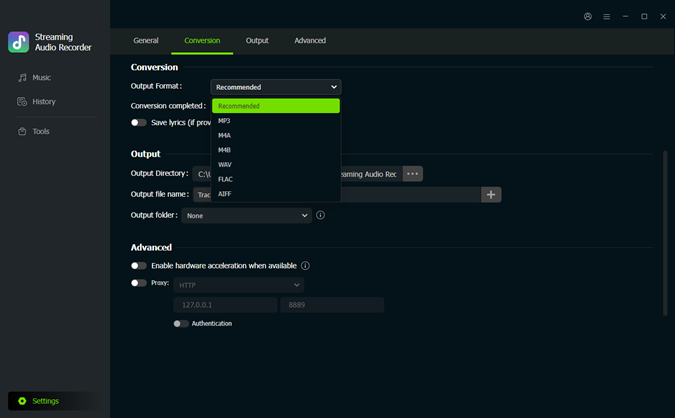 Step 1. Choose Output Settings
Open ViWizard Amazon Music Converter and click the Gear icon in the lower-left corner. Choose your preferred output format, audio quality, and output folder.
 Step 2. Add Amazon Music
Click Music to open the built-in Amazon Music web player and sign in to your account. Find the songs, albums, or playlists you want to save. Click the plus icon to check the tracks. Once you confirm the content, click Add to list for conversion.
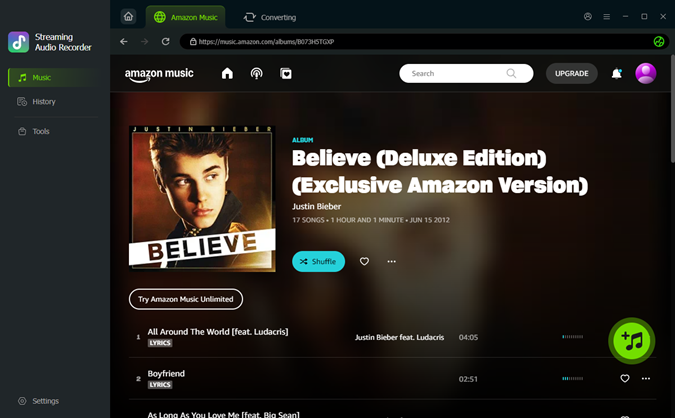 Step 3. Start the Download
After adding all you want, click Convert to start conversion. ViWizard will store the converted files in your chosen output folder.
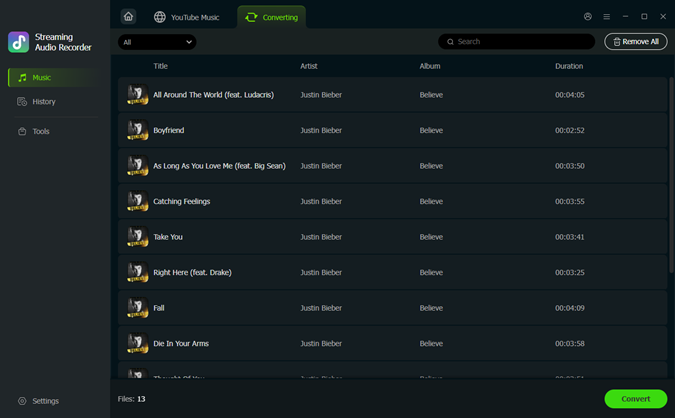 Step 4. Listen Offline
Open History to check your downloads, then open the output folder to find your music files. You can keep them on your computer or transfer them to compatible devices for offline playback. Enjoy your favorite tracks outside the Amazon Music app.
The Bottom Line
And that's pretty much it! Whether you go with Prime Student for the extra Prime benefits or Amazon Music Unlimited Student for more control over your music, you now know what each plan offers and how to get started.
Just remember to keep your student status verified when it's time to renew. If you're using Unlimited and want an Amazon Music library, ViWizard Amazon Music Converter can help you. It saves your favorite tracks as MP3, M4A, FLAC, and more, while preserving the metadata. Now, grab your headphones, pick a playlist, and get back to studying—or take a well-deserved music break.
You May Be Interested


Adam Gorden is always looking for new ways to explore music and videos. He likes trying different media tools and learning how to manage audio and video files with ease.

Leave a Comment (0)