


Music has moved from physical CDs to digital formats like MP3, but album covers are still an important part of the listening experience. They make your music library easier to recognize and organize while giving each album its own visual identity. When you download an MP3, the album cover is often saved along with the track information, but this is not always the case.
If you have MP3 files without album covers, or want to download new MP3s with their original artwork, there are several ways to do it. In this guide, we'll show you how to download MP3 with album cover using desktop software, online tools, and mobile apps. We'll also cover how to add album covers to existing MP3 files when the artwork is missing. Let's dive in.

Part 1. Can You Download MP3 with Album Art?
Yes, you can download MP3s with album art, but whether the artwork is included depends on the music source and download method. Some music services and download tools automatically embed the original album cover into the MP3's metadata, while others only provide the audio file. In some cases, the downloaded MP3 may contain incomplete or incorrect artwork.
An album cover is usually stored as embedded artwork inside the MP3 file's metadata. This means the image can appear automatically when you play the song in compatible music players such as Apple Music, Windows Media Player, VLC, or other media library apps. However, simply downloading an MP3 does not guarantee that the album cover will be included.
If you want to download MP3s with album covers, there are three main approaches:
- Use desktop software: Some music downloaders (e.g., ViWizard Streaming Audio Recorder) can save songs together with their original album covers and metadata.
- Use online tools: Certain online MP3 downloaders may include album artwork, although their metadata support can vary.
- Use mobile apps: Some Android music download apps can download tracks with album information and cover art.
If you already have MP3 files without artwork, you don't need to download them again. You can add an album cover afterward using tools such as Mp3tag, Apple Music, and more. The following sections explain each method in detail.
Part 2. How to Download MP3 with Album Art with Desktop Software [All Music Sources]
For Windows and Mac users, one practical way to download MP3s with album art is to use dedicated desktop software such as ViWizard Audio Capture. It can record music from supported platforms, including SoundCloud, Deezer, and Qobuz, and save the recordings in formats such as MP3, WAV, AAC, and FLAC.
Before exporting, you can use its built-in ID3 tag editor to manage information such as the song title, artist, album, and album cover, so the downloaded files are easier to organize in your music library. The software also provides basic audio editing options, such as trimming and merging recordings, which can be useful when you want to clean up or customize the saved tracks.

Key Features of ViWizard Audio Capture
Free Trial Free Trial* Security verified. 5, 481,347 people have downloaded it.
- Record streaming audio and system audio from different sources
- Capture music, podcasts, and online audio content
- Export recorded audio in 17 formats for different devices and platforms
- Record audio automatically without saving tracks individually
- Organize captured audio files with customizable output options
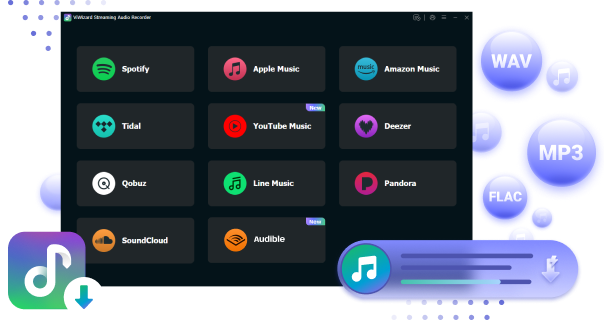
Download MP3 with Album Art Using ViWizard
 Step 1: Open ViWizard and Add the Target App
When you launch ViWizard Audio Capture, you'll see a range of program icons in a dropdown menu after clicking the 'Select/Add an App' option. Make sure the application or the web browser you use to download music is included in the listed programs. If it's not there, you can add the application by either dragging and dropping it or by clicking the 'Plus' icon.
 Step 2: Configure the Output Music Settings
Next, click on the 'Format' bar in the bottom-left corner to choose the output format for your music downloads. ViWizard supports multiple formats including MP3, WAV, AAC, M4A, M4B, and FLAC. You can also adjust additional settings like bitrate, sample rate, codec, and channel configurations. Once you've made your customizations, click the 'OK' button to return to the main interface.
 Step 3: Record and Download MP3 Music
From the main window, open the app or go to the web player where you will play the music you want to download. Browse and play the tracks you want to capture. While the music is playing, ViWizard Audio Capture will automatically start recording and converting the target music. To stop the recording, just click the 'Stop' button or close the app or browser window.
 Step 4: Set Album Cover for the Desired Music
Click the "i" icon on the right side of the recorded tracks to modify details about the music, including the title, album, artist, year, and most importantly, the album covers. You'll notice that album art is already present. If you find that an album cover is missing, you can click the cover icon to add the image manually. Then, click on Apply.
 Step 5: Edit and Save MP3 Downloads
After you add the album cover to the recorded music, you can either trim it or save it directly to your computer. To edit, click the 'Edit' icon to make changes such as trimming the audio. Once you're done, click 'Save' to store your music downloads with the album cover on your computer, which you can easily access through the 'History' button.
Part 3. How to Download MP3 with Album Art Online
If you don't want to install desktop software, online downloaders can be a quicker option for getting MP3 files with album art. These tools work directly in a web browser, so compared with desktop software, they are more convenient. However, online services usually support fewer music services and may offer fewer options for audio quality, metadata, and batch downloads. Some are heavily embedded with ads. We tested many of them and picked out two downloaders.
3.1 Download MP3 with Album Art Using CnvMP3
CnvMP3 is a free online YouTube to MP3/MP4 converter that works by pasting a YouTube video or Shorts URL. It is highly recommended for its MP3 quality up to 320 kbps and videos up to 180 minutes. Most importantly, it needs no registration or login. The site is also ad-free and does not collect user information. However, it mainly supports YouTube, and album art or metadata may not always be preserved correctly in the downloaded MP3.

01Visit the CnvMP3 website in your browser.
02Find the song or music video you want to download from a supported source and copy its URL.
03Paste the copied link into the input box on the CnvMP3 website.
04Select the MP3 audio option if multiple download formats are available.
05Click the download or convert button and wait for the conversion to finish.
06Download the converted file to your computer and check its metadata and album artwork with a music player.
3.2 Download MP3 with Album Art Using Spotisaver
Spotisaver is an online music downloader that can download Spotify tracks, albums, and playlists as MP3s with metadata and album art. It can also download music from other supported websites, but access to these sources requires a Premium plan. The free version may have download limits, server restrictions, and filename watermarks. Since Spotisaver matches music from external sources instead of directly extracting audio from Spotify, some tracks may be unavailable or incorrectly matched.
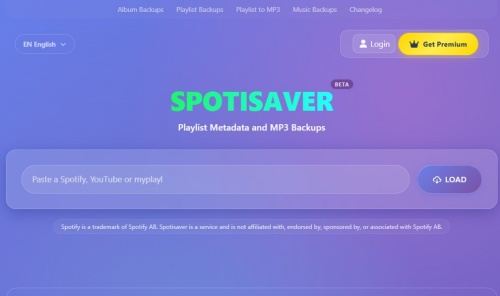
01Open Spotisaver in your web browser.
02Open Spotify and copy the URL of the track, album, or playlist you want to process.
03Return to Spotisaver and paste the Spotify URL into the provided field.
04Click the corresponding download or conversion button.
05Choose the available MP3 option after the link has been processed.
06Download the MP3 and open it in your preferred music player to check whether the album art and other metadata have been embedded correctly.
Part 4. How to Download MP3 with Album Art on Mobile
If you want to download MP3s with album art directly to your phone, Fildo is a useful option for Android users. It provides a large music library across genres such as pop, rock, hip-hop, and electronic music, with search tools for finding songs, artists, and albums. Fildo also supports offline downloads and can save music with track information and album artwork when the source provides them. However, Fildo is designed for Android devices, and the availability of songs, album art, and metadata may vary.
Download MP3 with Album Art Using Fildo (Android Only)
Fildo is mainly available as an APK for Android devices. After installing the app, you can search for your favorite music and download individual songs in MP3 or FLAC format. Follow these steps:

01Go to the official Fildo Site to get the official APK for your Android device.
02Install the Fildo app and open it on your device.
03Launch Fildo on your phone.
04Use the search bar to find a specific song, artist, or album.
05Choose the song or album you want to listen to or download from the search results.
06To download the song for offline listening, tap the three horizontal dots icon next to the song and select "Download."

07Fildo will download the song in MP3 or FLAC format and save the music file with the album cover to your device.
Part 5. How to Add Album Art to Existing MP3 Files
If your downloaded MP3 files are missing album art, you don't need to download them again. You can add or change the cover directly in the music file's metadata. Depending on your device, you can use a built-in music player or a dedicated tag editor such as Mp3tag or MusicBrainz Picard. These methods are useful when the album cover is missing, incorrect, or not displayed properly.
5.1 Add Album Art to Existing MP3s Using Built-In Music Players
Some desktop music players can add album artwork while managing your local music library. This is convenient if you already use the player to organize and listen to your MP3 collection.
Add Album Art to MP3s Using Mp3tag (Windows & Mac)
Mp3tag is a popular metadata editor for Windows and macOS. Besides editing titles, artists, albums, and other ID3 tags, it can also embed album covers directly into MP3 files. It is a good choice when you want to edit several files and keep the artwork inside the music files.
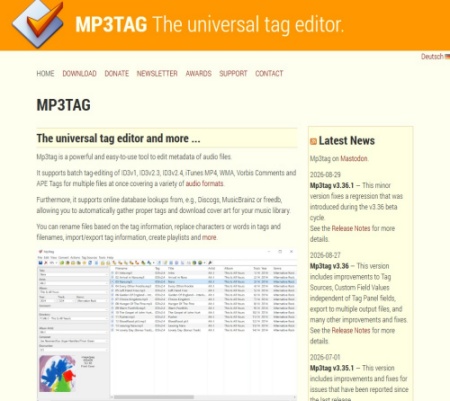
01Download and install Mp3tag on your computer.
02Open Mp3tag and drag the MP3 files into the main window.
03Click the MP3 file you want to edit.
04Right-click the album art area and choose Add cover.
05Select the album cover saved on your computer.
06Click Save to embed the artwork into the MP3 file.
Add Album Art to MP3s Using Apple Music (Mac)
If you use Apple Music on Mac to manage local music, you can also add artwork to songs in your library. This works well for users who already keep their MP3 collection in Apple Music.
01Launch the Apple Music app on your Mac.
02Go to your library and locate the MP3 you want to edit.
03Right-click the song and select Get Info.
04Click Artwork in the information window.
05Drag an image into the artwork area or use the option to add artwork.
06Click OK to apply the new cover.
Add Album Art to MP3s Using Media Player (Windows)
Windows Media Player can also help organize local music and add album artwork to supported music files. It is a convenient choice if you already use it as your default music player.
01Launch the app and open your music library.
02Locate the MP3 or album that needs a cover.
03Search for the correct album cover and copy the image.
04Right-click the album artwork area and choose Paste album art.
05Play the song and confirm that the correct cover appears.
5.2 Add Album Art to Existing MP3s Using MusicBrainz Picard
MusicBrainz Picard is a free, open-source music tagger that can identify music files and organize their metadata. It can retrieve information from the MusicBrainz database and add album information and artwork to supported files. It is a good option when your MP3 files have incomplete or incorrect metadata.
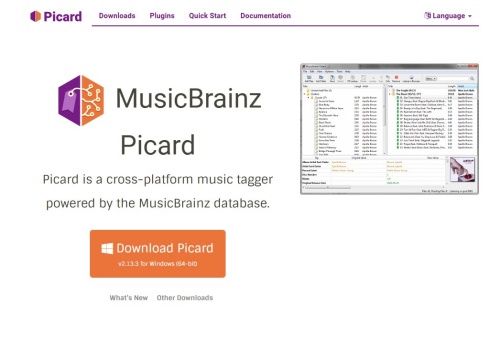
01Download and install MusicBrainz Picard.
02Drag the files into the Picard window.
03Use Scan or Lookup to identify the tracks.
04Review the matched artist, album, and track information.
05Choose the correct album from the results.
06Click Save to write the updated metadata and available artwork to your MP3 files.
Part 6. FAQs about Downloading MP3s with Album Art
Which method is best for downloading MP3s with album art?
Each method suits different needs. ViWizard Audio Capture is a good choice for desktop users who want more control over the audio format, quality, and metadata. CnvMP3 and Spotisaver are convenient for quick online downloads, while Fildo is an option for Android users. If an MP3 is missing its cover, Mp3tag or MusicBrainz Picard can add the artwork afterward.
What image format should I use for album art?
JPG and PNG are common choices for album covers. A square image with good resolution usually looks best across different music players and devices.
How can I download music with album covers from Spotify?
You can try ViWizard or Spotisaver to download Spotify music with its album cover. If the album covers not are showing on Spotify, try restarting the app or clearing Spotify's cache before downloading the music again.
Why doesn't the album cover show up after I add it?
If the album art still does not appear, it may not have been properly embedded in the MP3 file. In this case, you can use media management or tag-editing software to manually add or update the album artwork.
Conclusion
Getting MP3 files with album covers is easier when you choose the method that fits your needs. ViWizard Audio Capture is a good choice if you want better control over audio quality and metadata, while online downloaders are handy for quick downloads without installing anything. Android users can also download music directly through mobile apps such as Fildo.
If you already have MP3 files but the artwork is missing or incorrect, there's no need to download them again—tools like Mp3tag and MusicBrainz Picard can help add or update the cover. With the right method, you can keep your music files organized, complete with the album artwork and metadata you want.
You May Be Interested

Top 6 SoundCloud Artwork Downloaders to Save Album Art

How to Change or Save Spotify Album Cover

How to Change Spotify Playlist Picture/Description

How to Download Pandora Music to MP3 [No Subscription]

How to Convert YouTube Videos to MP3 [Easy Guide for 2024]

Ultimate Guide to Download SoundCloud to MP3 320kbps

From new releases to old favorites, Matt Smith is always on the lookout for good music. He follows the latest in digital entertainment and shares songs and media he thinks are worth checking out.

Leave a Comment (0)