


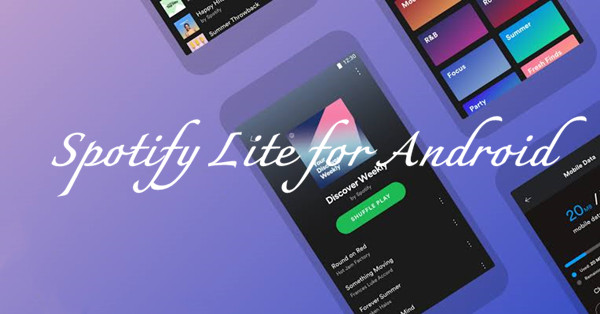
Spotify launched Spotify Lite, a lightweight version of its Android music streaming app designed for users who want to save storage space and use less mobile data while streaming. For users with older Android phones, limited storage, or slower internet connections, it provided a simpler way to enjoy core features like searching for songs, creating playlists, and streaming music.
Released in 2019, Spotify Lite supported both Free and Premium Spotify accounts and helped users manage data usage with a smaller, simpler app experience. However, Spotify Lite was gradually phased out in 2025 and is no longer available in many regions. So, does Spotify Lite still work today? This guide covers everything you need to know about Spotify Lite, including its features, limitations, and the best alternatives available now.
Part 1. What Is Spotify Lite?
Spotify Lite was a lightweight version of the Spotify Android app designed to provide a smaller and simpler Spotify experience. According to Spotify's newsroom, "Lite is a small, fast, and simplified version of our unparalleled music experience that works much like the main Spotify app." It was created for users with older Android phones, limited storage space, slower internet connections, or restricted mobile data plans.
The app focused on essential Spotify features while using less storage, data, and device resources. It was available for both Spotify Free and Premium users in selected markets, including regions across Asia, Latin America, the Middle East, and Africa. Users could sign in with their existing Spotify accounts and access Spotify's music library with lower resource usage.
However, Spotify officially retired Spotify Lite in November 2025, and the app is no longer available. Spotify now recommends using the standard Spotify app with features like Data Saver to help reduce data usage.
Part 2. Spotify Lite Features and Limitations
Spotify Lite offered many basic Spotify features, allowing users to search for songs, browse music, create playlists, and listen to their favorite tracks with a simpler app experience. It was designed to use less storage and mobile data, making it suitable for users with older Android devices or limited data plans.
However, Spotify Lite was not the same as the regular Spotify app. It had a simpler interface and fewer advanced features, which helped keep the app smaller and more efficient but also meant that some functions available in the main app were limited or unavailable.
-

Smaller App Size and Better Performance
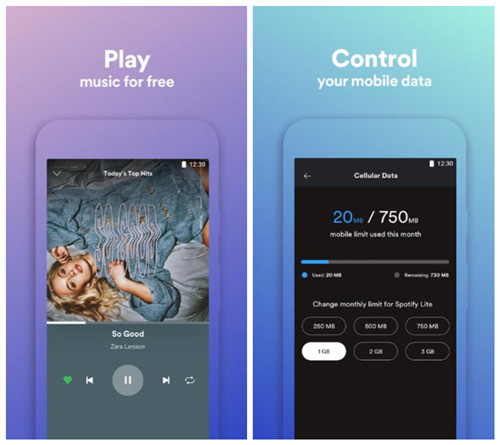
Lite was a lighter version of the regular Spotify app that used less storage and fewer device resources. With an app size of around 10 MB when launched, it was easier to install on Android devices with limited storage or slower connections.
-
Manage Mobile Data Usage
Lite helped users control mobile data usage by allowing them to set data limits and receive alerts when they were close to reaching them. This made streaming easier to manage on smaller data plans.
-
Control Storage More Easily
Lite allowed users to clear cached data directly in the app, helping free up storage space and keep the app running smoothly on devices with limited capacity.
-
Access the Core Spotify Experience
Lite included essential features for everyday listening, such as searching for songs, artists, albums, and playlists, streaming music, saving content, and sharing tracks. It supported both Free and Premium accounts, allowing users to keep their playlists and saved songs.
-
Make Spotify More Accessible
Lite was designed for users with older Android phones, limited storage, or slower networks. By using less space and data, it made Spotify easier to use without requiring a powerful device or large data plan.
-
Support Existing Spotify Accounts
Users could sign in with their existing Spotify Free or Premium accounts without creating a new one. Their playlists, saved songs, and preferences stayed connected between Lite and the regular app.
-

Fewer advanced features:
Lite focused on essential listening features, so some advanced options from the regular Spotify app were limited or unavailable. Users looking for more settings and customization options may prefer the full Spotify app.
-
Fewer audio options:
Compared with the standard app, Lite offered fewer audio settings, making it less suitable for users who wanted more control over streaming quality.
-
Limited feature support:
To keep the app smaller and faster, Lite did not include all Spotify features. Some content, settings, and additional functions available in the main app were missing or limited.
-
Android only:
Lite was only available for Android devices and did not support iPhone or iPad users.
-
No longer available:
Lite was officially retired in 2025 and is no longer available through official sources. Users who want a lighter Spotify experience now need to explore other options.
Part 3. How to Download and Install Spotify Lite
Spotify officially retired Spotify Lite in November 2025, so the app is no longer available through official sources like the Google Play Store. However, some third-party platforms still provide Spotify Lite APK files for users who want to install it on older Android phones or tablets. If you choose to download an APK file, make sure to use a reliable source and understand the potential risks of installing unofficial apps.
3.1How to download and install Spotify Lite from Google Play
01Open the Google Play Store on your Android device and search for Spotify Lite.
02Select Spotify Lite from the search results and tap Install to begin downloading the app.
03Once the installation is complete, open Spotify Lite and sign in with your existing Spotify account or create a new account.
3.2How to install Spotify Lite APK from Softonic
01Open your browser and visit the Spotify Lite APK download page on Softonic, then download the available APK file.
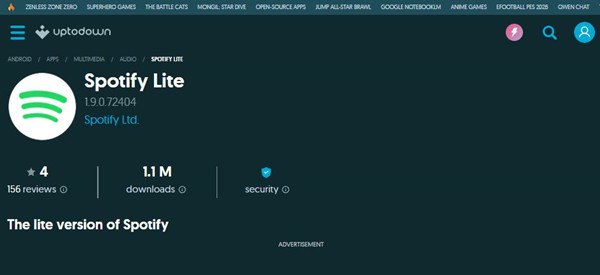
02Open your Android Settings and navigate to Security or Apps & notifications to enable Install unknown apps for your browser or file manager.
03Open your Downloads folder, tap the Spotify Lite APK file, and select Install to complete the setup.
04After installation, open Spotify Lite and log in with your Spotify account.
Part 4. Spotify vs Spotify Lite: What Are the Differences?
| Feature | Spotify Lite | Spotify App |
| Platform | Android | Android, iOS, desktop, web |
| App size | Smaller and lightweight | Larger with more features |
| Data control | Built-in data limit tools | Data Saver settings available |
| Storage management | Simple cache controls | More advanced app management options |
| Music streaming | Yes | Yes |
| Free account support | Yes | Yes |
| Premium support | Yes | Yes |
Spotify Lite used the same Spotify account system and music library as the main Spotify app, but the two apps were designed for different needs. Spotify Lite focused on improving performance and accessibility by using less storage, mobile data, and system resources.
Compared with Spotify, Spotify Lite had a simpler interface and fewer advanced features. This allowed the app to load faster, use fewer resources, and run more smoothly on entry-level Android devices and slower networks.
Part 5. Best Spotify Lite Alternatives If Spotify Lite Is Unavailable
Since Spotify Lite has been discontinued in many regions, users looking for a smaller or more data-friendly listening experience need other options. Spotify's built-in Data Saver setting can help reduce data usage, while other tools and solutions can provide different ways to manage Spotify music.
5.1How to reduce data usage with Spotify Data Saver
If you mainly used Spotify Lite to save mobile data, Spotify Data Saver is the closest alternative. It reduces data usage by lowering streaming quality and limiting some data-heavy elements while keeping your playlists, saved songs, and recommendations unchanged. Unlike Spotify Lite, Data Saver works inside the regular Spotify app, so you can enjoy a more efficient streaming experience without installing another app.
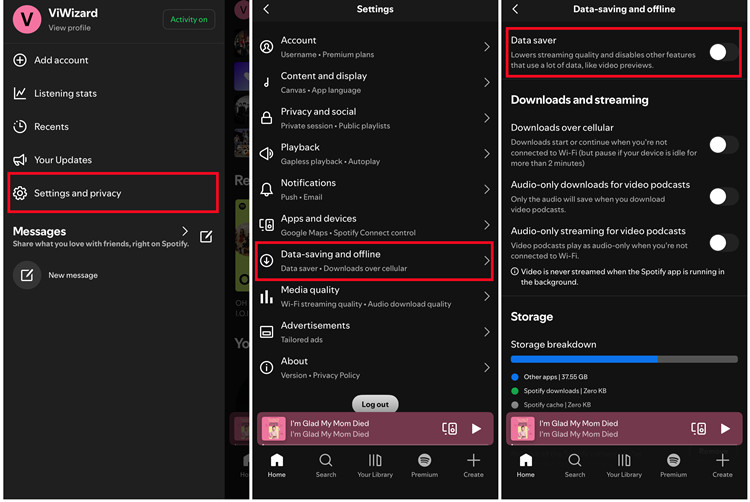
01Open the Spotify app and tap your profile picture in the top-left corner.
02Select Settings and privacy, then open Data-saving and offline.
03Turn on Data Saver to reduce mobile data usage while streaming music.
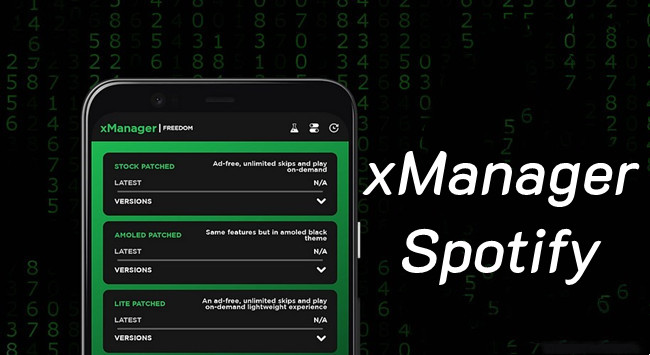
5.2How to use Spotify MOD APK for Premium-like features

Some users look for Spotify MOD APKs to access features beyond the standard app, such as removing ads or unlocking additional playback options. However, MOD APKs are different from Spotify Lite because they are created by third parties rather than Spotify. They may stop working after updates or cause compatibility and security concerns, so this option is mainly for users who want extra features instead of a lightweight Spotify experience.
01Search for a Spotify MOD APK version from a third-party APK source and download the installation file.
02Open your Android Settings and go to Security or Apps & notifications to allow installation from unknown sources.
03Install the modified Spotify app and open it to access the available features.
5.3How to manage Spotify music without the official app
If you want more control over your Spotify music library, tools like ViWizard Spotify Music Converter provide another way to manage songs outside the Spotify app. It allows you to save Spotify tracks, playlists, and albums as common audio files that can be transferred to other devices or music players. With support for both Free and Premium accounts, ViWizard helps you organize your music collection and listen offline without relying on the Spotify app.

Key Features of ViWizard Spotify Music Converter
Free Trial Free Trial* Security verified. 5, 481,347 people have downloaded it.
- Convert Spotify songs, playlists, albums, podcasts, and audiobooks
- Export Spotify music in 6 formats for different devices and players
- Support Spotify Premium and free accounts for music conversion
- Preserve music metadata when organizing converted collections
- Batch download Spotify playlists and large music libraries
 Step 1: Install ViWizard Spotify Music Converter
Start by downloading and installing ViWizard Spotify Music Converter on your Windows or Mac computer. Open the program and connect your Spotify account to access your music library. Both Spotify Free and Premium accounts are supported, allowing you to use ViWizard without upgrading your current Spotify plan. You can then browse Spotify songs, playlists, and albums directly within the program.
 Step 2: Add Spotify Songs or Playlists
Search for the Spotify songs, playlists, or albums you want to save, or copy and paste a Spotify link into ViWizard. The program will load the selected tracks and prepare them for processing. You can add individual songs, complete playlists, or full albums based on your offline listening needs.
 Step 3: Select an Output Format
Open the settings panel and choose an output format for your saved music. MP3 is a common option because it works with most devices and media players, while other formats such as WAV, FLAC, M4A, M4B, and AIFF are also available. You can also customize audio quality and organize your saved files for easier management.
 Step 4: Convert Spotify Music and Listen Offline
Click the Convert button to start saving your selected Spotify music. Once the process is complete, open the output folder to access the converted audio files and transfer them to your preferred devices or music players. This allows you to listen to your Spotify music offline without relying on the Spotify app or a Premium subscription.
Part 6. Should You Use Spotify Lite?
Spotify Lite was a useful option for users who needed a smaller Spotify app, especially those with limited storage, older devices, or restricted data plans. It reduced resource usage while keeping the core Spotify experience available.
Since Spotify Lite is no longer available, most users will need to use the standard Spotify app or explore alternatives. Data Saver works well for reducing data usage, while tools like ViWizard Spotify Music Converter offer more flexibility by allowing users to save Spotify music for playback across different devices and players.
The best choice depends on your needs. Spotify Lite was ideal for a lighter experience, while other solutions may be better for offline listening, wider compatibility, or more control over your music library.
You May Be Interested



Nick Orin often turns to tech forums to see what apps people are talking about. He likes testing different software, comparing features, and finding out which tools are worth a try.

Leave a Comment (0)