


If you use streaming music services, you've probably seen Apple Music compared with Spotify and Amazon Music. They're usually judged on price, music discovery, and extra features. With prices rising, many users now expect more than just music, like podcasts or audiobooks.
That's where confusion often starts with Apple Music.
Some people assume Apple Music now includes audiobooks as other platforms expand into spoken content. But it doesn't.
Instead, audiobooks are handled separately in the Apple ecosystem. You'll find them in the Apple Books app, where you can browse, buy, download, and listen to full titles on iPhone, iPad, and Mac. Music stays in Apple Music, while audiobooks stay in Apple Books.
This post explains what "audiobooks in Apple Music" really means in practice.
Part 1. Does Apple Music Have Audiobooks?
The short answer is no. Apple Music does not include audiobooks in its subscription or app catalog.
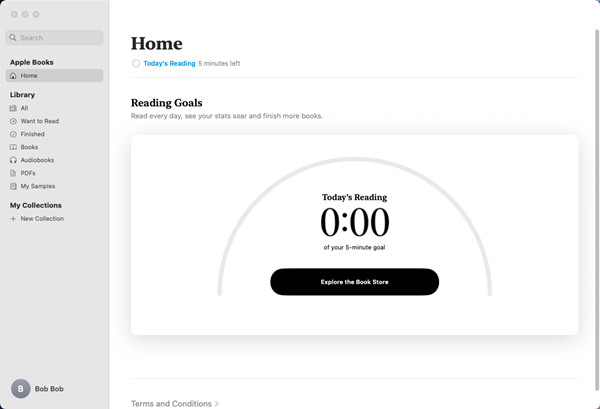
Unlike iTunes, which once combined music, movies, TV shows, and audiobooks in one library, Apple Music focuses only on music streaming. Audiobooks remain in Apple Books, where they are purchased individually and stored in a dedicated library. As a result, music and audiobooks are managed in different apps.
Today, Apple Music is the main streaming service, but audiobooks are not part of it.
Part 2. Can I Listen to Audiobooks on Apple Music?
Audiobooks are not stored in Apple Music, and knowing where they live makes access easier. On Apple devices like iPhone, iPad, iPod, or Mac, they are available in the Books app, which syncs purchases and saved titles through the same Apple ID and also allows browsing and downloading new audiobooks.
On Windows, audiobooks are accessed through iTunes in older setups, where Apple audiobook files and Audible downloads can be managed. On Android, Apple Books is not available, so users rely mainly on Audible or other audiobook apps.
Across platforms, Audible remains separate from Apple's ecosystem, though it offers limited syncing options with iTunes.
| Platform | Devices | Software | Subscription Model | Average Price | Access | Notes |
|---|---|---|---|---|---|---|
| Apple Music | Apple devices | Apple Music app | Subscription (music only) | / | Music app | No audiobooks included |
| Apple Books | Apple devices | Apple Books app | Buy-per-book | ~$10–$30 per audiobook | Books app | Main Apple audiobook store |
| iTunes | Mac, Windows, Apple devices | iTunes / Music app | No subscription | Varies | Music or Books app | Imported files may be inconsistent |
| Audible | Apple + Android + others | Audible app | Subscription or buy-per-book | ~$7–$35 per audiobook | Audible app | Most stable audiobook system |
Part 3. How to Find Audiobooks in Apple Books
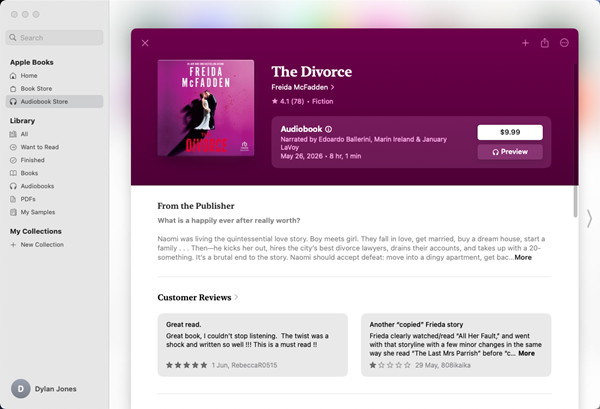
Apple keeps audiobooks inside the Books app, so there is no separate app. Open Audiobook Store to browse featured titles, bestsellers, new releases, and recommendations. Use Audiobooks or My Collections to view your library. For a specific title, tap Search and enter the name, author, narrator, or series. Select a result to open its page, where you can view details, ratings, listen to a sample, and purchase it.
On Mac:
01Open the Books app on your Mac.
02Sign in with your Apple Account if needed.
03Click Audiobooks in the left sidebar to view categories and genres.
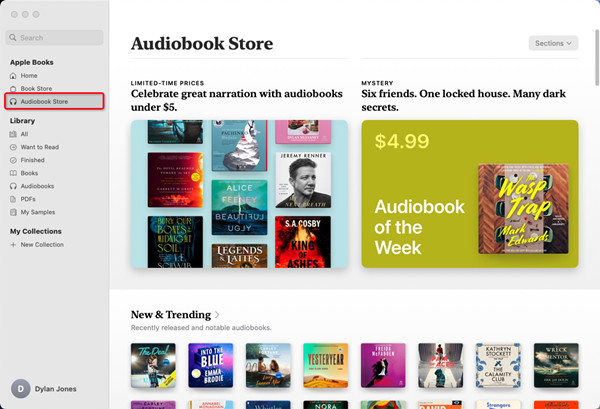
04Use the Search field to look for any title you want.
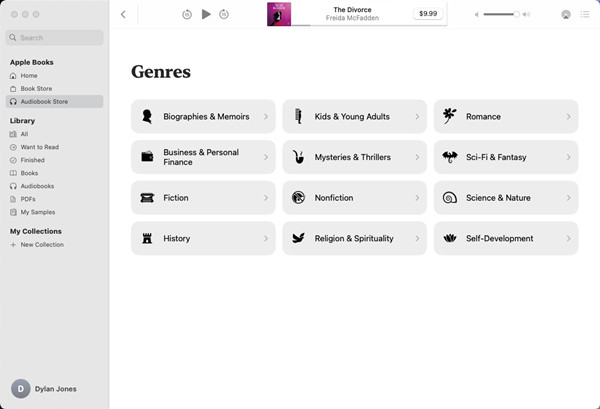
05Select an audiobook to view details, preview, or purchase options.
On iPhone, iPad, or iPod touch:
01Open the Books app on your device.
02Tap Home at the bottom of the screen.
03Browse featured titles, charts, and collections.
04Tap Search in the top or bottom navigation.
05Enter a title, author, or narrator name.
06Tap an audiobook to view details. You can also listen to a sample or purchase it if needed.
Part 4. How to Play Audiobooks in Apple Books
To start listening, open Library or Audiobooks and tap a title. On iPhone and iPad, tap Audiobooks in the bottom navigation bar to browse your library. The player includes Play/Pause, skip forward or back, narration speed, chapters, and sleep timer. Playback progress is saved and synced across Apple devices using the same Apple Account.
On Mac:
01Open the Books app on your Mac.
02Click Library in the left sidebar.
03Click Audiobooks under Library in the sidebar.
04Double click the audiobook you want to play. The player opens at the bottom of the window.
05Use play, pause, skip forward, or skip back controls.
06Drag the progress bar to move through the audiobook.
07Go to Controls > Playback Speed to change speed from 0.75x to 2x.
On iPhone, iPad, or iPod touch:
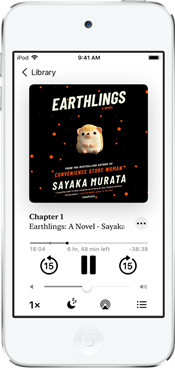
01Open the Books app on your device.
02Go to Library > Audiobooks.
03Tap the audiobook you want to play.
04Tap Play or Pause to control playback.
05Tap skip forward or skip back to move between sections.
06Tap Speed, Sleep Timer, or Contents to adjust playback settings.
Part 5. How to Download Audiobooks in Apple Books
Apple Books lets you download audiobooks for offline listening. Open Library and locate a title. If it is not downloaded, a Cloud or Download icon appears next to it. Tap it to save it locally. You can also download audiobooks from the Audiobook Store by tapping Buy or Get. Once added, they can be downloaded on any device signed in with the same Apple Account.
On Mac:
01Open the Books app on your Mac.
02Sign in with your Apple Account.
03Click Audiobooks in the sidebar.
04Find the audiobook you want to download.
05Click the Download cloud icon next to the title.
06Wait for the download to finish before listening offline.
On iPhone, iPad, or iPod touch:
01Open the Books app on your device.
02Tap Library.
03Open the Audiobooks collection.
04Find the audiobook you want to download.
05Tap the Download cloud icon.
06Wait for the download to complete before going offline.
Part 6. How to Sync Audible Audiobooks with iTunes and Apple Devices
Audible audiobooks can be transferred to Apple devices after downloading and authorizing your computer. Import the files into iTunes on Windows or the Books app on Mac. They appear in the Audiobooks section of your library. Connect your device, choose audiobooks in iTunes or Finder, and sync. After syncing, they appear in Library > Audiobooks on the device.
On Windows and Mac:
01Go to: https://www.audible.com/
02Click Sign In and log in with your Audible account.
03Click Library in the top menu.
04Find the audiobook you want and click Download.
05Open the downloaded .aax file, or go to File > Import (Apple Books) or File > Add File to Library in iTunes.
06iTunes or Apple Books will open automatically and may ask you to authorize your Audible account.
07Check that the audiobook appears under the Audiobooks section.
08Connect your iPhone, iPad, or iPod to your computer using a USB cable.
09Open iTunes and click the device icon.
10Click Audiobooks in the left sidebar.
11Select the audiobooks you want to transfer.
12Click Sync to start transferring to your Apple device.
13Open the Books app on your device after syncing to access the audiobook.
Part 7. How to Convert Apple Music or Audible Audiobooks to MP3
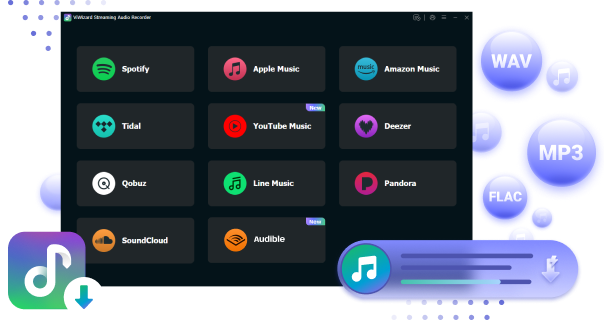
If you use both Apple Music and Audible, or other streaming services, a subscription gives access to most catalogs, but downloads are still limited to each platform. For more flexibility, ViWizard Streaming Audio Recorder can convert Apple Music or Audible content into local audio files. It includes separate modules for Apple Music and Audible, so you can manage and convert everything in one place instead of using different tools for each service.
It supports formats like MP3, WAV, M4A, M4B, AIFF, and FLAC. It is designed for users with multiple subscriptions who want a simple way to save music, audiobooks, and podcasts offline. The main benefit is a single interface with batch conversion and preserved metadata like title, artist, and album info.
It also supports both compressed and lossless output, making it suitable for long-term storage.
 Step 1: Set Output Format
After installing and opening ViWizard Streaming Audio Recorder, open the menu icon at the top and go to Preferences. In the conversion settings, choose an output format such as MP3, WAV, M4A, or AIFF. You can also adjust audio quality settings like bit rate, sample rate, codec, and channels. Click OK to confirm.
 Step 2: Open the Built-in Streaming Interface
From the main screen, choose either Apple Music or Audible module. Sign in with your account to access your library, including saved titles, albums, playlists, or audiobook collections, all within the built-in interface.
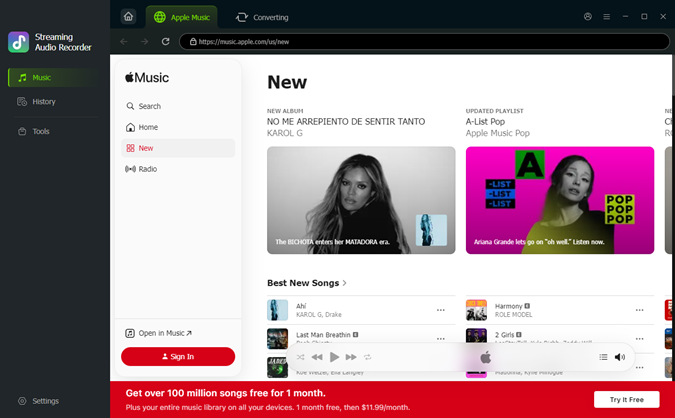 Step 3: Select Content to Convert
Browse or search for the audio you want. When you find the songs, albums, or audiobooks you want to save, click Add to List to load them into the conversion queue.
 Step 4: Convert and Save Files
Click Convert to start processing. Once finished, the files will be saved as standard audio formats on your computer, ready for offline use across any device.
Part 8. Conclusion
Audiobooks in the Apple ecosystem are mainly managed in Apple Books, while Apple Music is focused only on music. Other access points like iTunes are mostly used on older systems, and Audible remains a separate platform with its own app and library.
For Apple Music or Audible users, ViWizard Streaming Audio Recorder lets you convert content into formats like MP3, M4A, WAV, or FLAC for offline use across devices. It supports Apple Music, Audible, and other popular streaming services. Try ViWizard Streaming Audio Recorder to save and manage your audiobooks and music more freely.
You May Be Interested

Unlimited Guide on How to Get and Play Tidal Audiobooks

Set an Apple Music Sleep Timer to Stop Music from Playing All Night

How to Create and Find Radio Stations on Apple Music

How to Add Audible Books to Apple Books

How to Play Audible on Apple TV [Newest Guide]

How to Add Audiobooks to Apple Watch and Play Offline

Adam Gorden is always looking for new ways to explore music and videos. He likes trying different media tools and learning how to manage audio and video files with ease.

Leave a Comment (0)