


Who says you need to spend money to enjoy a good audiobook? Whether you're commuting, doing chores, or lying in bed pretending you'll only listen to one more chapter, audiobooks make it easy to enjoy a great story without staring at a screen. The only catch? Finding websites that actually offer free audiobooks without endless searching, confusing sign-ups, or hidden fees.
Don't worry! From classic literature and children's stories to educational recordings and modern collections, we've rounded up 10 websites to download free audiobooks online. We'll look at what each site offers and how you can access its audiobooks. At the end of this passage, we prepare a comparison table to help you choose the best site. Let's get started!
Top 1. LibriVox
Rating: 🌟🌟🌟🌟🌟
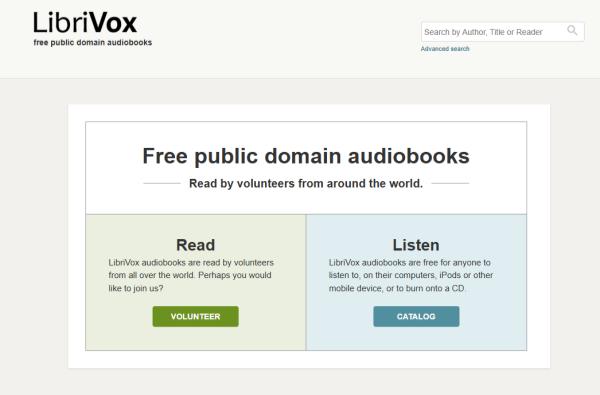
LibriVox is a volunteer-run, nonprofit digital library that offers free public domain audiobooks. Founded in 2005 by Hugh McGuire, LibriVox has a simple mission: "the acoustical liberation of books in the public domain." It relies on volunteers from around the world to record books that are no longer protected by copyright.
Today, its collection features over 19,000 audiobooks covering classic literature, philosophy, history, poetry, and children's stories. Most recordings are in English, but you can also find audiobooks in dozens of other languages. Best of all, LibriVox is completely free to use, with no subscription, ads, or paywalls. You can stream or download its recordings and listen whenever you like.
How to Use🧾:
LibriVox audiobooks are free to stream or download, and you don't need a subscription or account to access them. Here's how to download one:
01Open the LibriVox website.
02Browse the catalog or use the search bar to find a book by title, author, or reader.
03Select the audiobook you want to listen to.
04Open its download options and choose the complete audiobook ZIP file or individual MP3 chapters.
05Save the files to your device and play them with your preferred audio player.
Top 2. Open Culture
Rating: 🌟🌟🌟🌟
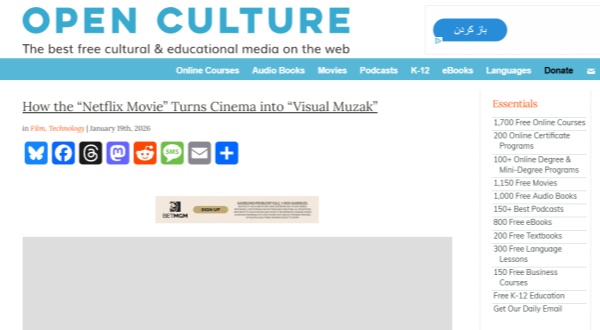
Open Culture is an online learning and culture platform that curates free educational resources, including audiobooks, online courses, movies, and language lessons. Its audiobook collection features classic fiction, nonfiction, and poetry from different sources. One thing to know is that Open Culture doesn't produce all the audiobooks itself. Instead, it collects and organizes materials hosted by other platforms, such as LibriVox.
How to Use🧾:
To download an audiobook from Open Culture, follow these steps:
01Open your web browser and navigate to Open Culture's free audiobooks section.
02Look through the categorized lists (Fiction, Non-Fiction, Poetry) or use the search bar to find a specific book.
03Click on the title of the book you want to download. This will usually take you to a page with more details and download options, often linking to LibriVox or similar sites.
04On the book's detail page, look for links to download individual chapters or the entire book (often in MP3 format).
05Click the link to download the MP3 file directly to your computer, then transfer it to your MP3 player or listen via your computer.
Read More : How to Play Audible on iPod Classic/Shuffle/Nano/Touch
Top 3. Project Gutenberg
Rating: 🌟🌟🌟🌟
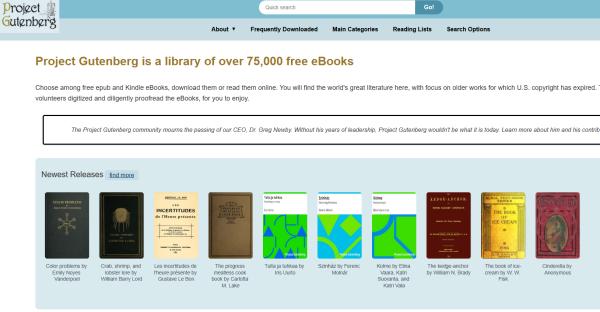
Project Gutenberg is the oldest digital library. This website offers over 75,000 free eBooks. You will find the world's great literature here, with a focus on older works for which U.S. copyright has expired. Thanks to thousands of volunteers who digitized and diligently proofread the eBooks to enjoy. You can search for books at the search bar at the top of the page (quick search).
How to Use🧾:
Here's how to find and download audiobooks:
01Go to the Project Gutenberg website.
02Search for a book by title or author, or browse its audiobook collection.
03Open the book's page and scroll to the available download formats.
04Look for the audiobook options under human-read or computer-generated audio.
05Click the available audio format or chapter link to download it to your device.
Top 4. Internet Archive
Rating: 🌟🌟🌟🌟🌟
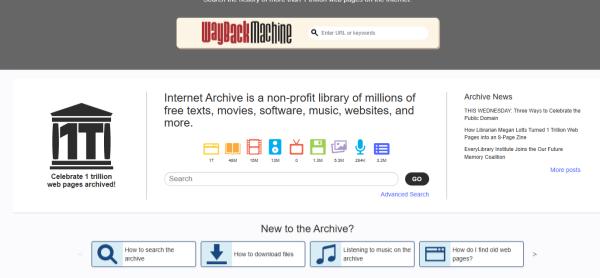
You can listen to free audiobooks and poetry recordings on this website! Internet Archive allows you to download audiobooks in MP3 format or other formats from the Naropa Poetics Audio Archive, LibriVox, Project Gutenberg, Maria Lectrix, and Internet Archive users. The audiobooks are available in multiple formats so that you can download the book in MP3 or OGG format. It has thousands of audiobooks and several sorting options for searching.
How to Use🧾:
To find audiobooks on Internet Archive, follow these steps:
01Visit Internet Archive.
02Enter an audiobook title, author, or keyword in the search bar.
03Filter the results by Media Type or choose the audio collection.
04Open the audiobook page and check the available download options on the right.
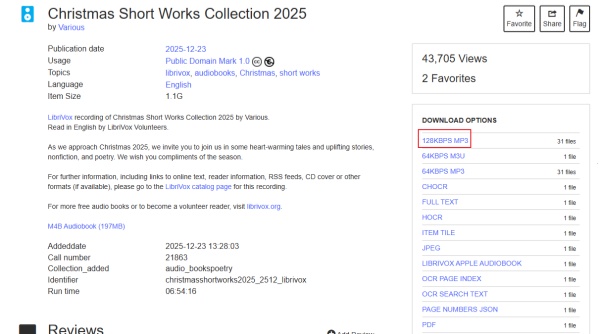
05If downloads are available, choose a format such as MP3. If the item is borrow-only, follow the borrowing instructions instead.
Top 5. Digitalbooks.io
Rating: 🌟🌟🌟
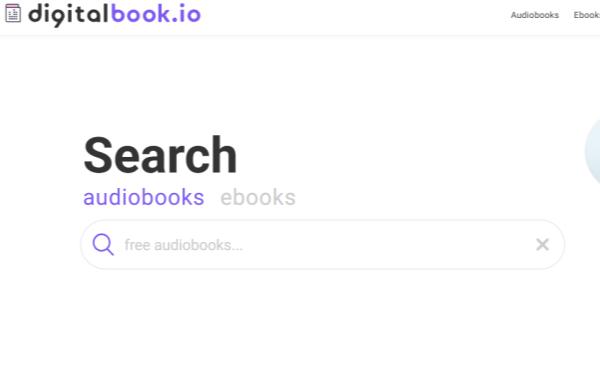
Digitalbook.io (also searched as Digital Books.io) is a free platform for discovering public-domain audiobooks and ebooks. Its catalog includes over 100,000 free titles, collected from sources such as LibriVox, Project Gutenberg, Internet Archive, and Open Library. You can browse books by genre, language, popularity, or rating without paying for a subscription or creating an account.
What makes Digitalbook.io handy is that you can preview audiobooks, listen directly in your browser, or download complete books as ZIP files. It also supports ebook formats such as EPUB, Kindle, and Plain Text. If you enjoy classic literature and want both reading and listening options in one place, it's worth checking out.
How to Use🧾:
01Open Digitalbook.io.
02Browse the audiobook categories or search for a specific title.
03Select the audiobook you want to access.
04Check its available listening and download options.
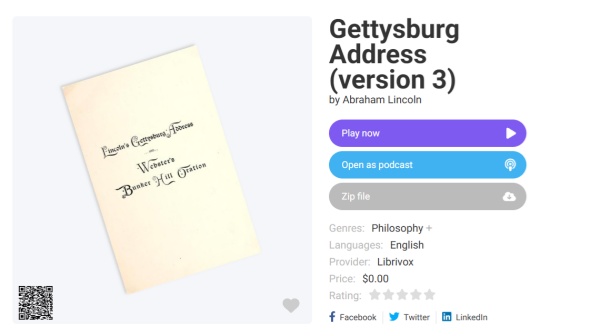
05If an MP3 download is provided, click the link to save the audiobook to your device.
Top 6. Storynory
Rating:🌟🌟🌟🌟
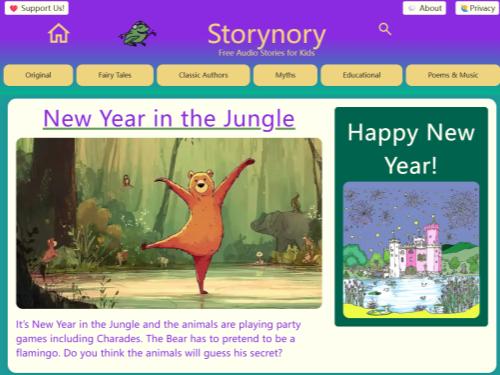
Storynory is an educational audio story platform founded in November 2005, designed to help children develop a love of reading and improve their English skills. It features over 1,000 free audio tracks, including original stories, fairy tales, fables, myths, and classic children's literature.
What makes Storynory stand out is its professional narration, music, and illustrations. You can find familiar tales from Hans Christian Andersen and the Brothers Grimm, as well as original series featuring characters like Prince Bertie, Katie the Ordinary Witch, and Astropup. Although its written content is generally aimed at children around 10 years old, younger kids can also enjoy listening to the stories.
How to Use🧾:
01Visit Storynory.
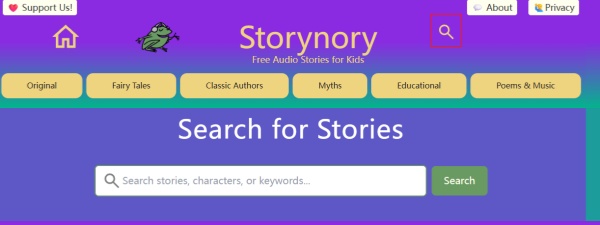
02Browse the story categories or search for a particular story.
03Open the story you want to hear.
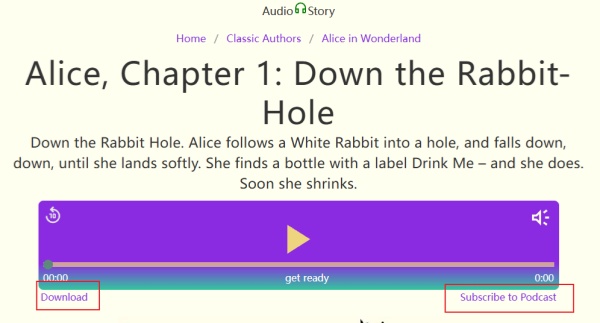
04Look for the audio player and its download option.
05Click the download link, if available, to save the audio file to your device.
Top 7. Lit2Go
Rating:🌟🌟🌟🌟
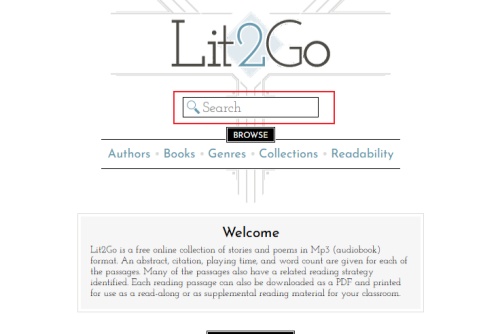
Lit2Go is a free online collection of public domain literature launched in 2006 by the Florida Center for Instructional Technology (FCIT) at the University of South Florida. Designed mainly for K-12 students, teachers, and language learners, it offers classic books, poems, and short stories in both audio and text formats.
Unlike websites that simply provide complete audiobook files, Lit2Go breaks many books into individual passages or chapters. Each selection typically includes a free MP3 recording, on-screen text, and a downloadable PDF. You'll also find useful learning details such as running time, word count, summaries, and reading information. It's especially handy if you want to listen and read along at the same time.
How to Use🧾:
01Go to the Lit2Go website.
02Browse the collection by title, author, genre, or reading level.
03Select a book to view its chapters and available resources.
04Open the chapter you want to listen to.
05Click the MP3 download link to save the audio file. You can also download the accompanying PDF when available.
Top 8. Learn Out Loud
Rating:🌟🌟🌟🌟
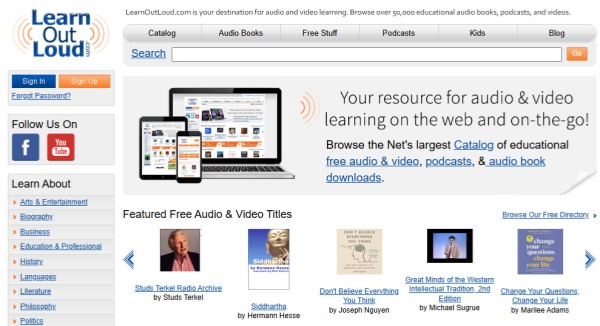
LearnOutLoud is an online directory founded in 2005 to help people learn through audio and video content. It originally sold physical and digital audiobooks, but changed its business model in 2018. Today, it works mainly as a curated catalog, linking users to more than 50,000 educational resources across 17 major categories.
Its collection goes beyond traditional audiobooks. You can explore podcasts, lectures, speeches, documentaries, and learning materials covering history, philosophy, business, science, and literature. It's a good option if you want to use your commuting time or daily breaks to pick up something new. Just keep in mind that LearnOutLoud links to content hosted elsewhere, so download availability depends on the original provider.
How to Use🧾:
01Visit LearnOutLoud.
02Browse the audiobook and free audio categories.
03Search for a title or topic that interests you.
04Open the resource page to check its listening and access options.
05Follow the provided link to the hosting website and download the audio if a free download is available.
Read More : How to Get Amazon Prime Audiobooks Free Forever [2026]
Top 9. Loyal Books
Rating:🌟🌟🌟🌟
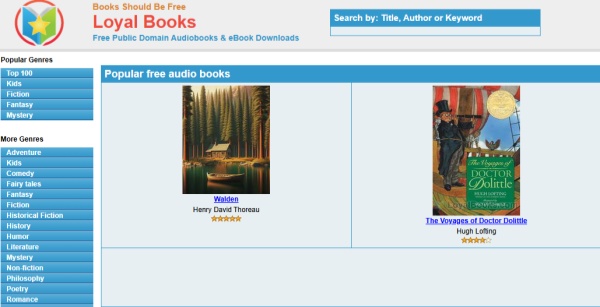
Loyal Books (formerly known as Books Should Be Free) is a free online library of public domain audiobooks and ebooks. It collects classic books and volunteer-recorded audio from sources such as LibriVox and Project Gutenberg, bringing them together in one place. Its collection covers fiction, romance, mystery, history, poetry, and children's literature.
If you're a fan of classic authors like Arthur Conan Doyle, Henry James, and Washington Irving, Loyal Books is worth exploring. You can browse by genre or author, listen to audiobooks online, and download individual MP3 chapters without paying for a subscription.
How to Use🧾:
Here's how to download audiobooks from Loyal Books:
01Visit the Loyal Books website.
02Browse the categories or search for a book by title or author.
03Click the audiobook you want to download.
04Scroll down to the chapter list and find the available MP3 links.
05Click a chapter link to download its audio file to your device.
Top 10. hoopla
Rating:🌟🌟🌟🌟
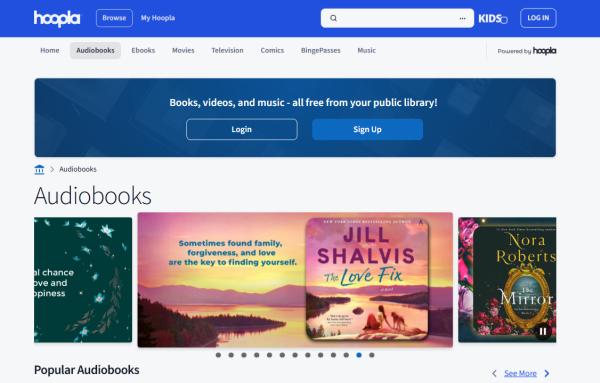
hoopla is a digital media platform that partners with public libraries to provide free access to audiobooks, ebooks, comics and manga, music, movies, and TV shows. Its catalog includes millions of titles across seven media formats, making it a little different from public domain audiobook websites.
The best part? You don't need a paid subscription. All you need is a valid library card from a participating library and a free hoopla account. You can borrow audiobooks, stream them online, or download them through the mobile app for offline listening. However, the available titles and monthly borrowing limits depend on your local library.
How to Use🧾:
Here's how to access free audiobooks on Hoopla:
01Go to Hoopla and sign up for an account.
02Select your local library and enter your library card details.
03Open the Audiobooks section and browse or search for a title.
04Select the audiobook you want and click Borrow.
05Listen to it online or use the Hoopla mobile app to download it for offline listening.
Free Audiobook Websites Compared: Which One Is Best?
Not sure which free audiobook website to try? Each platform has something different to offer. Here's a quick comparison of their main features to help you find the right one.
| Website | Best For | Download Options | Pricing | Safety |
|---|---|---|---|---|
| LibriVox | Classic audiobooks | MP3, ZIP | Free | ⭐⭐⭐⭐⭐ |
| Open Culture | Curated collections | External links | Free | ⭐⭐⭐⭐ |
| Project Gutenberg | Public domain books | Audio files | Free | ⭐⭐⭐⭐⭐ |
| Internet Archive | Diverse recordings | MP3, other formats | Free | ⭐⭐⭐⭐ |
| Digitalbook.io | Audiobooks and ebooks | MP3, ZIP, EPUB | Free | ⭐⭐⭐⭐ |
| Storynory | Children's stories | MP3 when available | Free | ⭐⭐⭐⭐ |
| Lit2Go | Educational listening | MP3, PDF | Free | ⭐⭐⭐⭐⭐ |
| LearnOutLoud | Learning resources | Depends on source | Free and paid | ⭐⭐⭐⭐ |
| Loyal Books | Classic literature | MP3 | Free | ⭐⭐⭐⭐ |
| hoopla | Popular audiobooks | Mobile app downloads | Free with a library card | ⭐⭐⭐⭐⭐ |
Bonus: Download Audible Audiobooks with a Dedicated Converter
The free audiobook websites above are great for discovering new stories, but what if you've already built a collection on Audible? Listening through the Audible app is convenient, but you may want more flexibility when playing your audiobooks on other devices or media players. In that case, ViWizard Audible Converter is worth a look.
ViWizard Audible Converter helps convert Audible audiobooks into common, unprotected audio formats such as MP3. You can also split long audiobooks into smaller segments by chapter or by time, making them easier to organize and navigate. With conversion speeds of up to 100×, it can also save time when processing large audiobook files.
Once converted, you can transfer your audiobooks to compatible devices or play them with your preferred media player, without being limited to the Audible app.

Key Features of ViWizard Audible Audiobook Converter
Free Trial Free Trial* Security verified. 5,481,347 people have downloaded it.
- Convert Audible audiobook to unprotected audio formats like MP3
- Split Audible book into several smaller segments by chapter or by time
- Support playing Audible audiobooks on any device or media player
- Handle the conversion of Audible audiobooks up to 100× faster speed
How to Convert Audible Audiobooks with ViWizard
 Step 1. Sign in to Your Audible Account
Open ViWizard Audible Converter on your computer. The built-in Audible web player will open automatically. Sign in with your Audible account to access your purchased audiobooks.
 Step 2. Customize Output Settings
Click the three-line menu in the top-right corner and select Preferences. Choose your preferred output format, such as MP3, Lossless, M4A, M4B, WAV, FLAC, or AIFF. You can also adjust the sample rate, bitrate, channels, output folder, and file naming.
 Step 3. Add and Select Audible Audiobooks
Browse your Audible library or search for a specific title. Click the Plus (+) button at the bottom right to add audiobooks. In the pop-up window, select the titles you want to convert, then click Add to List.
 Step 4. Convert and Access Your Audiobooks
Click Convert to start processing your selected audiobooks. When finished, open the History section to find your converted files. Click the folder icon to locate them on your computer, or use the built-in player to listen directly.
Conclusion
There are plenty of places to find your next audiobook, from classic novels and children's stories to lectures and educational recordings. Have you found a site you'd like to try, or do you have another favorite to share?
If you already have audiobooks in your Audible library, ViWizard Audible Converter is also worth checking out. It can convert them to MP3 and other formats, split them by chapter, and help you listen on compatible devices outside the Audible app. Enjoy your books now!
You May Be Interested


Adam Gorden is always looking for new ways to explore music and videos. He likes trying different media tools and learning how to manage audio and video files with ease.

Leave a Comment (0)