


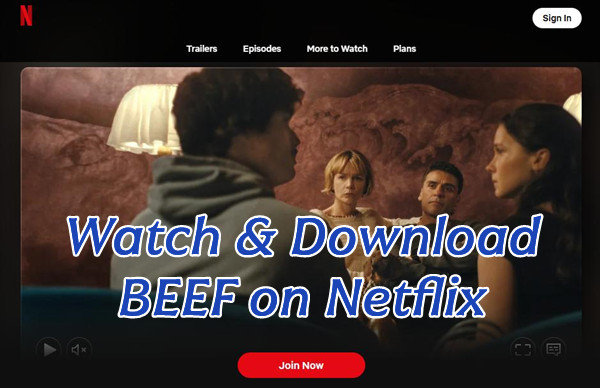
In recent years, Beef has become one of those Netflix shows people keep talking about even after they finish it. It starts with a simple road rage moment between two strangers, Danny and Amy, but now turns into something much bigger.
With Season 2 arriving on April 16, 2026, the series is drawing attention again from both new and returning viewers on Netflix. This time, it tells a new story with a different cast instead of continuing Season 1. Even so, the same real-life tension and personal conflict remain, which is why many people are already binge-watching the new season.
This post walks you through everything you need to know about Beef on Netflix. It covers what the show is about, how to watch it, and how to download episodes for offline viewing. You will also find a simple bonus tip to make streaming easier in real life.
Part 1. Introduction to Beef on Netflix

- Creator:
- Lee Sung Jin
- Where to Watch:
- Netflix
- Studio:
- A24
- Seasons & Episodes:
-
-
Season 1:2023,10 episodes
-
Season 2:2026,8 episodes (released April 16, 2026)
-
- Main Cast:
-
Season 1: Steven Yeun, Ali Wong, Joseph Lee, Young Mazino
Season 2: Oscar Isaac, Carey Mulligan, Charles Melton, Cailee Spaeny
- Awards:
- Emmy Awards, Golden Globes (Season 1)
What Is Beef on Netflix?

Beef is a dark comedy-drama series on Netflix that premiered in 2023. It quickly became popular for its mix of humor, tension, and emotional storytelling.
The story begins with something very simple, a road rage incident between two strangers. From there, it slowly turns into a much bigger conflict that explores anger, stress, and how small everyday moments can spiral out of control.
The show moves between dark humor and heavier emotional scenes. At its core, it shows how bottled up emotions and life pressure can turn a small situation into something much bigger than expected.
What Beef Is About on Netflix
Beef follows two people whose lives become connected after that road encounter. Danny Cho is a struggling contractor dealing with money problems and constant frustration. Amy Lau is a successful business owner who seems in control on the outside but feels stuck and unfulfilled in her personal life.
After their clash, neither of them lets it go. They start thinking about each other more and more, and what begins as a small grudge slowly turns into a back and forth cycle of revenge. As things escalate, the conflict begins to affect their work, relationships, and mental health.
Part 2. When Does Beef Season 2 Come Out on Netflix?

Beef Season 2 is already out on Netflix, released on April 19, 2026.
The season was released all at once, with all 8 episodes available on the same day. There is no weekly schedule, so viewers can watch the entire season on Netflix in one go.
Season 2 continues the series as an anthology, so it does not follow the story or characters from Season 1. It introduces a new setting and a new conflict centered around two couples in a country club environment. The core idea remains the same, where small incidents escalate into larger emotional and social conflicts.
The main cast is new, led by Oscar Isaac, Carey Mulligan, Charles Melton, and Cailee Spaeny. Additional supporting characters are tied to the new setting, expanding the story beyond the central couples. No characters from Season 1 return.
Part 3. How to Watch Beef on Netflix
Beef is a Netflix original, so it is only on Netflix. To watch it, you need an active Netflix subscription. After signing in, you can stream all episodes on the Netflix app or website. It works on phones, tablets, smart TVs, and computers. You can also use profiles in one account so each person has their own watch history and recommendations.
Get started watching Beef on Netflix
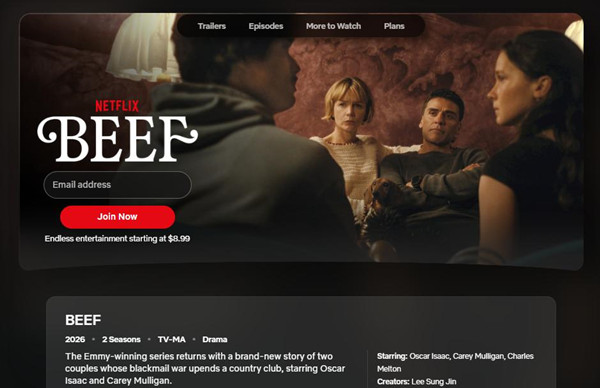
01Open the Netflix app or go to netflix.com, then sign in to your account.
02Tap the Search icon.
03Search for "Beef" and choose Beef (Netflix series) from the results.
04Tap Play on the show page to start watching.
05If you cannot find it, check your profile settings or region, since some shows are not available everywhere.
06Tap the screen or move your mouse to show controls while watching.
07Tap Episodes to pick a different episode.
08Tap Audio & Subtitles to change language or turn on captions.
09If video is slow or buffering, check your internet connection.
Part 4. How to Download Beef on Netflix for Offline Viewing
Netflix allows you to download Beef episodes on phones and tablets for offline viewing. This only works in the Netflix app, not in browsers or most desktop devices. Once downloaded, you can watch without internet as long as you stay signed in.
If you want to save Beef on a computer or keep downloads without expiration limits, you can also use ViWizard Netflix Video Downloader to download Netflix videos for offline viewing on PC or Mac.

Need Netflix movies and TV shows for offline viewing? ViWizard Netflix Video Downloader helps Netflix subscribers across all plans save movies and shows with a simple and reliable video downloading solution. Download your favorites and enjoy them beyond the official app.
Download Beef episodes for offline viewing
01Open the Netflix app on a phone or tablet.
02Sign in, then tap the Search icon and type "Beef".
03Open the show page and tap the Download (↓) icon next to an episode.
04If available, tap Download Season to save all episodes.
05Downloads stay in the app so you can watch offline when signed in.
06Open the Downloads (↓) tab in the app.
07Select Beef from your list.
08Tap an episode to watch without internet.
Part 5. How to Download Beef Episodes as MP4
Netflix does not support downloading videos on computers, even with the Netflix app and an eligible subscription. Downloads are limited to the mobile app, and they stay inside the app with expiration rules. If you want to save Beef episodes as MP4 files, you will need a separate tool.
One option is ViWizard Netflix Video Downloader, available for Windows and Mac. It works through a built-in Netflix Web Player, so you can sign in to your account inside the program. After logging in, search for Beef, open the show page, and choose the episodes or full season you want.
Before downloading, you can set the output format to MP4 or MKV and adjust other output settings. Once you start, the program saves the episodes as local files on your computer. You can then watch them offline, move them to other devices, or keep them without expiration.
Key Features of ViWizard Netflix Video Downloader
Free Trial Free Trial* Security verified. 5, 481,347 people have downloaded it.
- Download Netflix movies and TV shows as MP4 or MKV files
- Preserve HD, 4K, HDR video, audio tracks, and subtitles
- Accelerate downloads when saving long videos or complete seasons
- Remove ads automatically during video downloads
- Save Netflix videos for playback on different devices
 Step 1: Open the program and sign in
Start ViWizard Netflix Video Downloader on your Windows PC or Mac. The program will open its built-in Netflix player. Sign in with your Netflix account so you can access the full library, including Beef.
 Step 2: Set the download format and quality
Go to menu > Preferences > Download before downloading. Choose MP4 as the output format so the files can play on most devices. You can also set video formats, audio language, and subtitles, then save your settings.
 Step 3: Find Beef in the library
Use the search bar inside the program to search for "Beef", or paste the Netflix show link. Open the series page, select the season, and choose the episodes you want to download.
 Step 4: Start downloading episodes
Click the Download button to begin. You can add multiple episodes or a full season to the queue, and the program will download and convert them one by one as MP4 files.
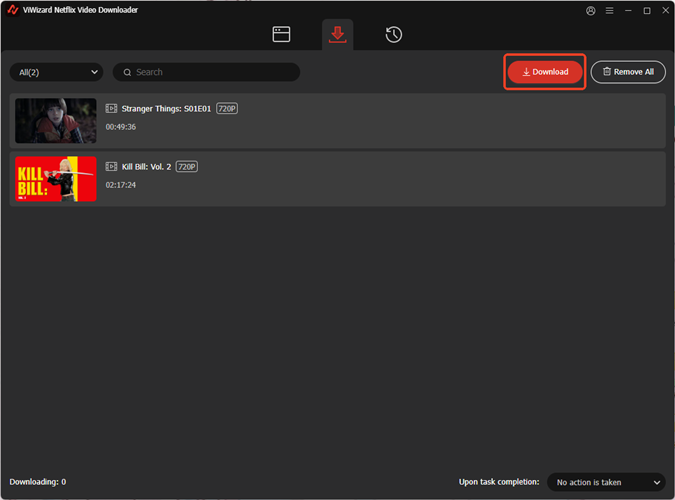 Step 5: View and play your downloads
After the download is complete, go to the History or Converted section. Open the output folder to find your Beef episodes saved on your computer. You can watch them offline or move them to other devices like phones, tablets, or TVs.
Part 6. Is Beef Worth Watching?
Beef is worth watching if you like character-driven dramas focused on emotional tension rather than a traditional plot. It starts with a small conflict that escalates into something much bigger, exploring anger, stress, and how people react when pushed too far. The mix of dark humor and realism keeps it tense but engaging.
Season 1 is very focused and intense, built around a single escalating rivalry. Season 2 is broader and more socially layered, shifting to relationships and status between two couples instead of one central conflict. This makes it more varied in perspective but less intense than Season 1.
Some viewers may find the characters hard to relate to, since many decisions come from frustration or impulsive reactions.
Overall, Beef works best as a psychological drama about conflict and human behavior, with memorable moments that stand out after watching.
You May Be Interested





Dave Henry loves movies and all things video. He likes checking out different video formats and trying new media players to see how they change the viewing experience.

Leave a Comment (0)