


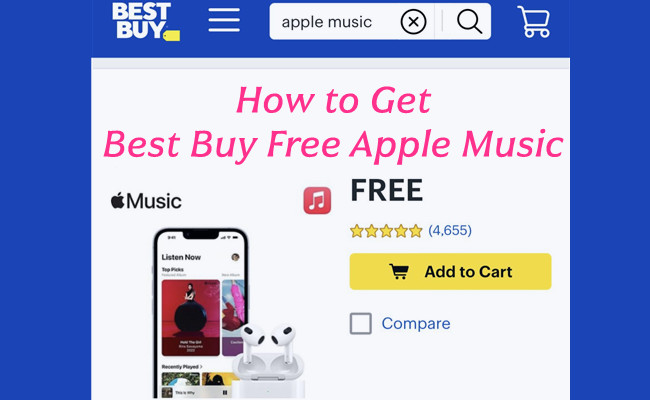
For Apple Music fans, it's natural to look for ways to save on the subscription. In real-world searches for deals, Best Buy often comes up first. Many users mention free Apple Music codes ranging from 3 months to 6 or even 12 months, and these offers have existed over time. You find the offer, claim it, and redeem the code to start the free trial. After redemption, users get full access to Apple Music features. The trial can be canceled anytime to avoid renewal at $10.99 per month once the promotion ends.
These Best Buy Apple Music offers are not available to everyone. They are typically for new or returning subscribers, while existing users may be excluded due to account checks. The main question many people have is whether the deal is still active right now.
In this guide, you will learn how to get free Apple Music from Best Buy, how it works, and what rules to keep in mind. There is also a bonus tip to help all users keep access to Apple Music even after the free trial ends.
Part 1. Is There a Free Apple Music Offer from Best Buy?
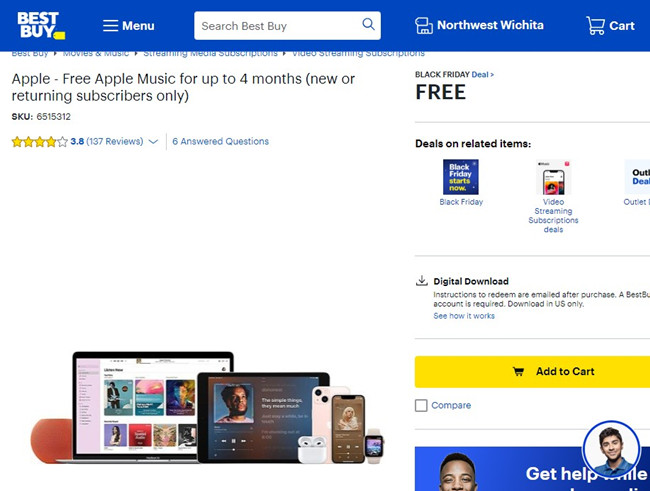
Yes. Best Buy sometimes offers Apple Music free trial promotions as digital codes or activation links. These offers give eligible users short-term access to Apple Music, usually for 3 to 4 months. They are limited-time offers and may change or expire.
Once activated, it works like a standard Apple Music trial. You get full access to the catalog, ad-free listening, spatial audio, and offline downloads. According to Best Buy listings in the U.S., the offer is limited-time and usually restricted to new or returning subscribers. It applies to Apple Music in the United States only.
Is it free?
Yes. The trial is free. Cancel before the renewal date to avoid charges of $10.99 per month.
Will I be charged after the free trial ends?
Yes. The subscription auto-renews unless canceled. Best Buy offers follow Apple's standard billing rules.
Can existing Apple Music users use the Best Buy free trial?
Usually no. The offer targets new or returning users. Active subscribers or recently canceled accounts are often ineligible due to Apple's account checks.
Is the Best Buy Apple Music deal still working in 2026?
Results are inconsistent. Some users still redeem the offer, while others face errors or restrictions. Availability depends on Apple ID history and region. The promotion remains U.S.-only.
Part 2. How to Get Free Apple Music from Best Buy
Getting free Apple Music from Best Buy follows a standard purchase and claim flow. The offer is handled as a digital item, so checkout is required to unlock redemption.
Go to Best Buy and sign in. Find the Apple Music promotion page, open the listing, and click Add to Cart. Go to Cart, select Checkout, confirm details, and place your order. This links the offer to your account.
- New subscribers only in most cases for Apple Music
- Must complete $0 checkout on Best Buy
- Redeem through Apple (not Best Buy)
- Apple ID payment method usually required
- Auto-renewal is on by default
- Codes expire if not redeemed in time
- Apple ID region must match the offer
Get Apple Music from Best Buy
01In a web browser, go to the official Best Buy website and sign in to your Best Buy account, since promotional digital offers require an active login before checkout.
02In the search bar, look for Apple Music promotional offers such as Apple Music free trial for up to 3 months (new or returning subscribers only), then open the official Best Buy product page to view eligibility details.
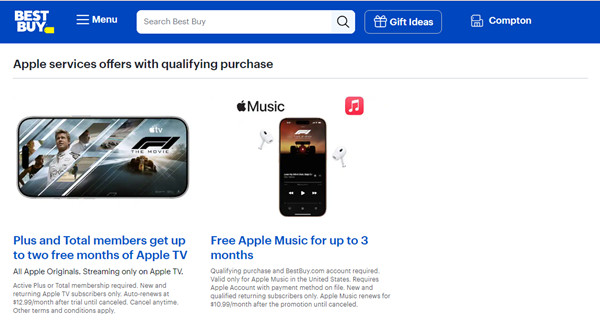
03On the product page, select Add to Cart, even if the price shows $0, because Best Buy processes Apple Music offers through a standard checkout workflow.
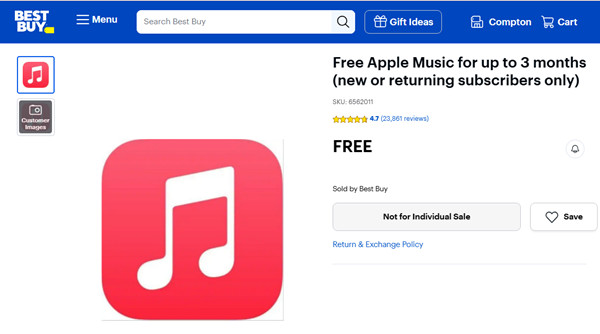
04Proceed to checkout and complete the order using your Best Buy account, since the promotion is delivered only after order confirmation is generated.
05After the order is placed, check the email linked to your Best Buy account, where a redemption code or Apple Music activation link will be sent digitally.
Why does Best Buy say "not for individual sale"?
This means the offer is not a physical product. It is a digital promotion sent by email or through redemption after claiming it on Best Buy. You are not buying Apple Music directly. Instead, you receive a trial code that activates Apple Music on an eligible Apple ID.
Can I reuse or stack multiple Best Buy Apple Music codes?
In most cases, no. Apple limits how many times one Apple ID can redeem trial offers. Once the limit is reached, new codes will not work. Users often see "code limit reached" when trying to redeem again.
Part 3. How to Redeem Your Best Buy Apple Music Code
After checkout, Best Buy sends the offer by email. You first receive a confirmation email, followed by the redemption code or access link. If there is a "Redeem Now" link, open it and follow the steps to activate it with your Apple ID.
To redeem through Apple, open the Apple Music app or App Store. Tap your profile, then select Redeem Gift Card. Sign in if needed, enter or scan the code, and confirm. You will also need to add billing details, since the subscription auto-renews after the trial.
Once confirmed, the free trial starts immediately and unlocks full Apple Music access. Use the correct Apple ID, as the offer cannot be transferred after activation.
Redeem Apple Music from Best Buy

01Open the email from Best Buy that contains your Apple Music offer, then use the provided redemption link or code, since activation is delivered through email after purchase confirmation.
02On an Apple device, sign in with the Apple ID used for Apple Music, then open Apple Music or Apple ID settings to access subscription management tools.
03In the subscription or redemption section, enter the Best Buy code or follow the activation link, ensuring the same Apple ID is used throughout the process.
04Confirm redemption to activate Apple Music, where the free trial period is applied automatically based on the Best Buy promotion and Apple rules.
05In Apple ID settings, open Subscriptions to confirm that Apple Music is active and the trial period has been applied successfully.
Part 4. How to Fix Your Best Buy Apple Music Code Not Working
A common issue is an error like "not eligible" or "code cannot be redeemed." In most cases, this is caused by Apple ID restrictions. If the account has already used a free trial before, it will not qualify again, even if the previous subscription has ended.
Recent cancellations also do not always reset eligibility, since Apple does not immediately mark accounts as "returning users." There is no fixed waiting period. In some cases, users create a new Apple ID to access either Apple's official trial or Best Buy promotions, as eligibility is tied to account history.
Part 5. How to Cancel Your Best Buy Apple Music Subscription
If you do not cancel in time, the subscription will auto-renew at the standard monthly price. To avoid charges, cancel before the trial ends.
Open your Apple ID subscription settings through your device or Apple Music app. Select Apple Music from active subscriptions and tap Cancel Subscription. The cancellation takes effect at the end of the trial period, so you keep access until it expires.
Manage Apple Music Best Buy Subscription:

01In device settings, open Apple ID and sign in with the account used for Apple Music, since subscription management is handled through Apple directly.
02In Apple ID settings, open Subscriptions and locate Apple Music in the active subscription list.
03Select Cancel Subscription and confirm the action, since Apple requires final confirmation before disabling auto renewal.
04After cancellation, Apple Music access continues until the end of the trial or billing period, which may be up to 3 months depending on the Best Buy promotion.
05In Subscriptions, verify that Apple Music shows an expiration date instead of a renewal date, which confirms that auto renewal has been disabled.
Part 6. How to Keep Apple Music Access After the Best Buy Free Trial
When the Best Buy free trial ends, access to Apple Music stops unless you continue the subscription. This is because Apple Music uses DRM, which links songs to an active plan.
To keep access after the trial, some users prepare during the free period. One option is using ViWizard Apple Music Converter while the subscription is still active. It lets users convert Apple Music tracks into regular audio files that are not tied to a subscription. After conversion, these files can be kept and played offline even after the Best Buy trial ends. They can also be moved to different devices, including iPhone, iPad, Android phones, and other devices.
This method is mainly used as a personal backup of music saved during the trial. It helps users keep listening after the promotion ends, instead of losing access when the subscription expires.

Key Features of ViWizard Apple Music Converter
Free Trial Free Trial* Security verified. 5, 481,347 people have downloaded it.
- Convert Apple Music songs, playlists, albums, and artists
- Export Apple Music in 6 formats for different devices and players
- Preserve metadata and lyrics when creating music collections
- Organize converted music by artist and album
- Batch download large Apple Music collections
 Step 1: Install and Sign In
Download and install ViWizard Apple Music Converter on a Windows or Mac computer. After opening it, sign in with your Apple Music account inside the built-in interface. This allows the program to load your library, including playlists, albums, and saved songs from your trial period.
 Step 2: Set Your Audio Format
Open the settings section and choose an output format such as MP3, M4A, WAV, FLAC, or AIFF. You can also adjust audio quality settings like bit rate and sample rate. Keeping metadata enabled helps preserve song details like title, artist, album, and artwork for easier organization later.
 Step 3: Select Music to Save
Browse your Apple Music library inside the tool and select the songs, albums, or playlists you want to keep. You can pick individual tracks or choose full playlists for a complete backup. Once added, they are ready for conversion into standard audio files.
 Step 4: Convert and Keep Your Files
Click the Convert button to start processing. The tool saves your selected Apple Music tracks as local audio files on your computer. After conversion, you can store them safely or transfer them to other devices for offline access, even after your Best Buy free trial ends.
Part 7. Final Thoughts
Getting free Apple Music from Best Buy is simple if you follow the correct checkout and redemption steps. If you want more control over your music, you can also use ViWizard Apple Music Converter. It helps you download and convert Apple Music tracks for offline use, so you can keep your songs and play them on more devices without limits.
Using both the official Best Buy offer and a conversion tool gives you a more flexible way to enjoy Apple Music beyond the trial period.
You May Be Interested






Adam Gorden, the digital media specialist at ViWizard, is dedicated to providing the best solutions for digital media management, including audio and video conversion, file optimization, and media workflow enhancements.

Leave a Comment (0)