


You know the old saying: there's no such thing as a free lunch. But Apple Music sometimes offers one.
If you listen to a lot of music, you've probably already tried Apple Music for free - though that option isn't available for existing subscribers. Maybe you've heard about a free Apple Music code that can give a few months free. Before hitting "Subscribe" or "Renew," it's worth checking - such a code could save you $10.99 or more for extended periods.
For example, I recently saw a Facebook post where a user shared a link for free Apple Music. A few people successfully got three months free. Sometimes there's no code to enter - it activates automatically. True free Apple Music codes - those like JYKYRWMWTL3 - still exist, but they're rare. Only about 10–20% of promotions include them, usually giving 1 to 6 months free.
It takes a little searching, but it can be worth it. In this guide, we'll explain what these codes are, where to find them, how to redeem both codes and promo links, and the best ways to get Apple Music for free even without a code.

Need Apple Music in more flexible audio formats? ViWizard Apple Music Converter helps Apple Music subscribers create a personal music library with seamless music backup. Build your collection and keep your music beyond the Apple Music app.
Part 1. What Is a Free Apple Music Code?
A free Apple Music code is a special code or promo link that gives users access to Apple Music for free for a limited time, usually 1 to 6 months. Codes come in two main forms: manual codes, like JYKYRWMWTL3, which you enter into the app, and promo links, which you click and sign in to activate the free trial. Both provide free access, but links - often found in-app or in pop-ups - are easier since they activate automatically. Redeeming either starts a free trial or adds free months, and you won't be billed until the due date. However, most of them are for new or returning Apple Music customers only. Existing subscribers may find they aren't worth trying.
Free Apple Music codes are different from Apple Music gift cards. Gift cards are prepaid credit used to pay for Apple Music or other Apple purchases and can be redeemed by scanning or manually entering the code. Free codes, in contrast, give short-term access to Apple Music without any cost.
In short, a free Apple Music code is a simple, promotional way to listen to Apple Music at no cost. It can come as a code you use or a link you click, and it is separate from gift cards.
Part 2. Are There Any Risks or Scams with Free Apple Music Codes?
Here's the thing: hunting for free Apple Music codes isn't always straightforward. Apple doesn't just send random codes by email, so don't sit around waiting for one. And those "free code generator" websites? Forget it. They're fake - some try to steal your Apple ID, others install malware, and most just give you nothing.
Still, it's worth a shot if you spot a legit deal. Worst-case, nothing happens. Best-case, you score a free month or two of music. A few taps might just make your playlists happier.
Need Apple Music in more flexible audio formats? ViWizard Apple Music Converter helps Apple Music subscribers create a personal music library with seamless music backup. Build your collection and keep your music beyond the Apple Music app.
Part 3. Where to Get a 3–6 Months Free Apple Music Code or Promo Link
If you're looking for free Apple Music, you need to know where to look - and how to spot real deals. These come as promo links or codes, each with its rules.
If I wanted a legit 3- or 6-month Apple Music code, I'd check official Apple deals first. One of my Apple devices on Black Friday (BTW: I bought an iPad) gave me a 6-month free trial. Similar offers still exist for new iPhones, iPads, AirPods, Beats, HomePods, and more. These deals are safe, carry no scams, and usually cover one or two months of free music.
The real deals are simple. For example, Currys offers: "Get up to 3 months of Apple Music, Apple Arcade, Apple TV+, and Apple Fitness+ on qualified product purchase." You'll receive the code after an eligible purchase. Terms work, and some offers specify: "Returning Apple Music, Apple Arcade, and Apple Fitness+ customers will get 2 months free. Returning Apple TV+ customers will get 3 months. Customers can get up to 4 months of Apple Fitness+ when purchasing an Apple Watch."

If you wish to redeem Apple Music with your AirPods for a 3-month free trial, you should check this out.
Option 1. Free Apple Music Codes/Promo Links from Retailers

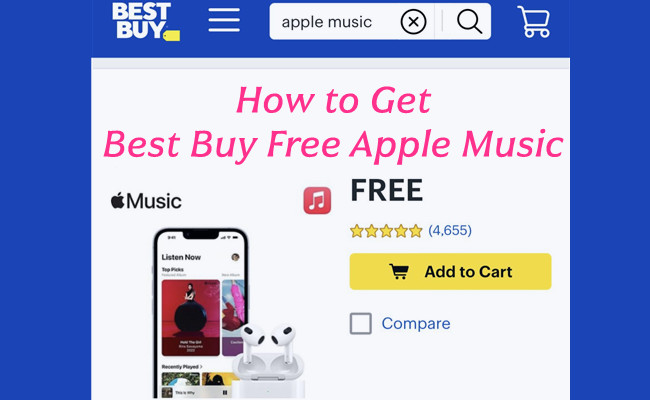
Some stores, like Best Buy, Target, or Amazon (when officially partnered with Apple), sometimes include Apple Music trials with certain purchases. For example, buy a set of headphones or a new device, and you might get a code in your email or a link that automatically applies the trial to your Apple Music account.
It's easy to use: just click the link or enter the code in your Apple Music account, and the free trial period starts immediately. If you're already shopping, why not grab the tunes too?
Option 2. Free Apple Music Codes/Promo Links from Carrier Apps & Phone Plans

Mobile carriers love bundling perks. If you're on Verizon, AT&T, T‑Mobile, or another carrier, open your carrier's app and check the "Deals" or "Rewards" section. Sometimes they offer Apple Music trials as part of your plan or as a temporary promotion.
You might get a promo link that activates automatically when you sign in with your Apple ID. Trials usually last 1–6 months, depending on the deal, and it's completely legit. Just make sure to read the fine print - some offers require that you don't already have an active Apple Music subscription.
Option 3. Free Apple Music Codes/Promo Links from Limited-Time Events & Giveaways

From time to time, Apple or official partners run short-term giveaways - these could be holiday promos, app promotions, or special events (like through Shazam or other Apple-owned apps). They often give 2–6 months of Apple Music free if you redeem the link in time.
Timing is everything - these deals vanish fast. Keep an eye on newsletters, official partner sites, or social media channels that Apple works with to catch them before they expire.
Option 4. Free Apple Music Promo Links from New Device Activation
This is a classic move: buy or activate a new Apple or Beats device, and Apple often throws in a free trial. The option pops up right in your Apple Music app or as a notification tied to your Apple ID.
Activation is usually simple: sign in with your Apple ID, tap "Start Free Trial," and Apple takes care of the rest. The trial is typically a few months, so it's a great way to get started if you just got a new iPhone, iPad, or compatible accessory.
Option 5. Free Apple Music Codes/Promo Links from Marketing Partnerships
Brands occasionally partner with Apple to hand out exclusive promo links. These might be targeted at students, loyalty program members, or fans of a particular product. The offers are usually limited-time and fully legitimate - Apple wants to make sure people get a proper trial and link it to their Apple ID. Keep an eye on official announcements from Apple or the partner brand, and follow any steps exactly as instructed to claim your free months.
Part 4. How to Redeem a Free Apple Music Code
If you've got a free Apple Music offer waiting, the next step is knowing how to redeem it. They come as either promo links or traditional codes, and each one activates a little differently.
Use a Promo Link
Promo links are the easiest - tap the link, sign in, and Apple Music handles the rest in the background.
Step 1 Tap the promo link you received.
Step 2 When prompted, sign in with your Apple ID.
Step 3 Tap Activate or Start Trial - Apple Music will add the free months automatically.
Step 4 If you already have the Apple Music app installed, it usually opens on its own and confirms the offer.
Step 5 Promo links do most of the work for you - you can skip the "enter code" steps entirely and go straight to activation inside Apple Music.
Use a Gift Card or Code
Traditional codes work like Apple gift cards - you enter the code on the web, in the App Store, or inside Apple Music.
Redeem an Apple Music Code on the Web

Step 1 Open your browser and head to Apple's official code-redemption page.
Step 2 Sign in with your Apple ID if you aren't already.
Step 3 Enter the code into the box on the page.
Step 4 Tap Redeem, and your free Apple Music time is added to your account.
Redeem an Apple Music Code on iPhone or iPad

Step 1 Open the App Store app.
Step 2 Tap your profile icon at the top of the screen.
Step 3 Choose Redeem Gift Card or Code.
Step 4 Scan the code with your camera or tap Enter Code Manually.
Step 5 Tap Redeem, and your Apple Music trial or extra months start instantly.
Redeem an Apple Music Code on Mac
Step 1 Open the App Store on your Mac.
Step 2 In the sidebar, tap your name or the sign-in button.
Step 3 Tap Redeem Gift Card or Code.
Step 4 Use your camera to scan the code or enter it manually.
Step 5 Tap Redeem, and the offer is applied to your Apple ID. You can also open Apple Music, tap your name at the bottom of the sidebar, and use the Redeem option there as an alternative route.
Redeem an Apple Music Code on Windows PC
Step 1 Open any web browser on your PC.
Step 2 Go to Apple's official code-redemption site.
Step 3 Sign in with your Apple ID.
Step 4 Enter your code and tap Redeem.
Step 5 After activation, you can listen through the Apple Music Web Player, iTunes or Apple Music app on your Windows PC.
Part 5. How to Fix Free Apple Music Codes That Are Not Working
From my own experience - and what a lot of people run into - free Apple Music codes usually work fine, but not always. The good news: most issues come down to a few simple things, and they're easy to sort out once you know what's going on.
Code already used
If Apple says the code has already been redeemed, it usually means it was claimed before - either by you on the same Apple ID or by someone else if it came from a shared post. Use a different code or switch to an official promo link. Links tied to your device or carrier tend to work more reliably.
Code expired
Some codes are time-sensitive. Retailers and partners often set tight deadlines, and once the promo window closes, the code won't activate. Check if the deal is still active. If it's over, look for a current offer from Apple, Shazam, your carrier, or a retailer - these refresh frequently.
Not eligible for the offer
A lot of users bump into this one. Many Apple Music codes only work for new or returning users. If you already have an active subscription, Apple won't apply the free months. Wait until your billing cycle ends, then try again, or find a promo that specifically says it works for returning customers.
Signed in with the wrong Apple ID
If you have multiple Apple IDs, it's easy to redeem on the wrong one - and Apple rejects the code without much explanation. Double-check which Apple ID you're using, then redeem the code again under the correct account.
Region mismatch
Some codes only work in the country they were issued in. A UK code won't activate on a U.S. Apple ID, for example. Redeem the code with an Apple ID that matches the region, or look for a promo made for your country.
Code entered incorrectly
Manual codes can be fussy. One wrong letter or number is enough to break the whole thing. Re-enter the code slowly, or use the camera scanner if you're on iPhone or iPad.
Temporary Apple server issues
During big events or popular promotions, Apple's servers can lag, making codes look "invalid" even if they're fine. Close the app, wait a moment, and try again. Promo links usually succeed once things settle.
Redeemed in the wrong place
Apple Music codes, App Store codes, and gift cards all redeem in different spots, and mixing them up is more common than you'd think. For free Apple Music codes, redeem through the App Store's Redeem Gift Card or Code option, or just tap the promo link directly.
Still not working?
Free trial codes can be finicky, especially older ones floating around online. If nothing helps, grab an official promo link from Apple, your carrier, or your device purchase - those tend to just work every time.
Part 6. Best Ways to Get Apple Music for Free (Without a Code)
If free trials and promo links are all used up, there's still a smarter, safer way to get Apple Music without relying on codes. Instead of chasing trial after trial, ViWizard Apple Music Downloader turns your Apple Music library into real audio files - MP3, WAV, FLAC, AIFF, M4A, or M4B - just like the files you'd keep in a regular music library. Select your songs, choose a format, hit Convert, and you're done. Everything stays intact during the process, from basic info to sound quality, and the files become fully portable once the DRM is removed. These are the real deals, and it's a one-time process that turns your Apple Music library into a permanent, fully accessible collection - no codes, no expiration, and no risk of scams.
For anyone who wants true ownership or a reliable backup, ViWizard Apple Music Converter makes it simple to keep your Apple Music forever.
Key Features of ViWizard Apple Music Converter
Free Trial Free Trial* Security verified. 5, 481,347 people have downloaded it.
- Convert Apple Music songs, playlists, albums, and artists
- Export Apple Music in 6 formats for different devices and players
- Preserve metadata and lyrics when creating music collections
- Organize converted music by artist and album
- Batch download large Apple Music collections
Step 1Install and Open the Converter
First, download ViWizard Apple Music Converter on your Windows or Mac computer and launch it. Sign in with your Apple Music account so the tool can access your entire library.

Step 2Choose Your Output Format and Settings
Head to the settings panel and pick a standard audio format that works for you - MP3, M4A, WAV, FLAC, or AIFF. You can also adjust quality settings like bit rate or sample rate. Make sure to keep ID3 tags and metadata, so your song titles, artists, album artwork, and playlists stay organized after conversion.

Step 3Select the Music You Want to Keep
Browse your library in the converter and pick the tracks, albums, or playlists you want to preserve. Whether it's your entire library or just favorite songs, adding them to the conversion list ensures every track becomes fully accessible and ready for permanent, DRM-free copies.

Step 4Convert and Secure Your Library
Hit Convert, and ViWizard will create DRM-free files in your chosen format. These files are fully portable, playable on any device, and safe from subscription lapses.

Conclusion:
Getting Apple Music for free - whether through promo codes, trials, or clever workarounds - is easier than most people think. Promo links and codes are great for short-term access, but they often come with limits and expiration dates. If you truly want to keep your music forever, a smarter approach is to make your library permanent with a tool like ViWizard Apple Music Converter.
You May Be Interested



Adam Gorden is always looking for new ways to explore music and videos. He likes trying different media tools and learning how to manage audio and video files with ease.

Leave a Comment (0)