


- Part 1: Can You Get Apple Music Free Again After a Free Trial?
- Part 2: How Long Do You Need to Wait to Get Apple Music Free Again?
- Part 3: How to Get Free Apple Music as a New User (Free Trial Options)
- Part 4: How to Get Free Apple Music for Returning Users (Reactivation Promotions)
- Part 6: How to Re‑Verify Apple Music as a Returning or Existing User (Student Plan Option)
- Part 7: How to Keep Apple Music Free for All Users (Backup Solution)

Most Apple Music fans notice this. You open Apple Music, search for a song, and hope for a free listening option. Soon, you realize that Apple does not offer music for free. There is no ad-supported tier, only a free trial. Everything requires a subscription, and that is intentional.
The free trial is usually one month for new users and sometimes longer during special promotions. That one-time option can be frustrating. It is only for new users, and anyone who tried Apple Music years ago without subscribing may now be locked out. Paying $10.99 a month can feel uneasy if you never fully explored the service.
Returning and existing users can sometimes get free Apple Music through device purchases, carrier deals, or seasonal campaigns. These offers can provide one to five months of free Apple Music even if you no longer see the standard trial. This guide will walk you through every option, including how to access free Apple Music for all users without subscribing.
Part 1: Can You Get Apple Music Free Again After a Free Trial?
No, because Apple Music treats its free trial as a one-time offer per Apple ID. Once you use it, your account is marked as having redeemed the trial. Trying to get a second standard trial will not work. The service is built around subscriptions and does not offer a permanent free or ad-supported tier. Free trials exist to let new users explore the service before committing to a paid plan and to prevent repeated free access.
There are some exceptions, but they are rare. Apple occasionally runs special promotions that allow certain users, such as returning or past users, to claim a few extra months. However, these offers are not fully free and may require a small fee. One past promotion offered six months of Apple Music for just $3 for returning users, but that deal has already expired.

The most reliable official deals for returning and existing users are still tied to device purchases. These can provide three to six months of free Apple Music, and they're still available. The downside is that eligible devices can be expensive. Items like iPhone, iPad, Apple Watch, Mac, Apple TV, AirPods, AirPods Pro, AirPods Max, HomePod, HomePod mini, and Beats are not practical if your main goal is to get Apple Music for free. It's clear that Apple is focused on subscriptions first, and any free access is only ever a side benefit.
Part 2: How Long Do You Need to Wait to Get Apple Music Free Again?
Occasional promotions still appear for returning users, though they are not entirely free. These promotions often show up a few weeks to a month after a previous trial or paid subscription ends, but timing depends on account status, region, and subscription plan.
There is no guaranteed waiting period, and canceling a subscription or trial in hopes of triggering a deal is not a smart move. Once a subscription expires, your library can be removed, and there is no guaranteed way to restore it.
That is why it's smart to keep access to Apple Music by saving your favorite tracks, artists, albums, and even your entire library directly to your device offline. ViWizard Apple Music Converter can save music in open formats such as MP3, M4A, M4B, WAV, AIFF, and FLAC. Once saved, you can back up your Apple Music library and access it offline anytime, even while waiting for a chance to get Apple Music free again at minimal cost. It's a way to stay in control, even when Apple's promotions come and go.

Need Apple Music in more flexible audio formats? ViWizard Apple Music Converter helps Apple Music subscribers create a personal music library with seamless music backup. Build your collection and keep your music beyond the Apple Music app.
Part 3: How to Get Free Apple Music as a New User (Free Trial Options)
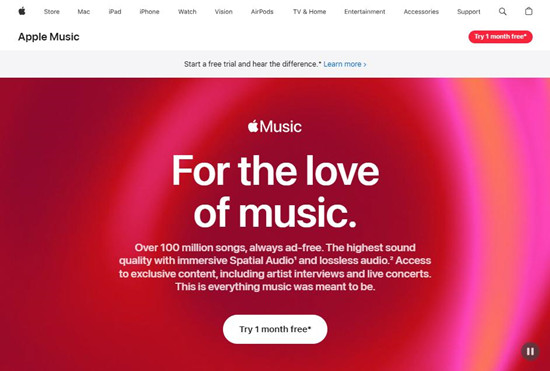
Apple still uses free trials as the main way to get people started with Apple Music. First-time subscribers usually receive a limited trial when signing up through the Apple Music app on iPhone, Android, Mac, or Windows. The trial is tied to the Apple ID, not the device. If an Apple ID has already used a trial, the system will only display paid plans when signing up again.
For returning or past users, this means a second standard trial is not available, even if the subscription ended long ago. Signing in on another device does not reset the status, and the restriction appears automatically during signup.
A newly created Apple ID that has never subscribed can still sign up for a trial. Trial lengths vary from one to three months depending on current promotions. The trial provides full access to the catalog, downloads, and standard features. Device-based promotions may appear when setting up certain Apple or Beats products, but they also require an Apple ID that has not used a trial before. Overall, Apple is clearly focused on subscriptions, and free trials are just a way to introduce the service.
Step 1 Open the Music app on your device.
Step 2 Tap Listen Now at the bottom of the screen.
Step 3 Look for a free trial banner labeled "Try It Free".
Step 4 Tap the banner to select a subscription plan.
Step 5 Confirm with Face ID, Touch ID, or your Apple ID password to start your trial.
Part 4: How to Get Free Apple Music for Returning Users (Reactivation Promotions)
Apple sometimes runs promotions for former subscribers. Offers such as "Get 6 Months for $3" have provided extended access to certain accounts under specific terms, requiring that the account was previously subscribed and that the subscription has lapsed. Availability varies, and these promotions work differently from the standard trial system and come with their own rules. Not every returning user will see the same offer, and timing can depend on account history, region, and ongoing promotions. This highlights that free or discounted access for returning users is always limited and tied to specific conditions.
Step 1 Open the Music app on your iPhone or iPad.
Step 2 Tap Listen Now at the bottom of the screen.
Step 3 Check for a reactivation promo banner, such as "3 months of Apple Music free".
Step 4 Tap the promotional offer if it appears.
Step 4 Confirm your subscription with Face ID, Touch ID, or Apple ID password.
Part 5: How to Get Free Apple Music for Returning or Existing Users (Deals and Partner Offers)
Occasional deals also come through retail and carrier partnerships. Many of these are aimed at returning users, and existing subscribers may need to cancel their current plan before becoming eligible.
1. Free Apple Music via Device Purchase Offers

Some Apple devices such as iPhones, iPads, Macs, Apple TVs, and Apple Watches include a free Apple Music trial. To redeem it, set up your new device and sign in with your Apple ID. Open the Apple Music app on your iPhone, iPad, Mac, or Apple TV, and the offer should appear. If it does not, go to the Home tab and select Accept Now. For audio devices like AirPods, HomePod mini, or eligible Beats headphones, pair the device with your iPhone or iPad, then open the Apple Music app to see the offer. The trial is usually three months with most new Apple devices or up to six months with eligible audio accessories, and must be claimed within the first 90 days of pairing or device activation.
2. Free Apple Music via Subscription Bundles

Apple One combines Apple Music with Apple TV+, Apple Arcade, and other services and often provides a free trial for first-time subscribers. To start, go to Settings → [your name] → Subscriptions → Apple One and select Try It Free. For the Apple Music Family Plan, one person sets up Family Sharing on their device and invites others. Once accepted, everyone in the family can open the Apple Music app on their device and sign in to access the shared subscription.
3. Free Apple Music via Carrier Promotion

Verizon includes Apple Music with some Unlimited plans for six months. To activate, open the My Verizon app, go to Account → Add-Ons or Products & Plan Perks, select Apple Music, confirm the eligible line, and follow the prompts. You will receive a link that opens Apple Music and connects your Apple ID to the subscription. The service is billed through Verizon after the free period unless you cancel. T-Mobile has occasionally offered Apple Music through partnerships or limited-time deals, which can also be redeemed by linking your Apple ID.
4. Free Apple Music via Retail Promotions

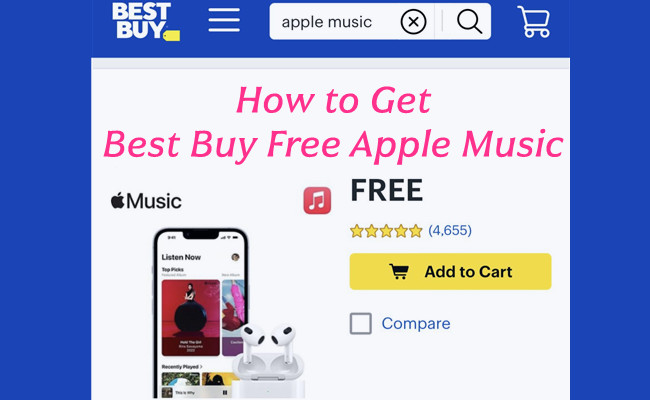
Retailers such as Target Circle and Best Buy sometimes provide Apple Music trials. For Target Circle, sign in to your account online or in the app, select the Apple Music offer, and tap Redeem Now to be redirected to Apple Music. Best Buy promotions are activated by adding the offer to your cart at no cost, checking out, and receiving an email with a redemption code. Open the Apple Music app, go to your profile or redeem section, and enter the code to start the trial.
5. Free Apple Music via Partner Apps

Apps like Shazam offer Apple Music trials when a song is identified. After identifying a song, a banner appears linking to the free trial. Tap it, open Apple Music, sign in, and follow the prompts to redeem the trial period. These offers can sometimes apply even if the Apple ID has used a basic trial before.
Most free Apple Music offers require that your Apple ID has not already redeemed the same kind of trial, the offer is claimed within a limited window, and your device is updated to the latest software to make the offer appear.
Part 6: How to Re‑Verify Apple Music as a Returning or Existing User (Student Plan Option)
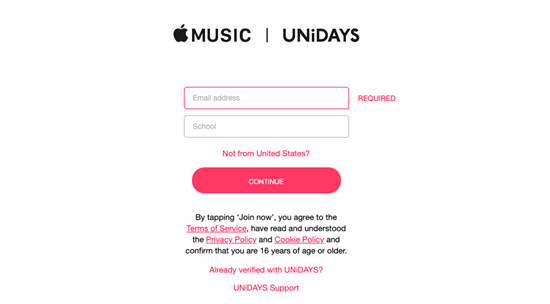
Students who are already on the student plan must periodically re‑verify their enrollment to continue receiving the discounted rate. Apple requires confirmation through services such as UNiDAYS or SheerID, which verify active student status before the lower price remains applied.
If verification is not completed in time, the subscription automatically switches to the regular individual plan at full price. The student plan is available for up to four years, and student status must be confirmed each year. While the student tier is not free, it remains one of the most affordable ways for eligible users to keep Apple Music at a reduced cost.
Step 1 Open Settings.
Step 2 Tap your name at the top of the screen.
Step 3 Tap Subscriptions.
Step 4 Tap your Apple Music subscription.
Step 5 Tap Verify.
Step 6 Sign in to UNiDAYS and confirm your student enrollment.
Step 7 Return to Apple Music to continue using the student plan.
Part 7: How to Keep Apple Music Free for All Users (Backup Solution)
Because Apple Music is subscription-based, access to music stops when billing ends due to digital rights management (DRM) protection. Some subscribers choose to use ViWizard Apple Music Converter to convert Apple Music tracks into standard audio files during an active subscription. This allows offline listening after cancellation and creates a personal backup.
Instead of chasing trial after trial, ViWizard Apple Music Converter provides an alternative for users who want continued access even when free promotions are not available. Converted files can be transferred to devices such as iPhone, iPad, iPod touch, Android smartphones, and more, regardless of subscription status. This approach should be limited strictly to personal use, and users should carefully consider this before proceeding.
Key Features of ViWizard Apple Music Converter
Free Trial Free Trial* Security verified. 5, 481,347 people have downloaded it.
- Convert Apple Music songs, playlists, albums, and artists
- Export Apple Music in 6 formats for different devices and players
- Preserve metadata and lyrics when creating music collections
- Organize converted music by artist and album
- Batch download large Apple Music collections
Step 1Install and Sign In
Download and install ViWizard Apple Music Converter on your Windows or Mac computer. After launching the program, sign in with your Apple Music account inside the built‑in interface so the software can load your playlists, albums, and saved tracks.

Step 2Choose Output Format
Open the settings panel and select a common audio format such as MP3, M4A, WAV, FLAC, or AIFF. You can also adjust output settings like bit rate and sample rate based on your preferences. Make sure ID3 tags and metadata are enabled so song titles, artists, album names, and artwork remain organized after conversion.

Step 3Select Songs, Albums, or Playlists
Browse your library within the program and choose the tracks, albums, or full playlists you want to back up. You can convert individual favorites or your entire collection. Adding them to the conversion list prepares them for processing into standard audio files.

Step 4Convert and Store Your Music
Click the Convert button to begin. The software will generate standard audio files in your chosen format. Once finished, these files are saved locally on your computer and can be transferred to other devices for offline listening. Keeping a separate backup ensures continued access to your music library, even if your subscription status changes later.

Conclusion:
Apple Music is built around subscriptions, and free access is always limited. New users can get a trial, returning users may find temporary promotions, and existing users might need to cancel or switch to a bundled deal that includes Apple Music. In many cases, you can still get Apple Music for free or at a minimal cost.
While Apple Music does not provide ongoing free listening, tools like ViWizard Apple Music Converter let you save your favorite tracks, albums, and even your entire library offline in open formats. This way, you can keep your music without a subscription and enjoy it anytime. With the right approach, you can get the most from Apple Music while keeping your favorite songs ready whenever you want them.
You May Be Interested




Adam Gorden, the digital media specialist at ViWizard, is dedicated to providing the best solutions for digital media management, including audio and video conversion, file optimization, and media workflow enhancements.

Leave a Comment (0)