


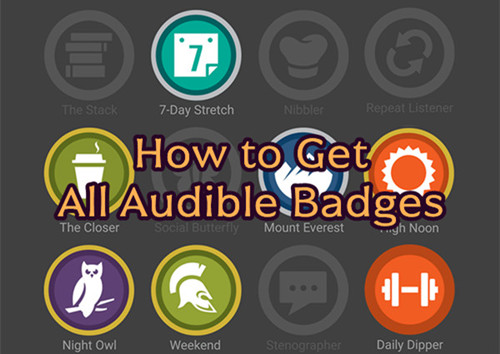
Already keeping an eye on your Audible listening time? Then it might be time to start collecting Audible badges. While Audible has a rewards program with bonuses and merit badges for listening and referrals, Audible badges today are mostly tied to listening activities, completed audiobooks, challenges, and other milestones in the app.
Getting badges on Audible is both easy and a little confusing. Some badges unlock automatically when you reach certain goals, and you may earn them without even noticing. Others, such as Watchtower, are tied to specific app activities and may not always unlock as expected.
In this guide, we'll explain everything you need to know about Audible badges, including what they are, where to find them, and how to unlock most or even all of them. You'll also learn about listening challenges, badge requirements, and simple tips to grow your badge collection.
Part 1. What Are Audible Badges?
Audible badges are digital achievement markers in the Audible mobile app. They show your listening activity and engagement with audiobooks. They are part of Audible's gamification system and are earned through certain in-app actions or listening challenges.
They are not based on purchases or subscriptions. Instead, they depend on how often and how actively you listen. Most badges are awarded automatically based on your usage patterns. Audible does not clearly publish the exact rules, so users usually find out about them only after they are unlocked.
Badge Levels
Most badges come in levels that show your progress. The common system includes three main tiers: basic, silver, and gold. Gold is the highest level. The basic level is often unlocked through normal app use. Higher levels like silver and gold usually require more consistent listening or activity.
- Bronze (basic level)
- Silver (medium level)
- Gold (highest level)
- Diamond / Platinum (no longer used)
- Challenge-based badges (new)
Value and Purpose
Audible badges do not have money value. They do not give credits, discounts, or subscription perks. They only act as visual rewards inside the app. Their purpose is to track activity and encourage users to listen more. They also add a simple game-like element to the audiobook experience.
Part 2. Where to Find Your Audible Badges Collection
Audible badges are stored in the Audible mobile app and linked to your profile. They are not available on desktop, so access is limited to iOS and Android, and not supported on web or desktop versions. That means you cannot earn or view Audible badges on the Audible website.
To view and track badges, you need the official Audible app for iOS, Android, or Kindle Fire. It's a mobile-only feature. The badge section is in your profile and shows all achievements in one place. Each badge has an icon and label. Locked and unlocked badges appear together, and some also show progress based on your listening activity.
01Open the Audible app on your Android or iOS device.
02Sign in to your Audible account if prompted.
03Tap the Profile icon in the bottom navigation bar.
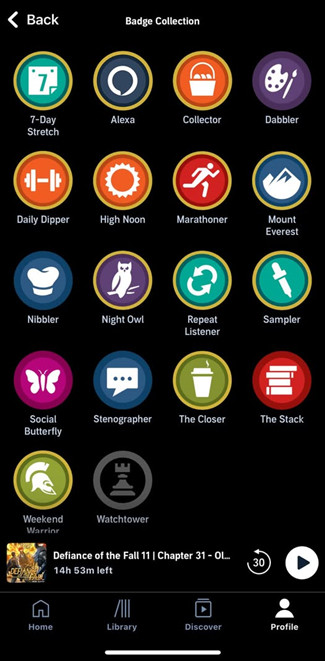
04Scroll down and tap Badges.
05View your full badge collection and progress.
Part 3. How to Earn Audible Badges
Audible badges are earned through normal listening and app use, with everything tracked automatically in the background.
1. Join Listening Challenges
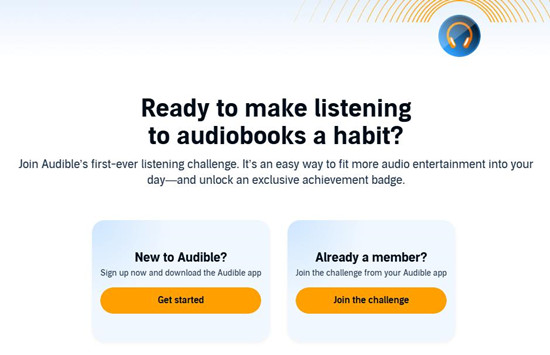
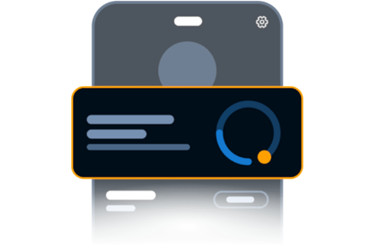
Since June 2026, listening challenges are now the main source. Audible releases listening challenges from time to time. Just sign up for Audible or sign in with a Premium account in the mobile app, then pick one of the built-in goals that track listening time, such as 10, 20, or 30 minutes a day, and hit the goal 14 times in 30 days. When the goal is reached, a special badge is unlocked automatically.
01Go to https://www.audible.com/ep/listening-challenge/.
02Open the challenge link using the Audible mobile app.
03Join the listening challenge.
04Select a daily goal of 10, 20, or 30 minutes of listening per day.
05Start listening in the app to track your progress automatically.
06Complete your goal on 14 days within a 30-day period.
07The listening days do not need to be consecutive to count.
08Refresh the app occasionally to update your progress.
09Go back to Badges in your profile when the challenge is completed.
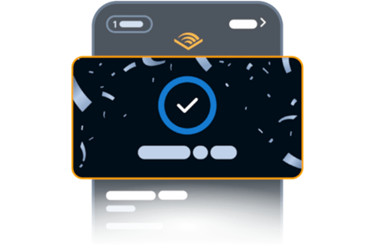
10View your unlocked badge in your collection.
2. Meet Badge Requirements
Regular listening also counts. Finishing audiobooks, adding bookmarks, saving audiobooks, and exploring different genres can all trigger badges. Some are even hidden and tied to specific conditions, including interactions with Alexa.
Audible does not publish exact rules, so progress is based on internal tracking. Still, thanks to the internet, users share their experiences online, so there are still some patterns worth exploring. You can read Part 4 to see all 18 Audible badges and their possible requirements, including hidden ones.
Part 4. How to Unlock All Audible Badges
Interested in all Audible badges and the conditions to collect them? Here's how. Audible badges are designed around continuous listening over time, not one-time actions. Have fun exploring them.
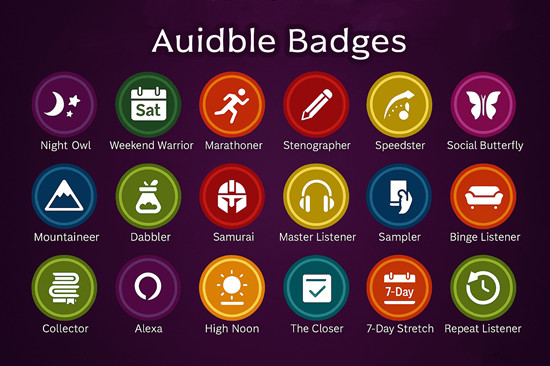
02🟢 EASIEST AUDIBLE BADGES
Sampler
- Basic: Listen to about 10 samples
- Silver: About 20 samples
- Gold: About 50 samples
Social Butterfly
- Basic: Share 5 times using the app share button
- Silver: 25 shares
- Gold: 100 shares
Stenographer
- Basic: Create 10 bookmarks
- Silver: 40 bookmarks
- Gold: 125 bookmarks
Nibbler
- Basic: Start multiple different audiobooks in one day
- Silver: About 10 different starts
- Gold: About 25 different starts
01🟡 MEDIUM AUDIBLE BADGES
Daily Dipper
- Basic: Listen on 1 day
- Silver: 7 days in a row
- Gold: 30–90 days in a row
7-Day Stretch
- Basic: Listen for 7 days in a row
- Silver: About 15–20 total days
- Gold: About 50 total days
Night Owl
- Basic: Listen about 4 hours at night
- Silver: About 6 hours
- Gold: About 8+ hours
Weekend Warrior
- Basic: Listen about 5 hours in a weekend
- Silver: About 10 hours
- Gold: About 24 hours
Repeat Listener
- Basic: Re-listen to 1 audiobook
- Silver: About 3 replays
- Gold: About 10 replays
The Closer
- Basic: Finish 1 audiobook in one session
- Silver: About 5 completions
- Gold: About 10 completions
03🟠 HARDEST AUDIBLE BADGES
Marathon Listener
- Basic: Listen about 4 hours in one session
- Silver: About 6 hours
- Gold: About 8+ hours
Mount Everest

- Basic: Finish a ~24-hour audiobook
- Silver: ~30+ hours audiobook
- Gold: ~60+ hours audiobook
The Stack
- Basic: Have about 50 audiobooks in library
- Silver: About 200 audiobooks
- Gold: About 500 audiobooks
Dabbler
- Basic: Listen across at least 3 genres
- Silver: Broader genre variety
- Gold: About 10–15+ genres
04🟣 HIDDEN AUDIBLE BADGES
Watchtower
- Basic: Open stats page about 50 times
- Silver: About 200 times
- Gold: About 500 times
Collector
- Basic: Earn a few other badges
- Silver: About 5–10 badges
- Gold: About 10+ badges
Alexa
- Basic: Play 1 audiobook using Alexa
- Silver: Regular Alexa use
- Gold: Heavy Alexa use
Bonus: How to Back Up Your Audible Audiobooks
If you want to keep your audiobooks available anytime, anywhere, it helps to back them up instead of relying only on access through the Audible app.
You can use ViWizard Audible Converter to convert and save Audible audiobooks as regular audio files like MP3. Once converted, your audiobooks are stored locally, so you can keep and play them even without an active subscription or internet connection. It supports formats such as MP3, M4A, M4B, WAV, AIFF, and FLAC. It can also keep basic file info like tags and split long audiobooks into chapters or smaller sections for easier storage.
On Windows or Mac, you load your audiobooks, convert them in batches, and save them to your device. This keeps your collection accessible for offline listening anytime.

Key Features of ViWizard Audible Audiobook Converter
Free Trial Free Trial* Security verified. 5,481,347 people have downloaded it.
- Convert Audible audiobooks without AA/AAX format limitations
- Export audiobooks in 6 formats for different devices and players
- Split audiobooks by chapters or sections for personalized listening
- Preserve chapter information and metadata when creating collections
- Manage Audible audiobook libraries across converted files
Conclusion:
Audible badges are based on simple listening habits, turning everyday use into small achievements you can track over time. As you listen, complete audiobooks, and join challenges, new badges unlock and your profile grows with your activity.
To get more out of your Audible collection, it also helps to keep your audiobooks backed up and accessible anytime. A tool like ViWizard Audible Converter lets you save and organize audiobooks as local files, so your collection is not tied only to the app or subscription.
Together, badges track your progress, while backups help you keep full control of your library.
You May Be Interested


Matt Smith, a digital entertainment industry enthusiast at ViWizard, is dedicated to providing insightful commentary and solutions for music and media-related topics, including industry trends, analysis, and recommendations.

Leave a Comment (0)