


Hi, there. Are you looking for YouTube to MP3 Telegram bots? These bots make converting YouTube to MP3 super easy. All you need to do is just paste a video link, and the bot delivers the audio file straight to your device. Most of the bots don't require extra apps, sign-ups, or payment. Many bots even let you search by song title, choose high-quality audio, and download multiple formats—all from your desktop or smartphone.
This post shows the top 9 YouTube to MP3 Telegram bots. After reading it, you will know what YouTube to MP3 Telegram bots are and what differences they have. Let's dive in.
Part 1. What Are YouTube to MP3 Telegram Bots?
YouTube to MP3 telegram bots are automated tools within the Telegram app. With the tools, you can convert YouTube video links directly into downloadable MP3 files. These bots offer a convenient, mobile-friendly way to download music, podcasts, or audio content for offline listening, and best of all, without needing to launch third-party websites.
Why Do We Choose YouTube to MP3 Telegram Bots?
- Convenience: You paste a YouTube URL via chat and get the MP3 files directly.
- High Audio Quality: Many bots offer high-quality audio downloads, up to 320 kbps.
- Search Capability: You can search for, stream, and download YouTube audio by typing the song title.
- Multiple Formats: Some telegram bots support both MP3 and MP4.
- Without Registration: These bots don't need sign-ups, payments, or additional app downloads.
Part 2. Are YouTube to MP3 Telegram Bots Safe?
Generally safe. The bots work with varying levels of security and should be treated with caution, just like communicating with a stranger. Though many of them are legitimate, they can be used for phishing, stealing personal information, or, in some cases, delivering malware through malicious links. Then how can we use the bots safely?
Confirm Reputation: Use only bots from trusted sources or those with verified, positive reviews.
No Secret Sharing: Never share sensitive information such as passwords, credit card details, or wallet seed phrase with a bot.
Check Permission: Be aware of what information the bot is asking. Block the bot the moment it feels suspicious.
Keep Funds Safe: Never leave large amounts of money in a wallet associated with Telegram trading bots.
Part 3. 8 Best Telegram Bots to Download YouTube to MP3
You can learn about the difference in strength, quality, audio quality, and convenience. Then, pick your favorite bot.
| Bot Name | Strength | Speed | Audio Quality | Convenience |
|---|---|---|---|---|
| YtbAudioBot | Handles long videos well | ★★★★☆ | ★★★★★ | ★★★★☆ |
| convert_youtube_to_mp3_bot | Very fast, simple interface, fewer extra features | ★★★★★ | ★★★★☆ | ★★★☆☆ |
| YTsavebot | Flexible downloads | ★★★★☆ | ★★★★☆ | ★★★★☆ |
| MusicsHuntersbot | Support Searching by song name | ★★★☆☆ | ★★★★☆ | ★★★★★ |
| Scdlbot | Multi-platform | ★★★★☆ | ★★★★☆ | ★★★☆☆ |
| YTBMusBot | Fast search, stable use | ★★★★☆ | ★★★★☆ | ★★★★☆ |
| MooMusicBot | Playlist support | ★★★☆☆ | ★★★★☆ | ★★★★☆ |
| AudioFMbot | Quick MP3 download, good for casual use | ★★★☆☆ | ★★★★☆ | ★★★☆☆ |
- Telegram Messenger App: You need to have the Telegram Messenger app installed on your phone or desktop.
- YouTube URL: Copy the link of the YouTube video that you want to convert.
- Network Connection: Make sure the internet connection is stable, as the download will break and force you to restart if you close the active chat screen or quit your Telegram session while the file is processing.
1. YtbAudioBot
Features of YtbAudioBot
- Platform: Mobile (Android/iOS) and Desktop via the Telegram app.
- Free YouTube to MP3 Conversion: Supported. Up to 320 kbps.
- No Ads/Streaming: Supports listening to YouTube tracks directly in group chats without ads.
- Direct Delivery: Supported.
- Metadata: Offers essential details of a song and even lyrics.
- No Length Limits: Updated versions (as of early 2026) have removed the previous duration restriction.
- Ease of Use: Operates through a simple chat interface, allowing for quick link pasting.
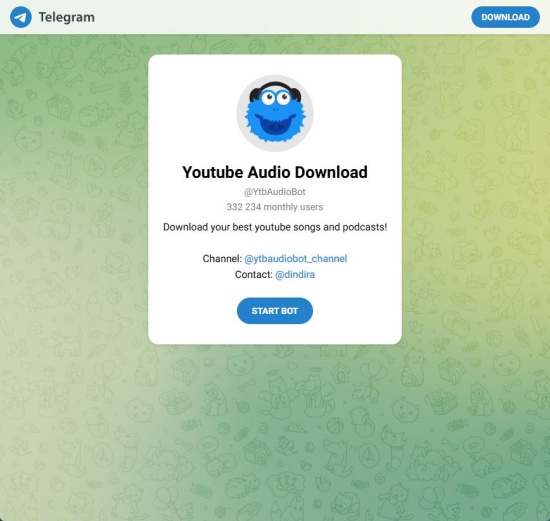
YtbAudioBot is a specialized tool within the Telegram Messenger app. It is designed to extract audio from YouTube videos and convert them into MP3 files for converting YouTube songs and podcasts.
After installing the Telegram App on your device, you open it and search for @YtbAudioBot (or directly click the link above). To generate the chat, click Start. Then, you paste the link you copied into the chat. The bot analyzes the link and offers options. You can select MP3 audio to extract the audio. Once the bot processes the request, it sends the audio file back to the chat. And you click the file to download it to your device.
2. convert_youtube_to_mp3_bot
Features of convert_youtube_to_mp3_bot
- Platform: Mobile (Android/iOS) and Desktop via the Telegram app.
- YouTube to MP3 Conversion: Supported. Up to 320 kbps.
- Wide Format Support: Converts to MP3 or sometimes MP4.
- No Login Required: Usually, no YouTube account is needed.
- Playlist Support: Some bots in this category can download entire playlists.
- Direct Delivery: Supported. Directly deliver MP3 files into the Telegram chat for quick saving.
- Limitation: Only supports files under 50 MB.
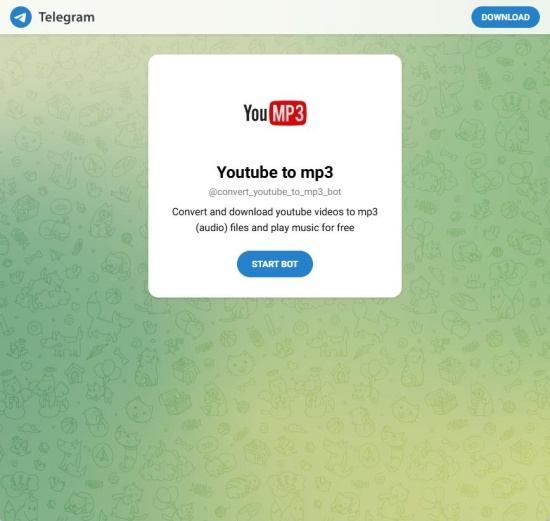
convert_youtube_to_mp3_bot is a popular, free Telegram bot used for converting YouTube videos directly into MP3 or MP4 files within the Telegram Messenger app. It is highly convenient to convert YouTube to audio files for offline listening.
You can click the bot link or search for "@convert_youtube_to_mp3_bot" in the app. Then, click Start in the chat interface and paste the URL of a YouTube video into the chat with the bot. After the bot analyzes the link and offers an MP3 file for downloading, you can tap the download icon and save it.
3. YTsavebot
Features of YTsavebot
- Platform: Mobile (Android/iOS) and Desktop via the Telegram app.
- Free YouTube to MP3 Conversion: Supported. Up to 320 kbps.
- No Ads/Streaming: Supports listening to YouTube tracks directly in group chats without ads.
- Wide Format Support: Converts to MP3 or sometimes MP4.
- Bartch & Playlist Downloading: Supports downloading multiple videos at once.
- Social Support: Supports other sites like Instagram, Pinterest, TikTok, and Facebook.
- No Login Required: Usually, no YouTube account is needed.
- Usage Limit: Some versions of similar bots like ytdlbot restrict to 1 free download per day.
YTsavebot is a Telegram-based bot designed to download and convert YouTube videos into MP3 or MP4 within the Telegram Messenger app. It functions as a "save bot" to extract content from YouTube and other social media platforms like Instagram, TikTok, and so on.
To use this bot, you search for @YTsavebot or click the link above. Tap Start and then paste your YouTube link or type the artist and track name. And then choose MP3 from the formatting menu. Then the bot starts to analyze the file and send the MP3 files to you. You can download it to your device.
4. MusicsHuntersbot
Features of MusicsHuntersbot
- Platform: Mobile (Android/iOS) and Desktop via the Telegram app.
- Free YouTube to MP3 Conversion: Supported. Up to 320 kbps.
- Social Support: Supports other sites like YouTube, Spotify, SoundCloud, and Qobuz.
- Trending & Discovery: Offers access to trending global/regional charts. You can browse.
- Metadata: Offers essential details such as artist and duration.
- Fast Search: Provides search results and options for songs immediately.
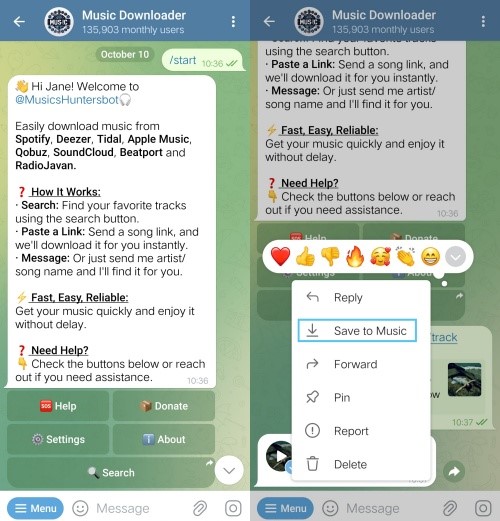
MusicsHunterbot is an intelligent, free music-downloading bot on Telegram. It is designed to convert and download audio tracks from multiple sites. It extracts audio from YouTube and provides details such as the artist, duration, and genre.
You can click the bot link https://t.me/MusicsHuntersbot or search for @MusicsHuntersbot in Telegram and tap Start. Then, you paste the link you copied from YouTube into the chat with the bot. The bot will process the link and send the file to you. Click the download icon on the MP3 to save it to your device.
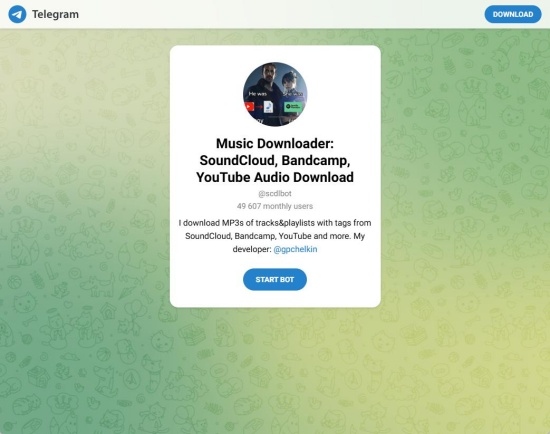
5. Scdlbot
Features of Scdlbot
- Free YouTube to MP3 Conversion: Supported. Up to 128kbps.
- Fast Downloading: Convert and download YouTube to MP3 in seconds.
- Metadata: Retains essential details, such as artist and duration.
- Playlist Support: Supports downloading full YouTube playlists.
- Social Support: Supports other sites like YouTube, SoundCloud, Bandcamp, and Mixcloud.
- Limitation: Only supports files under 50 MB.
Scdlbot, namely SoundCloud, Bandcamp, and YouTube Downloader, is a popular, free Telegram-based bot designed to download audio tracks and playlists from different platforms. It can convert YouTube videos into MP3 while preserving ID3 tags.
To activate this bot, go to @Scdlbot in Telegram or click the link above, and then click Start. Paste the YouTube link directly into the chat with the bot and send it. The bot processes the video and sends you the MP3 file in the chat for downloading.
6. YTBMusBot
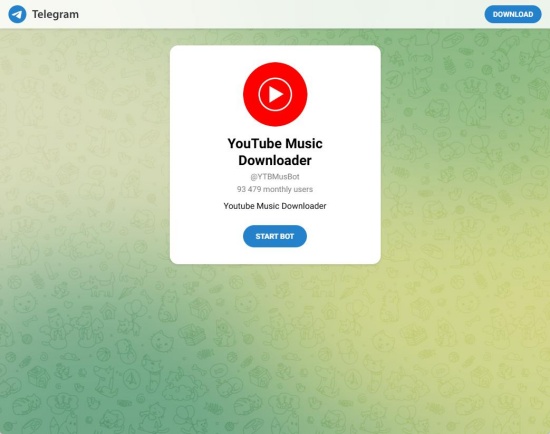
Features of YTBMusBot
- Free YouTube to MP3 Conversion: Supported.
- Easy Search: You can search YouTube Music by title.
- Fast and Reliable: Convert and download YouTube to MP3 at a fast speed. And it is a reliable bot.
YTBMusBot supports YouTube Music conversion. After starting the bot, you send the link from YouTube or search for the song in Telegram. You can pick the MP3 format and download the audio.
7. MooMusicBot
Features of MooMusicBot
- Platform: Mobile (Android/iOS), Web, and Desktop via the Telegram app.
- Free YouTube to MP3 Conversion: Supported.
- Playlist Support: Supports downloading full YouTube playlists.
- Track Preview: You can preview the tracks.
- Metadata: Retains essential details such as artist, album art, song tags, and so on.
- No Ads/Streaming: Supports listening to YouTube tracks directly in group chats without ads.
- Queue Management: You can queue multiple songs for playback.
- No Login Required: Usually, no YouTube account is needed.
- Social Support: Supports other sites like YouTube, YouTube Music, and other platforms directly within the Telegram.
MooMusicBot is a Telegram-based bot. It functions as a free YouTube to MP3 downloader in the Telegram app, enabling downloads with high audio quality and metadata.
Launch the Telegram app, and go to @MooMusicBot or click the link above. After starting the bot, you can paste the link from YouTube in the chat. The bot will analyze it and send you an MP3 file for you to download.
8. AudioFMbot
Features of AudioFMbot
- Direct Search: You can find songs without knowing song titles.
- Lyrics Retrieval: The bot provides you with lyrics for the tracks.
- Free YouTube to MP3 Conversion: Supported.
- Social Support: Supports other sites, like YouTube, TikTok, Instagram, VK, and so on.
AudioFMbot is a specialized music finder and downloader bot. It works in the Telegram app. It supports searching for and downloading audio from YouTube and other platforms.
You can start the bot in Telegram by searching for @AudioFMbot in the search bar and opening the chat. Then, paste the YouTube link and wait for processing. Once completed, the bot sends you the MP3 file to download.
Part 4. Best YouTube to MP3 Telegram Bots Alternative
If you are looking for a versatile audio recording tool beyond Telegram bots, ViWizard YouTube Audio Recorder is a good choice. This software can capture any sound playing on your Mac or Windows, including YouTube videos. It preserves the original audio and ID3 tags while supporting multiple output formats such as MP3, OGG, WAV, FLAC, and more. This makes it easy to save and enjoy YouTube audio offline on any device.

Key Features of ViWizard YouTube Audio Recorder
Free Trial Free Trial* Security verified. 5, 481,347 people have downloaded it.
- Record any audio from streaming services, live broadcasts, and system sounds
- Support multitrack recording and save files in MP3 and more formats
- Automatically detect and retain ID3 tags while allowing manual editing
- Offer flexible audio splitting and merging tools for full customization
How to Convert YouTube Videos to MP3 Using ViWizard YouTube Audio Recorder
 Step 1: Launch ViWizard and Select the Browser
Open ViWizard, click Capturing in the left sidebar. Select your browser from the top-left corner. Then you can use this browser to access YouTube.
 Step 2: Configure Output Settings
In the Capturing section, click Format at the bottom-left and choose MP3 as the audio format. For more control, hover over MP3, click the Settings icon, and adjust parameters like quality, bitrate, and so on. Click Create and Apply to save your settings.
 Step 3: Record YouTube Audio
Click Start next to your chosen browser. Navigate to the YouTube video you want to capture, and play it. ViWizard will automatically record the audio. Once the video ends, click Stop, and the recorded file will be saved in the capture list.
 Step 4: Preview, Edit, and Save Audio
Click Play on the recorded track to preview it. You can trim the track or edit the tags to complement the metadata. Click Apply after editing. Return to the capture list and click Save to store the MP3 file on your computer. Click the file icon next to the track to locate the file on your Mac or Windows.
Conclusion
While Telegram bots are a convenient and quick solution for converting YouTube videos to MP3, alternatives like ViWizard YouTube Audio Recorder provide more control and flexibility. With it, you can capture any audio playing on your computer, while retaining the metadata and original audio quality. Plus, there are many output formats to choose from, such as MP3, FLAC, OGG, WAV, and the like. Perfect for offline listening, playlist creation, or customizing your audio library. So, let ViWizard take your YouTube experience to the next level.
You May Be Interested




Matt Smith, a digital entertainment industry enthusiast at ViWizard, is dedicated to providing insightful commentary and solutions for music and media-related topics, including industry trends, analysis, and recommendations.

Leave a Comment (0)