


- Part 1: What Is NoteBurner Tidal Music Converter?
- Part 2: Key Features of NoteBurner Tidal Music Converter
- Part 3: NoteBurner Tidal Music Converter Pricing and Plans
- Part 4: Pros and Cons of Using NoteBurner Tidal Music Converter
- Part 5: How to Use NoteBurner Tidal Music Converter
- Part 6: Best Alternative to NoteBurner Tidal Music Converter

- Part 7: Final Verdict on NoteBurner Tidal Music Converter

Many people stream music on TIDAL for its large catalog of over 6 million high-resolution tracks with Dolby Atmos support. But streaming alone is not always enough. Some users want to transfer songs to a USB drive, import them into DJ software, or build a music library on their computers. In these cases, music files in open formats like MP3 or FLAC are more practical.
Several Tidal music downloaders let users save songs and convert them into common audio formats. Many also include helpful features like metadata preservation, ad removal, and better library organization.
Two popular options are NoteBurner Tidal Music Converter and ViWizard TIDAL Music Converter. Both support lossless audio conversion while keeping song information intact.
In 2026, users still wonder if such software is worth it. NoteBurner Tidal Music Converter is widely used for reliable downloads. This review examines its features, pricing, pros and cons, and compares it with ViWizard TIDAL Music Converter to help users make an informed choice.

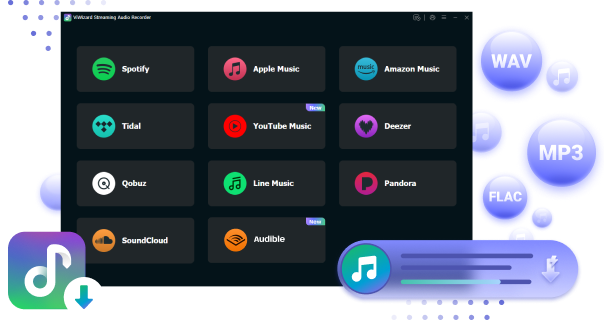
Ready to take your TIDAL music offline? ViWizard TIDAL Music Converter helps TIDAL subscribers save songs, albums, playlists, artists, podcasts, and audiobooks with reliable music conversion. Start converting and keep your TIDAL library within reach.
Part 1: What Is NoteBurner Tidal Music Converter?
- Core function: Download and convert Tidal music to local audio files
- Supported input: Tidal tracks, albums, playlists, and artists from the Tidal app or web player
- Output formats: MP3, AAC (M4A), WAV, FLAC, AIFF, ALAC
- Output quality: Keeps original HiFi when converting
- Conversion speed: Up to about 10× faster batch conversion
- Metadata support: Keeps ID3 tags such as title, artist, album, artwork, and track number
- Platforms: Windows 8, 8.1 10, 11 and macOS 11 or later
- Language support: Up to about 48 interface languages
- Pricing and plans:
- 1-Year License: $44.95~$59.95
- Lifetime License: $89.90~$129.90
- Free trial: Yes, trial version available with limited conversion length
NoteBurner Tidal Music Converter is a desktop program for Windows and Mac that's designed to download and convert music from TIDAL into common audio formats. Instead of sticking to Tidal's built-in offline mode, which locks downloads inside the app, users can export songs as formats like MP3, FLAC, AAC, WAV, AIFF, or ALAC so the files can be used outside the streaming TIDAL app. This workaround the DRM protection, creating a permanent backup of Tidal tracks and enable them on devices that do not support the service.
Part 2: Key Features of NoteBurner Tidal Music Converter

NoteBurner Tidal Music Converter looks simple at first, but it offers several features that show how it works in real situations. It handles basic downloads well and also includes extra tools. From choosing different formats to burning Tidal music to CD, these features make managing a Tidal music collection much easier.
1. Download Tidal Music without Needing a Tidal Subscription
The NoteBurner converter needs you to sign in to your Tidal account, whether you have a Tidal subscription or not, it can access the Tidal content via the desktop app or the Tidal web player. After that, NoteBurner will start to download the added songs in the following three conversion modes:
Intelligent mode: If a track cannot be downloaded directly from Tidal, it may be substituted with a similar track from YouTube Music.
Record mode: Download audio directly from the Tidal app or web player.
YouTube mode: NoteBurner will attempt to find and convert tracks from YouTube even if you add them from the Tidal music service. (it is not recommended to utilize this mode because you will nont get the Tidal highest audio quality.)
2. Convert Tidal Music to Various Formats
NoteBurner Tidal Music Converter offers 6 audio formats for the converted Tidal music format: MP3, AAC, WAV, FLAC, AIFF, and ALAC. All formats are DRM-free, so you can transfer the music from Tidal to other desired devices, such as a USB drive, car player, or mobile phone, for offline playback.
3. Preserves the Tidal Lossless Quality
NoteBurner Tidal Music Converter downloads music at Tidal's highest audio quality. Even though NoteBurner allows you to customize the bitrate of the music you download, it cannot provide higher audio quality than Tidal's tracks. if a song has the highest audio quality version on Tidal, you can only acquire the high audio quality version on NoteBurner; conversely, if a song only has a low audio quality version on Tidal, you are limited to getting the low audio quality version. To wrap up, NoteBurner can download high quality Tidal music, but it largely depends on whether the song you want to download is high quality on Tidal Music or not.
4. Convert Local Music & Edit ID3 Tags
The NoteBurner Tidal Music Converter toolbox includes a format converter for converting local audio files to different formats, a tag editor for editing the ID3 tags of each song (NoteBurner keeps the tag on Tidal Music songs by default, but you can customize it if you want), and a burner for burning Tidal music to CD.
Part 3: NoteBurner Tidal Music Converter Pricing and Plans
Pricing can be confusing when choosing a music converter. NoteBurner offers several plans, including a "1-Year License" and a "Lifetime License", ranging from $44.95 to $129.90. Comparing these options helps you see the value against other tools, like ViWizard TIDAL Music Converter, which offers a more affordable "1-Month License" for $19.95 and can also be tried for free on Windows and Mac.
| Plan | NoteBurner Tidal Music Converter | ViWizard TIDAL Music Converter |
| 1-Month | N/A | $14.95 / 1 month Free upgrades for 1 month 14-day money-back guarantee Auto-renew, cancel anytime |
| 1-Year | $49.95 / 1 year Free updates for 1 year 5-day money-back guarantee Auto-renew, cancel anytime |
$44.95 / 1 year Free upgrades for 1 year 14-day money-back guarantee Auto-renew, cancel anytime |
| Lifetime | $89.95 / lifetime Free lifetime updates 30-day money-back guarantee One-time purchase |
$89.95 / lifetime Free lifetime upgrades 30-day money-back guarantee One-time purchase |

A splendid Tidal downloader for both free and paid users that downloads full songs, albums, playlists, artists, and audiobooks to MP3, FLAC, WAV, and more while keeping the original lossless audio and ID3 tags so you can save Tidal music offline on Windows, Mac, or any device without streaming restrictions.
Part 4: Pros and Cons of Using NoteBurner Tidal Music Converter
No software is perfect. NoteBurner has both strengths and limits, and knowing them helps users set realistic expectations. It is strong in customization and extra tools, but it is not as simple to get started as ViWizard TIDAL Music Converter.
- Pros
- Converts TIDAL music to MP3, FLAC, AAC, WAV, AIFF, or ALAC
- Keeps song info like title, artist, and album art
- Batch downloads let you convert multiple tracks at once
- Supports HiFi and lossless streams
- Easy to use, even for beginners
- Can burn music to CDs
- Cons
- Full version is expensive
- Limited bitrate for WAV and FLAC
- Interface can feel cluttered
- Free trial only converts part of a song
- Requires TIDAL login
- May glitch or crash after TIDAL updates
- Converting music may not follow TIDAL rules
Part 5: How to Use NoteBurner Tidal Music Converter
NoteBurner works on both Windows and Mac, and getting started is fairly easy. Download the version for your device, choose either the TIDAL app or TIDAL Web Player to find your music, log in to your Tidal account, and test a few tracks with the free trial, which limits downloads to one minute per song. To access extra tools like CD burning or unlimited downloads, a licensed version is needed.
System Requirements for NoteBurner Tidal Music Converter:
- Operating System: Windows 8, 8.1, 10, 11 (32-bit or 64-bit); Mac OS 11 to 26
- Processor: 1 GHz or higher
- RAM: 512 MB or more
- Monitor: 1024×768 pixels or higher
After installing the software, open it and click the profile icon in the bottom-left corner.
Enter your registration email and code in the registration window to unlock full features. (skip if you just want to try it)

Click the menu icon in the upper right corner and select Settings.
Adjust the output format (MP3, FLAC, WAV, etc.), quality, and save location to suit your preference.

Log into your Tidal account via the built-in web player or Tidal app inside NoteBurner.
Browse your playlists, albums, or tracks and click the "Add" icon to import them.

Click the "Convert" button to start downloading and converting your selected tracks.

The process is fast, supporting up to 10X conversion speed.
Click the Converted button to locate your downloaded music.

You can now enjoy your Tidal tracks offline on any device.
Part 6: Best Alternative to NoteBurner Tidal Music Converter
NoteBurner is not as quick to start using as ViWizard TIDAL Music Converter. Installing the converter and extra tools, such as ID3 Tags Editor, Burn CD, or AA/AAX Converter, can take time. Choosing between the TIDAL app and Web Player may also be confusing because it can affect the output. Price is another factor. While NoteBurner offers a free trial, subscriptions start at $44.95 per year, which can be a long-term commitment. Alternatives like ViWizard offer a simpler setup and a better balance between cost, features, and Tidal downloads.
Key Features of ViWizard TIDAL Music Converter
Free Trial Free Trial* Security verified. 5, 481,347 people have downloaded it.
- Download full songs, albums, playlists, and artists from Tidal without ads offline
- Convert Tidal tracks in bulk at up to 40x faster speed
- Export Tidal music to MP3, FLAC, WAV, AIFF, M4A, and M4B
- Support various quality options up to a maximum of 24-bit, 192 kHz
Step 1Import TIDAL Songs or Playlists
Open ViWizard TIDAL Music Converter on your computer and sign in to your TIDAL account through the built in player. Browse your library or search for specific tracks, albums, or playlists you want to download. When you find the music you want to keep, add it to the conversion list so the program can prepare it for downloading and conversion.

Step 2Choose MP3 and Adjust Output Settings
Open the settings or preferences panel in the converter and select the output format. Choose MP3 if you want the files to work with most devices. You can also adjust audio options such as bit rate, sample rate, and channels before confirming the settings.

Step 3Download and Convert the Music
After checking the songs in the conversion list, click the Convert button to begin the process. The program will download the selected TIDAL tracks and convert them into MP3 files. Once finished, the songs are saved locally on your computer so they can be used without relying on the streaming app.

Step 4Find and Use the Converted Files
When the conversion is complete, open the History or Finished section in the program to view your downloads. From there you can open the output folder where the converted MP3 files are stored. These files can be copied to other devices such as phones, USB drives, or music players and organized as part of your personal music library.

Part 7: Final Verdict on NoteBurner Tidal Music Converter
After reviewing features, pricing, and workflow, it is easier to see where NoteBurner performs well and where it falls short compared to ViWizard TIDAL Music Converter.
| Features | NoteBurner Tidal Music Converter | ViWizard TIDAL Music Converter |
|---|---|---|
| Supported Operating Systems | Windows 8, 8.1, 10, 11; Mac OS 11–26 | Windows 7, 8, 10, 11; Mac OS 10.13–26 |
| Supported Input | Tidal tracks, playlists, artists, albums | Tidal tracks, playlists, artists, albums, podcasts |
| Supported Output Formats | MP3, AAC, WAV, FLAC, AIFF, ALAC | Lossless (Hi-Res FLAC), MP3, WAV, FLAC, M4A, M4B, AIFF |
| Price | 1-Year Plan: $49.95 Lifetime: $89.95 1-Month: Not available |
1-Month Plan: $14.95 1-Year Plan: $49.95 Lifetime: $89.95 |
| Trial Limitations | 1-minute preview per track | 30-second preview per track |
| Conversion Speed | 10x | 15x |
| Stability | Sometimes has issues with web player in separate windows | More stable; everything works in one window |
| Built-in Web Player | ❌ | ✔️ |
| ID3 Tags Preservation | ✔️ | ✔️ |
| Ease of Use | Moderate; extra tools may confuse beginners | Easy and intuitive for beginners |
| DRM Removal | ✔️ | ✔️ |
| CD Burning | ✔️ | ❌ |
| Playlist & Batch Management | ✔️ | ✔️ |
| Extra Tools | Converter, ID3 Tags Editor, CD Burner, AA/AAX Converter | Converter, ID Tags Editor |
| Best For | Users who want extra features like CD burning and format options | Users who want simplicity, stability, and fast setup |
Both NoteBurner and ViWizard convert Tidal music into usable formats with DRM removal and ID3 tag preservation. NoteBurner Tidal Music Converter is ideal for users who want extra features like CD burning, advanced ID3 editing, and multiple output formats, though it can be a bit more complex to use. ViWizard TIDAL Music Converter, on the other hand, is simpler and faster, with stable performance in a single window.
NoteBurner Tidal Music Converter Review: Download TIDAL Music and Best Alternatives Yes, for users who need advanced tools. For those who prioritize ease of use and affordability, ViWizard offers a more intuitive option with similar features and better value.
You May Be Interested


Dave Henry, a multimedia technologist at ViWizard, focuses on delivering the best solutions for digital media challenges, including audio and video conversion, media optimization, and troubleshooting.

Leave a Comment (0)