


- Part 1. Tidal Music Cost: How Much You'll Pay
- Part 2. Tidal Music Cost: Which Plan Is Right for You
- Part 3. Tidal Music Cost: Free Trial Options
- Part 4. Tidal Music Cost: Why Choose Tidal
- Part 5. Tidal Music Cost: Key Points to Consider
- Part 6. Tidal Music Cost: How to Subscribe
- Part 7. Tidal Music Cost: Tips for Long-Term Access

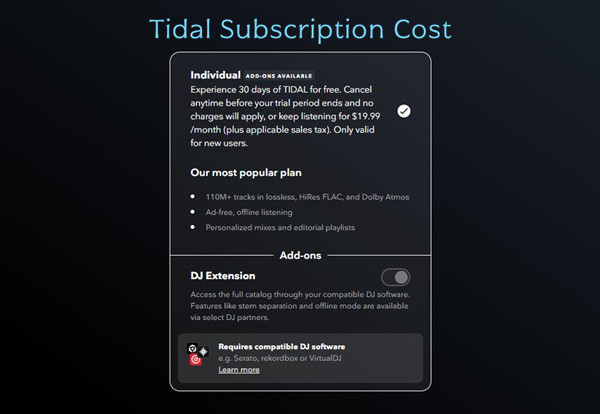
If you've checked Tidal recently, you may have noticed some changes in how subscriptions work. In the past, different plans offered various audio options and extra features, which could make choosing a plan confusing. Now, Tidal offers one main affordable plan, Tidal Individual. The expensive $20 "Tidal HiFi" tier is gone, so subscribers can focus on the core offering: premium, high-resolution audio for $10.99 per month. The DJ Extension is available for an extra $9 per month. Tidal's approach makes premium music easier to access and more affordable.
While the cost of Tidal is now clear, there are still some key points to consider before subscribing. Which plan offers the best value? In the sections that follow, we will cover subscription costs, plan options, and tips for getting the most out of Tidal, including how to keep high-resolution audio for the long term.
Part 1. Tidal Music Cost: How Much You'll Pay
Tidal's HiFi and HiFi Plus plans have been consolidated into a single Individual plan. There's no more free listening plan, so anyone wanting to explore Tidal will need to look for a free trial or start with a subscription.
Here's what you get with the standard plan. You get high-resolution FLAC tracks (HD) and spatial audio. Tidal has moved away from older special formats like 360 Reality Audio, so everything is built around a modern, immersive experience.
For most listeners, the individual plan is about $10.99 per month. Families can get a plan for $16.99 per month, which covers up to six accounts. Students get a discount, paying roughly $5.49 per month. If you're a DJ, there's a $9 per month add-on that works with software like Serato or Rekordbox.
| Tidal Plan | Price (US) | Price (UK) | Price (EU approx) |
|---|---|---|---|
| Individual | $10.99/month + tax | £10.99/month | €10.99/month |
| Individual + DJ Extension | $10.99 + $9/month add-on | £10.99 + £9 add-on | €10.99 + €9 add-on |
| Family (up to 6 members) | $16.99/month + tax | £16.99/month | €16.99/month |
| Student | $5.49/month + tax | £5.49/month | €4.99–€6.49/month |
| Free Trial | 1-month free trial | 1-month free trial | 1-month free trial |
Some people notice higher prices in the Tidal app than online. That's because subscriptions are subject to state, local, and provincial taxes. Taxes appear at checkout when paying by card, and regional price differences can also apply. Always check Tidal Pricing before subscribing.
Part 2. Tidal Music Cost: Which Plan Is Right for You
You don't have to stick with just the main plan. Think about what fits your listening habits. Are you an individual listener, part of a family, or a DJ looking for extra features? Knowing what you really need helps you pick the plan that works best.
TIDAL Subscription Plans
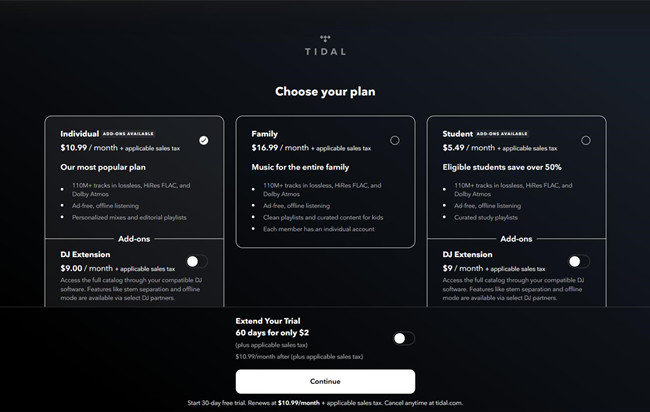
Tidal is available in more than 60 countries. Its niche is high-fidelity audio and artist support, rather than massive scale. Compared to other top streaming services, Tidal's subscription structure is now simplified:
- Individual: The standard plan for personal use. It costs $10.99 per month and gives access to Tidal's full catalog of over 110 million tracks. Most streams are available in HiRes FLAC and Dolby Atmos. Offline downloads and ad-free listening are included.
- Family: Designed for households, the Family plan costs $16.99 per month. It supports up to six member profiles. Each profile has a separate account and music collection, making it ideal for shared living spaces.
- Student: The Student plan costs $5.49 per month. It offers the same features as Individual but at a discounted rate. Verification is required.
DJ Extension Add-On
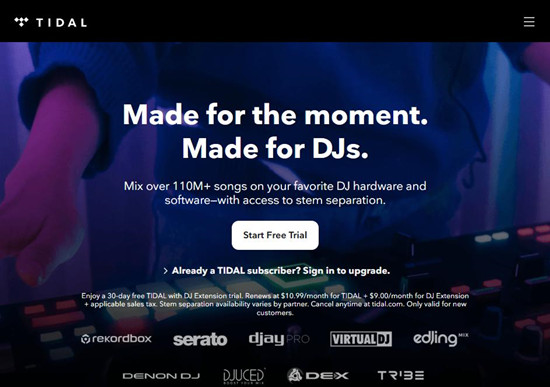
The DJ Extension add-on costs $9 per month. It adds DJ features such as stem separation and integrations with Serato, Rekordbox, and djay Pro. The add-on works only with Individual or Student plans. Family plans cannot use it. This separation ensures professional tools are available for DJs without altering the standard streaming experience.
Free Trial
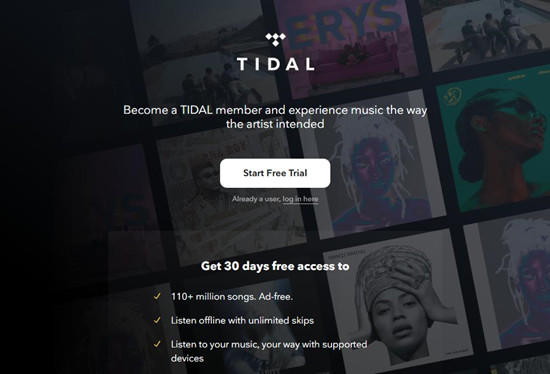
New subscribers receive a 30-day free trial for any paid plan. There is also an optional $2 upgrade for an extended 60-day trial. Promotions or device bundles may occasionally offer additional extensions, but 30 days remains the standard.
Free Tier
The previous free listening tier is no longer available. Removing the free tier aligns Tidal with other premium streaming platforms and ensures all subscribers have access to the full, high-res streaming experience.
Bonus Tip for Every TIDAL Customer
Canceling a subscription or trial in hopes of triggering a deal can backfire. Once a subscription ends, access to the full music library is removed and offline downloads are no longer available.
To stay in control, consider using ViWizard TIDAL Music Converter to save Tidal music and podcasts offline in standard formats such as MP3 or FLAC. This lets you access your music anytime, even without an active subscription. Saving in open formats also makes it easy to transfer files to other devices, maintain a personal collection, or use tracks for alarms, ringtones, or other personal projects. ViWizard TIDAL Music Converter can be tried for free.

A splendid Tidal downloader for both free and paid users that downloads full songs, albums, playlists, artists, and audiobooks to MP3, FLAC, WAV, and more while keeping the original lossless audio and ID3 tags so you can save Tidal music offline on Windows, Mac, or any device without streaming restrictions.
Part 3. Tidal Music Cost: Free Trial Options
New to Tidal? You can try it for 30 days free. You get all the features of a standard subscription, so it's a full test run.
If you've never subscribed before, the free trial saves you $10.99. Want more time? There's also an optional 60-day trial for just $2 more, saving $19.98 in total.
Tidal automatically renews at $10.99 per month when your trial ends. Set a reminder to cancel if you don't want to continue. You can manage this directly at tidal.com.
Start a TIDAL Free Trial
Step 1 Open the TIDAL app on your phone or go to tidal.com in a browser.
Step 2 Tap or click the Start Free Trial button under the plan you want, such as Individual, Family, or Student.
Step 3 Sign up by entering your email address, creating a password, and picking a profile name.
Step 4 Enter your date of birth and agree to TIDAL's Terms of Use.
Step 5 Add a payment method like a credit card or PayPal. You will not be charged during the free trial.
Step 6 Tap Confirm to start your free trial and begin streaming music.
Use a TIDAL Partner Trial
Step 1 Go to the partner's promotion page, such as a mobile carrier or device brand.
Step 2 Find the TIDAL offer and tap Activate or Claim Code.
Step 3 Open the TIDAL app and sign in or create an account.
Step 4 Enter the trial code or follow the prompts to link your account.
Step 5 You can now stream TIDAL for free during the promotional period.

Wondering about more ways to get Tidal free trial? This post will share with you 17 ways to get a Tidal free trial, and one can even keep Tidal free listening forever.
Part 4. Tidal Music Cost: Why Choose Tidal

Trying Tidal for free is smart, but the real question is whether it's worth sticking around. Tidal is great for high-resolution audio lovers and anyone who wants to support their favorite artists. Compare it with other streaming services to see if it gives you enough value.
-

High-Fidelity Streams
Lossless and Hi‑Res streaming provides clearer and more detailed sound compared with other services. Even on regular headphones, listeners notice an improvement, while audiophiles report a noticeable difference in clarity and detail.
-
Artist Support and Ethics
Tidal attracts users who want to support musicians. The platform pays higher royalties per stream, and some listeners value its focus on fair practices and ethical considerations.
-
Music Discovery
Some users find Tidal helps them discover new artists and albums they might not find elsewhere. Playlists and full-album recommendations feel more focused and intentional for those who love exploring complete works.
-
App Experience
Tidal's interface is clean and music-focused. Users like that it is less distracting than apps with podcasts or video content. A few note inconsistencies on Android or desktop, but most find it easy to use.
-
Device and Feature Limits
Some users report that Tidal does not integrate as smoothly with cars, smart speakers, or other devices compared with competitors. Social features and detailed listening stats are also limited, which may affect engagement for some listeners.
TL;DR:
Tidal shines with high-res audio and strong artist support, making it ideal for listeners who value sound and music-focused features. Casual users may prefer other services due to limited device integration and fewer social features.
Part 5. Tidal Music Cost: Key Points to Consider
Before you subscribe, here are a few things to think about. Check the pros and cons of Tidal. Know if there are any limits or extra costs. And plan how to get the most out of your subscription. Thinking ahead will help you make your money count.
- Pros
- High-fidelity music streams that are hard to beat, including Dolby Atmos mixes
- Pays artists more per stream than most platforms
- Exclusive content from Jay Z
- Many music videos and live sessions
- Cons
- UI is not as straightforward as some other services and can have stability issues
- Music recommendations and discovery are weaker than competitors
- No free version, only paid subscriptions
- High-res music often requires good headphones or speakers
- Smaller user base and slower updates than other platforms
- Works on fewer devices and has limited integrations
Part 6. Tidal Music Cost: How to Subscribe
Getting started is easy. Pick either the Individual or Family plan, then follow the instructions on Tidal's website or app. That's it. Once you're in, you can enjoy high-resolution audio and an immersive listening experience immediately.
Subscribe as a New User
Step 1 Open the TIDAL app or visit tidal.com.
Step 2 Tap Start Free Trial or select a paid plan if you want to subscribe right away.
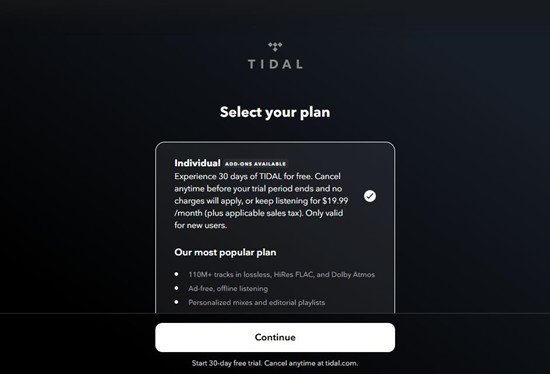
Step 3 Sign up using your email or a social login such as Google or Apple.
Step 4 Pick your plan: Individual, Family, or Student.
Step 5 Add a payment method to complete your subscription.
Step 6 Tap Subscribe to start streaming immediately.
Subscribe as an Existing or Returning User
Step 1 Open the TIDAL app or go to account.tidal.com and sign in.
Step 2 Go to Account Settings and tap Subscription or Manage Subscription.
Step 3 Select the plan you want, such as Individual or Family.
Step 4 Add or update your payment details if needed.
Step 5 Tap Subscribe or Change Plan to start your paid subscription.
Part 7. Tidal Music Cost: Tips for Long-Term Access
Here's the thing: having premium music is great, but keeping it long-term is better. One way to make sure your Tidal collection stays with you is to use ViWizard TIDAL Music Converter. This tool lets you convert and download Tidal tracks and podcasts for offline listening. That way, your library is always available, even if you cancel your subscription later.

Key Features of ViWizard TIDAL Music Converter
Free Trial Free Trial* Security verified. 5, 481,347 people have downloaded it.
- Download full songs, albums, playlists, and artists from Tidal without ads offline
- Convert Tidal tracks in bulk at up to 40x faster speed
- Export Tidal music to MP3, FLAC, WAV, AIFF, M4A, and M4B
- Support various quality options up to a maximum of 24-bit, 192 kHz
Step 1Add Tidal Music or Podcasts
Install and open ViWizard TIDAL Music Converter on your computer. Sign in to your Tidal account within the built-in player, then browse your library to locate the tracks, albums, playlists, or podcasts you want to keep. When you find the content you want, click the Add Music button to load it into the conversion list.

Step 2Configure Output Settings
Next, open the Preferences menu from the program's menu bar and select the Conversion section. Here you can customize the output format and audio settings. ViWizard supports formats such as MP3, M4A, WAV, AIFF, FLAC, and M4B, along with adjustable options like sample rate, bit rate, and audio channels. After selecting your preferred settings, confirm the changes to apply them.

Step 3Start the Conversion
When everything is ready, click the Convert button at the bottom of the program. ViWizard will begin processing the selected tracks or podcasts and convert them into the format you selected. The files are saved locally on your computer, allowing you to keep them even if your Tidal subscription ends.

Step 4Locate Your Saved Audio Files
After the conversion finishes, the saved files will appear in the History section of the program. From there, you can quickly open the output folder where the converted tracks are stored. The built-in search and sorting tools make it easy to find specific songs by title, artist, or album, or browse your downloaded collection.

Conclusion
Tidal offers a streaming experience that is worth the cost for high-fidelity audio. Using tools like ViWizard TIDAL Music Converter gives users full control over their music library, allowing them to save tracks and podcasts offline in standard formats. This ensures access to favorite music anytime, even without an active subscription, and provides the freedom to back up, transfer, or use music across devices.
You May Be Interested





Dave Henry loves movies and all things video. He likes checking out different video formats and trying new media players to see how they change the viewing experience.

Leave a Comment (0)