



Looking for the best Apple Music downloader? We selected 10 popular tools to review and compare, including desktop converters, open-source projects, and browser-based downloaders. These tools offer different workflows and combinations of features to save and manage Apple Music. For example, ViWizard Apple Music Converter lets you convert supported tracks to formats such as MP3, while online downloaders provide browser-based alternatives.
In this guide, we'll review all 10 tools. Although they serve the same purpose, we'll also look at their strengths and weaknesses to help you choose the one that best fits your needs, whether you prioritize lossless audio conversion, batch processing, open-source workflows, or browser-based workflows. Let's dive in.

Need Apple Music in more flexible audio formats? ViWizard Apple Music Converter helps Apple Music subscribers create a personal music library with seamless music backup. Build your collection and keep your music beyond the Apple Music app.
Part 1. Best Apple Music Downloaders at a Glance
Each Apple Music downloader has different strengths. Some focus on lossless audio and batch conversion, while others suit command-line users or quick browser downloads.
| Tool | Price | Setup | Main Use | Platforms | Audio Quality | Metadata & Tags | Key Features |
|---|---|---|---|---|---|---|---|
| ViWizard Apple Music Converter | Paid, trial | Easy | Apple Music conversion | Windows, Mac | Lossless formats | Strong | Batch conversion, playlist support, lyrics and tag preservation |
| NoteBurner Apple Music Converter | Paid, trial | Easy | Lossless conversion | Windows, Mac | ALAC, FLAC, WAV, AIFF | Strong | Batch conversion, playlist support, CD burning |
| TuneFab Apple Music Converter | Paid | Very easy | Simple conversion | Windows, Mac | Common audio formats | Moderate | Easy interface, batch processing |
| TunePat Apple Music Converter | Paid | Easy | Playlist conversion | Windows, Mac | Common audio formats | Good | Batch processing, metadata retention |
| Sidify Apple Music Converter | Paid | Easy | Music library management | Windows, Mac | Lossless formats | Strong | Batch conversion, album artwork |
| ViWizard All-in-One Music Converter | Paid, trial | Easy | Multiple streaming services | Windows, Mac | Varies by service | Good | Multi-platform support, tag editing |
| Gamdl | Free, open-source | Hard | Command-line downloads | Windows, Mac, Linux | Depends on format and settings | Strong | Automation, lyrics, album artwork |
| freyr-js | Free, open-source | Hard | Automated music matching | Cross-platform | Typically 320 kbps AAC | Good | Scripting, metadata matching |
| Apple Music ALAC / Dolby Atmos / AAC / MV Downloader tools | Free or experimental | Hard | Specialized audio extraction | Varies by project | Lossless and format-specific | Variable | Dolby Atmos-related audio, music videos, synchronized lyrics |
| AAPLMusicDownloader | Free tier; Premium features | Very easy | Browser-based downloads | Web browser | Depends on source | Basic | Link-based downloads, ZIP export with Premium |
Part 2. 10 Best Apple Music Downloaders Reviewed
From desktop converters to open-source scripts and browser-based tools, each option offers a different way to download Apple Music. The following reviews cover their key features, strengths, and ideal use cases.
01ViWizard Apple Music Converter: Best Overall Apple Music Converter

Looking for an Apple Music downloader with comprehensive features and an easy-to-use interface? ViWizard Apple Music Converter is a good place to start. It supports MP3, M4A, M4B, AIFF, FLAC, and WAV, along with batch processing, metadata preservation, and lossless audio conversion. It can also save lyrics through an optional setting and offers customer support.
Unlike ViWizard All-in-One Music Converter, this edition focuses on Apple Music rather than multiple streaming services. That makes it a straightforward choice for users who want a dedicated desktop tool without command-line setup. Its wide format support, batch processing, and accessible workflow make it a strong all-around choice.
Key Features of ViWizard Apple Music Converter
Free Trial Free Trial* Security verified. 5, 481,347 people have downloaded it.
- Convert Apple Music songs, playlists, albums, and artists
- Export Apple Music in 6 formats for different devices and players
- Preserve metadata and lyrics when creating music collections
- Organize converted music by artist and album
- Batch download large Apple Music collections
Step 1Download and Install ViWizard
First, visit the official ViWizard website and download the app for your Windows or Mac computer. Then install it by following the on-screen instructions.
Step 2Log In to Your Apple Music Account
Open ViWizard and sign in with your Apple ID linked to your Apple Music subscription. This allows the app to access your Apple Music library.

Step 3Set Output Format to MP3
In the settings menu, choose MP3 as the output format for best compatibility. You can also adjust options like bitrate and sample rate based on your preferences.

Step 4Add Apple Music Songs, Albums, or Playlists
Click the "+" button to open your Apple Music library inside the app. Select the songs, albums, or playlists you want to download and convert.

Step 5Convert Apple Music to DRM-Free MP3
Click the Convert button to start converting Apple Music tracks into DRM-free MP3 files. The tool also supports batch conversion for multiple songs or playlists.

Step 6Access Downloaded Music
After conversion, go to the History tab inside ViWizard to find and access your downloaded music files.

- Easy to use on desktop
- Handles batch Apple Music downloads
- Keeps sound quality and song info
- Supports multiple formats
- Paid software
- Only works on Windows and Mac
- No free full version
02NoteBurner Apple Music Converter: Best for Users Seeking an Established Alternative

NoteBurner Apple Music Converter is another option worth considering for desktop music conversion. It supports MP3, AAC, FLAC, and ALAC, while the company's wider product lineup includes extras such as tag editing, CD burning, and AI vocal removal. Feature availability may vary by edition. It separates Windows and Mac versions, called NoteBurner iTunes Audio Converter (Windows) and NoteBurner Apple Music Converter (Mac)
ViWizard remains our first choice for a dedicated Apple Music workflow, while NoteBurner may appeal to users who want additional audio utilities. Its broader range of tools gives users another reason to consider it alongside a dedicated converter.
Read More: Full Review: Is NoteBurner Apple Music Converter Worth It in 2026?
- Fast and stable for Apple Music downloads
- Works well with playlists
- Keeps song info and metadata
- Supports multiple formats
- Paid software
- Not much editing control
- Only for Windows and Mac
03TuneFab Apple Music Converter: Best for a Simplified Conversion Workflow

Not everyone wants to spend time figuring out conversion settings. TuneFab Apple Music Converter offers a relatively straightforward desktop workflow for converting eligible Apple Music tracks. It supports batch processing and common audio formats. TuneFab also offers an All-in-One Music Converter for users who work with multiple streaming services.
ViWizard stands out for its advertised format range and music-management features, but TuneFab is worth considering if you prefer its interface or pricing.
Read More: TuneFab Apple Music Converter Review: Features, Pros and Cons, and the Best Alternative
- Simple and beginner-friendly
- Good for batch downloads
- Keeps audio quality and tags
- Paid tool
- No advanced features
- No built-in music player
04TunePat Apple Music Converter: Best for Batch Music Library Management
Converting a few songs is easy enough; managing dozens of albums takes more work. TunePat Apple Music Converter is designed to process multiple Apple Music tracks and organize the resulting files. It supports common audio formats and offers metadata-related features that may help preserve track information.
TunePat covers much the same ground as ViWizard Apple Music Converter , so the choice often comes down to practical details. ViWizard remains ahead in our selection, but TunePat is worth considering if you prefer its interface, settings, or pricing. For larger music libraries, batch handling and metadata accuracy matter more than having a batch-conversion feature.
- Good for downloading playlists
- Keeps metadata organized
- Handles batch jobs fairly well
- Paid software
- Can slow down with big libraries
- Not many customization options
05Sidify Apple Music Converter: Best for Comparing Mainstream Desktop Alternatives

Sidify Apple Music Converter is another desktop option for converting eligible Apple Music tracks and organizing them in a local music library. Its advertised features include batch processing and metadata-related options, which can help when managing albums and playlists.
When several tools offer similar features, the deciding factors often come down to interface, supported formats, settings, and pricing. ViWizard remains our overall recommendation, but Sidify offers another mainstream option for users comparing desktop converters. Its lower position in this selection doesn't necessarily mean it performs worse for every user.
Read More: Sidify Apple Music Converter Review: Is It the Right Choice?
- Supports lots of formats
- Good for bulk Apple Music downloads
- Keeps album art and song info
- Easy to use overall
- Paid tool
- Can lag with huge playlists
- No editing features
06ViWizard All-in-One Music Converter: Best for Multiple Streaming Services

ViWizard All-in-One Music Converter brings supported conversion workflows together in one desktop toolkit, making it useful for users who manage music across multiple platforms. This edition makes more sense when you need broader service coverage, and combining several workflows in one application can save money in the long run.
Its main advantage is that it includes Apple Music as one module within a broader toolkit. However, users who only need Apple Music conversion may find the dedicated edition more practical. The All-in-One version is a better fit for users who want to download music from different services and combine it in one offline collection.

Key Features of ViWizard Streaming Audio Recorder
Free Trial Free Trial* Security verified. 5, 481,347 people have downloaded it.
- Manage music from 11+ streaming platforms in one toolkit
- Convert streaming music into 6 formats for different devices and players
- Transfer playlists between supported streaming services
- Record streaming audio from different sources beyond direct conversion
- Manage converted music and audio collections in one place
- Works with Apple Music and other streaming apps
- Can record multiple songs in batches
- Supports different output formats
- Doesn't need the source app open all the time
- Paid tool
- Slower since it records in real time
- No editing tools
07Gamdl: Best Open-Source Option for Command-Line Users
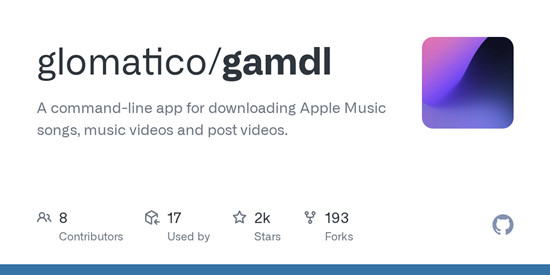
Gamdl is an open-source Apple Music downloader for users comfortable with command-line tools. It runs through scripts and requires manual setup, including authentication and terminal-based execution. Unlike desktop converters, it requires dependency installation, environment configuration, and troubleshooting. Its documented requirements have included Python and an active Apple Music subscription.
Gamdl is better suited to developers and automation-minded users than beginners, who may find graphical tools such as ViWizard or NoteBurner easier to use. It is useful in scripting setups where automation matters more than a graphical interface.
Read More: Gamdl Apple Music Downloader: 2026 Guide and Review
- Free and open-source
- Downloads high-quality Apple Music tracks
- Good for automation and scripts
- Needs command line
- Not beginner-friendly
- Setup takes effort
08freyr-js: Best for Automated Music Matching Workflows
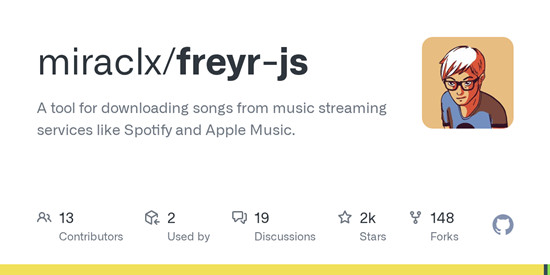
Freyr-js is an open-source JavaScript tool that uses music-service metadata to find matching audio from other sources, including YouTube. It downloads audio from YouTube and matches it with Apple Music metadata, including tags, lyrics, and album artwork. Depending on the implementation, it can organize results with this information. Output is usually 320 kbps AAC with embedded artwork.
freyr-js suits users familiar with Node.js who want customized music-management workflows. It is less suitable for those seeking a straightforward desktop converter.
Read More: Use freyr-js GitHub to Download Music from Streaming Platforms
- Free and lightweight
- Very flexible for developers
- Good for automated downloads
- Command-line only
- Needs technical setup
- No official support
09Apple Music ALAC / Dolby Atmos / AAC / MV Downloader: Best for Advanced Format-Specific Workflows
This project targets advanced users interested in ALAC, AAC, Dolby Atmos-related audio, music videos, and synchronized lyrics. As a GitHub-based tool, it requires manual configuration and offers format-level control for users who need specialized media extraction. Dolby Atmos-related support does not guarantee identical spatial-audio output, so results may vary. These capabilities may appeal to experienced users who are comfortable with the technical setup.
- Supports high-quality audio formats
- Some tools also grab music videos
- Usually free or community-made
- Can be unstable
- Not always easy to set up
- Features differ from tool to tool
10AAPLMusicDownloader: Best to Evaluate for Occasional Browser-Based Downloads
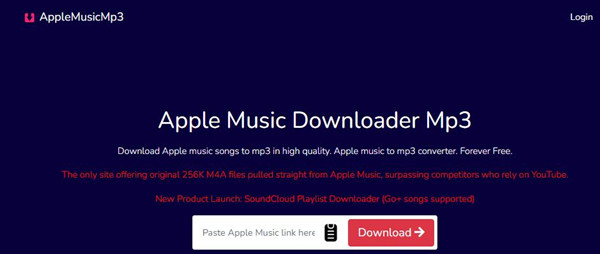
AAPLMusicDownloader is a browser-based option for users who want to submit an Apple Music link without installing desktop software. Supported links, audio sources, and output formats can affect whether the resulting files match the intended recordings. Audio matched from another source may differ from the original Apple Music track. ZIP downloads require the Premium version, which may be a consideration for occasional users.
Compared with desktop converters such as ViWizard, AAPLMusicDownloader offers a lightweight option for occasional downloads. ViWizard provides a more structured workflow for batch processing and managing local music libraries.
- Works right in the browser
- Quick Apple Music link downloads
- No installation needed
- Basic features only
- Depends on site stability
- Not great for large libraries
Part 3. Which Apple Music Downloader Should You Choose?
The best option depends on your needs. ViWizard Apple Music Converter is a strong all-around choice, NoteBurner suits lossless conversion, Gamdl offers open-source workflows, and AAPLMusicDownloader is convenient for occasional browser-based downloads.
1. Best for Lossless Audio Conversion: NoteBurner Apple Music Converter
If you care about sound quality, you probably don't want your converted music to sound worse than the original. NoteBurner Apple Music Converter is worth considering. It supports lossless formats such as ALAC, along with FLAC, WAV, AIFF, AAC, and MP3. Choose your preferred output format and adjust the available audio settings before converting. NoteBurner can also preserve ID3 tags and save lyrics, which helps keep your music organized. The final quality depends on the source audio and conversion settings.
2. Best for Batch Processing: ViWizard Apple Music Converter
Converting a song or two is easy enough. Working through an entire playlist or a library full of albums is another story. ViWizard Apple Music Converter makes the job easier with batch processing. You can select multiple songs, albums, or playlists in its built-in Apple Music web player and convert them together, saving you from handling each track individually. You can also choose an output format and adjust settings such as bitrate, sample rate, and bit depth before converting. ViWizard supports metadata and lyrics preservation, which helps keep a large music library organized.
3. Best for Open-Source Workflows: Gamdl
Prefer open-source software and don't mind getting your hands dirty? Gamdl is worth a look. Unlike a typical desktop converter, it runs through the command line. You'll need to install it with Python, provide the required Apple Music authentication cookies, and configure the download options. Once set up, you can use Apple Music links to download supported songs, albums, playlists, and music videos. Gamdl also supports automatic metadata tagging and synchronized lyrics. Setup takes more effort than using a graphical app, but it gives developers and experienced users more control over their workflow.
4. Best for Browser-Based Workflows: AAPLMusicDownloader
Sometimes you just want to download a track without installing another application. AAPLMusicDownloader offers a browser-based workflow for that. Simply submit an Apple Music link on its website and use the available options to process the track. It's convenient for occasional downloads when you don't need a desktop tool to manage your music library. There's a catch, though: the available links and audio sources can affect the results, and audio matched from another source may differ from the original Apple Music recording. ZIP downloads also require the Premium version, so keep that in mind if you're planning to download multiple tracks.
Part 4. Conclusion
The right Apple Music downloader depends on how you want to save and manage your music. ViWizard Apple Music Converter offers a good balance of format support, batch processing, and ease of use, making it our recommended starting point for everyday downloads. NoteBurner is worth considering for lossless conversion, while TuneFab, TunePat, and Sidify offer alternative desktop workflows.
Prefer more control and automation? Gamdl and freyr-js are worth exploring, though both require technical setup. For specialized audio formats or music videos, consider dedicated tools; for occasional downloads without installing software, try AAPLMusicDownloader.
Don't know where to start? We recommend ViWizard Apple Music Converter. It combines broad format support, batch conversion, and an easy-to-use interface, making it a practical choice for everyday music downloads. Both the Windows and Mac versions are free to try.
You May Be Interested

Top 10+ Spotify Music Downloaders of 2026 (with Best Free Tools)

6 Free Apple Music Downloaders You Can Try in 2026
Top Apple Music to MP3 Converters and Downloaders in 2026
APLMate Review: Download Apple Music Songs, Albums, and Playlists

Soundloader Apple Music Downloader Review: Apple Music Online to MP3

Adam Gorden is always looking for new ways to explore music and videos. He likes trying different media tools and learning how to manage audio and video files with ease.

Leave a Comment (0)