


When people want to download Apple Music songs for free, free Apple Music downloaders are one option to consider. These tools allow users to download Apple Music content at no cost, but users need to choose one that really works and suits their needs well. Some are online Apple Music downloaders that run in a browser, while others are desktop applications that require installation.
Free Apple Music downloaders can be convenient, but the experience varies between tools. Some support different platforms, formats, and download methods, while others may offer a more limited set of features.
The main distinction is between free and paid Apple Music downloaders. Free downloaders do not require payment to use, while paid downloaders require a purchase or subscription and may provide additional features or fewer restrictions.
In this post, we look at what free Apple Music downloaders can do, their limitations, and whether they are worth using. We also introduce available options, including open-source Apple Music downloaders, online Apple Music download websites, and a paid alternative called ViWizard Apple Music Converter.
Part 1. Is There a Free Apple Music Downloader?
Yes. A free Apple Music downloader is a tool that can be downloaded, installed, and used without paying for the downloader itself. It may be open-source software, a browser-based tool, browser extension, or self-hosted application. Depending on the tool, users may install a command-line downloader, open a self-hosted downloader in a browser, or paste an Apple Music link into an online tool. Some also require Apple Music authentication based on the user's account and subscription.
So, "free" refers to the downloader, not Apple Music access. Unlike a paid Apple Music downloader such as ViWizard Apple Music Converter, it does not require a separate subscription to the tool. Some free downloaders still require an active Apple Music subscription, while certain online tools may only require a shareable Apple Music link.
Part 2. What Can You Download with a Free Apple Music Downloader?
Available content and formats depend on the downloader and Apple Music access. Common uses include downloading Apple Music as MP3 and preserving metadata, while batch downloads and additional output formats are more often premium features in dedicated software such as ViWizard Apple Music Converter.
Apple's offline downloads require an Apple Music subscription and remain in the Apple Music app for offline listening. A free downloader does not provide free access to Apple Music content; instead, it may save Apple Music content as local audio files without charging for the downloader itself.
- Download Apple Music songs for offline listening;
- Paste an Apple Music link to start a download;
- Save downloaded songs as local audio files;
- Get basic MP3 downloads with supported free downloaders;
- Download multiple songs in one batch;
- Use a free web-based downloader without installing software, or use a free desktop downloader to download Apple Music content.
Part 3. Free Open-Source Apple Music Downloaders for Windows, Mac, and Linux
Free open-source Apple Music downloaders provide publicly available source code and usually cost nothing to download or use. Examples include Gamdl, Zhaarey Apple Music Downloader, and OnTheSpot. Gamdl and Zhaarey Apple Music Downloader are dedicated Apple Music downloaders, while OnTheSpot is a multi-service downloader that also supports Apple Music.
They are installed and run locally, with some offering command-line, desktop, or web-based interfaces. Features vary by project, including supported Apple Music content, audio formats, metadata options, and authentication requirements. Some also support Windows, macOS, and Linux.
01Gamdl
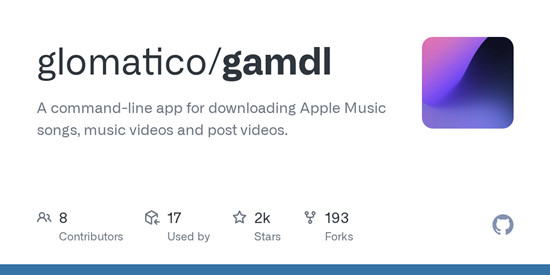
Gamdl is a command-line Apple Music downloader for songs, music videos, and post videos. It requires Python 3.10 or later and browser cookies for authentication; FFmpeg may be required for certain functions. After setup, users can provide Apple Music URLs for songs, albums, playlists, artists, music videos, or post videos. Gamdl supports AAC, Dolby Atmos, and ALAC, plus synced lyrics, metadata tagging, configurable download options, and music videos up to 4K.
Read More: Gamdl Apple Music Downloader Review & Guide
02Zhaarey Apple Music Downloader
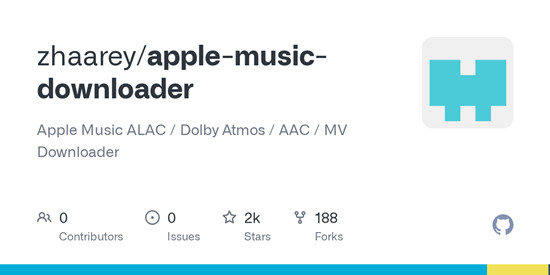
Zhaarey Apple Music Downloader is a command-line tool for downloading Apple Music songs, albums, playlists, stations, and music videos. It supports ALAC, AAC, and Dolby Atmos, along with cover art, metadata, and lyrics. Users can also search for music, select tracks, download an artist's albums, and save LRC lyrics. The tool requires Go 1.23.1 or newer and wrapper-lite, while FFmpeg is needed for certain functions. It provides installation instructions for Windows, macOS, and Linux. Stations also require a valid media-user-token.
03OnTheSpot
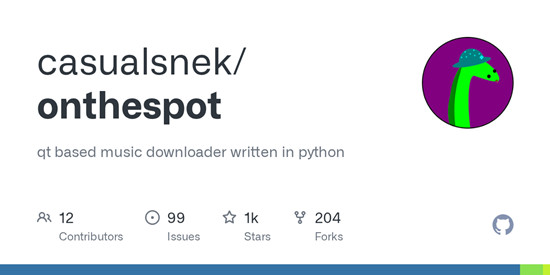
OnTheSpot lets users download music from Apple Music and other supported services. It provides GUI, CLI, and Web UI options, with downloads and metadata handled through the same application. For Apple Music, it requires a media-user-token and a premium account. Prebuilt releases are available for Windows, macOS, and Linux, and users can also run the project from source.
Read More: OnTheSpot Review & Guide
Part 4. Free Online Apple Music Downloaders for Web
A free online Apple Music downloader runs through a browser instead of dedicated software. Examples include AAPLMusicDownloader, APLMate, and Apple Music Downloader Web UI. AAPLMusicDownloader and APLMate are web-based services that work directly in common browsers such as Chrome, Edge, and Firefox. In contrast, Apple Music Downloader Web UI is a GitHub project that provides a web interface for an Apple Music downloader.
Users paste an Apple Music URL into the website and download the available content directly. Basic downloads may be free, while advanced features such as batch downloads can require a Premium subscription. Supported content, output formats, and download limits vary by service.
01AAPLMusicDownloader
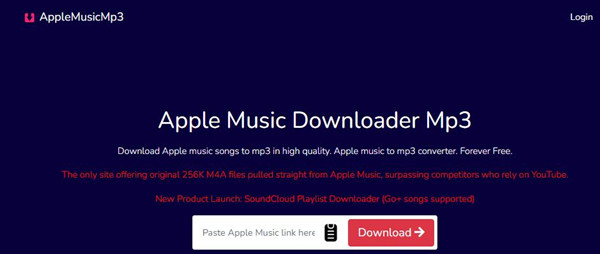
AAPLMusicDownloader is a browser-based Apple Music downloader for songs, albums, and playlists. Users paste an Apple Music URL into its website and download the available files. It requires no software or browser extension and works across common browsers and devices. It supports MP3 and M4A downloads, with a ZIP option for batch playlist downloads. The service separates free and premium features, with ZIP downloads available on its premium plan.
Read More: AAPLMusicDownloader Review & Guide
02APLMate

APLMate is also a free online tool for downloading Apple Music songs, albums, and playlists as MP3 files. Users paste an Apple Music link into its website and download the content directly from their browser. It states that it supports 320 kbps MP3 downloads and does not require an Apple Music account or subscription.
Read More: APLMate Review & Guide
03Apple Music Downloader Web UI
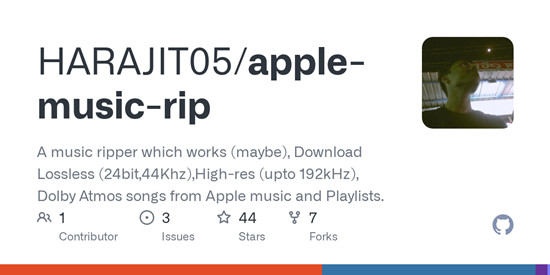
Apple Music Downloader Web UI provides a self-hosted browser interface for Apple Music downloading. It is powered by zhaarey/apple-music-downloader and WorldObservationLog/wrapper, and lets users add multiple Apple Music URLs to a download queue. It supports ALAC, AAC, and Dolby Atmos, along with lyrics controls, availability checks, and settings for save folders, metadata, and quality. It is designed for Linux, with WSL2 available for Windows users.
Part 5. Are Free Apple Music Downloaders Safe to Use?
Users should verify the downloader's source, review its permissions and documentation, and avoid entering Apple Account credentials into unknown websites or untrusted applications. They should also check its requirements and limitations. Some projects provide instructions to use the software only with content users are entitled to access and in accordance with applicable terms and laws.
For open-source software, users can review the repository, documentation, releases, dependencies, and installation requirements, especially when a downloader requires additional software or Apple Music credentials. Gamdl notes that "Downstream tools such as gamdl can ask for credentials automatically and call /login /login/2fa when they need an authenticated Apple Music session." It also states that the project is not affiliated with Apple Inc. and does not redistribute the Apple-authored libraries it loads at runtime.
Part 6. Best Alternatives to Free Apple Music Downloaders
Free Apple Music downloaders can suit users who want to avoid paying for downloader software, but they may have limits on supported content, formats, setup, or features. A paid Apple Music downloader or converter is another option for users who need more control over downloads and local audio files. Some also offer free trials so users can test core functions before purchasing.
For example, ViWizard Apple Music Converter offers a free trial for both Windows and Mac, allowing users to test up to 30 seconds of each track before purchasing. It supports multiple output formats, batch processing, lossless audio conversion, metadata preservation, and other advanced download and conversion features.
Compared with free Apple Music downloaders, ViWizard Apple Music Converter uses a subscription-based business model with options for short-term and long-term use. It provides greater control over output formats, metadata, and batch processing for users who need a more complete downloading and conversion workflow.

Key Features of ViWizard Apple Music Converter
Free Trial Free Trial* Security verified. 5, 481,347 people have downloaded it.
- Convert Apple Music songs, albums, playlists, and artists into MP3 for easy access
- Preserve lossless audio, high-resolution lossless, and Dolby Atmos quality
- Strip DRM from Apple Music for unrestricted offline listening
- Save converted audio files while retaining full ID3 tag details
Part 7. Free vs. Paid Apple Music Downloaders
| Feature | Free Apple Music Downloaders | Paid Apple Music Downloaders |
|---|---|---|
| Cost | Free to use | Requires a purchase or subscription |
| Features | Varies; some offer advanced downloading and format options | Broader downloading, conversion, and customization features |
| Setup | May require technical setup, dependencies, or authentication | Usually easier to install and use |
| Reliability | Depends on maintenance, website availability, and Apple Music compatibility | Regular updates and ongoing maintenance |
| Support | Documentation or community support | Developer or customer support |
| Best suited for | Occasional downloads and users avoiding software costs | Users needing a consistent, supported workflow |
The main difference is the cost and distribution model. Free Apple Music downloaders may be open source, browser-based, or self-hosted, while paid Apple Music downloaders are commercial software or subscription services. Free projects avoid the downloader cost but may require users to handle installation, configuration, authentication, updates, and dependencies. Paid applications may combine downloading, conversion, and format selection. For example, Gamdl downloads Apple Music content through a command-line interface, while ViWizard Apple Music Converter provides a built-in browser for accessing an Apple Music library.
Price does not determine feature coverage or the downloading experience. A free Apple Music downloader can offer basic or advanced features, but it may require more setup or stop working after platform changes. Paid Apple Music downloaders are often easier to use and may receive updates to maintain compatibility.
Apple's offline downloads are separate from both. Subscribers can download music for offline listening, but the downloads remain within the Apple Music experience rather than becoming ordinary local audio files.
Part 8. Is Free Apple Music Downloader Worth Using?
A free Apple Music downloader is worth using for a few casual, basic downloads, especially when you only need a small number of songs as MP3 files and do not want to commit to paid software. The tradeoff is that free tools may have limits on formats, download features, setup, or reliability. They can be practical for occasional use, but may become less convenient as your downloading needs grow.
- Free to use with no software cost
- Useful for occasional downloads
- Open-source tools offer code, documentation, and release history for review
- Some tools support lossless audio, Dolby Atmos, lyrics, and metadata
- Online downloaders work directly in a browser
- Reliability depends on maintenance
- Inactive projects may stop receiving updates or fixes
- Apple Music changes can break downloaders
- Free websites may disappear, change domains, or add paid features
- Open-source tools may require technical setup or Apple Music authentication
- Some still require an Apple Music subscription
- Support is often more limited than with paid software
For some users, a free Apple Music downloader can also be a way to learn how Apple Music downloading works before moving to paid software. This makes sense if you want to try different methods first and see which features you actually need. When you need a more consistent workflow, broader format support, regular updates, and reliable customer support, a paid option such as ViWizard Apple Music Converter can provide a more complete solution.
You May Be Interested



Adam Gorden is always looking for new ways to explore music and videos. He likes trying different media tools and learning how to manage audio and video files with ease.

Leave a Comment (0)