


YouTube Music is built mainly for mobile, so it is common for desktop users to wonder whether there is a YouTube Music desktop app. If you search for a YouTube Music desktop app, you will quickly find mixed answers and unofficial tools, which can be confusing.
The truth is that YouTube Music does not have a standalone desktop app. That said, there are a few reliable ways to use YouTube Music on your computer with an app-like experience. In this guide, we will walk through three practical options, from the official browser-based method to third-party desktop apps and a desktop tool that also supports offline downloads, so you can pick the option that works best for you.
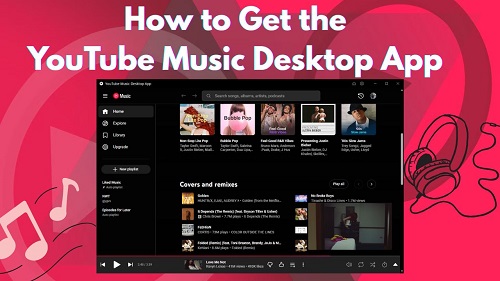
Part 1. Does YouTube Music Have a Desktop App?
No. YouTube Music does not offer a true standalone desktop app. Google mainly focuses on mobile apps and the web player. If you are tired of using the web version, though, there are a few unofficial desktop options:
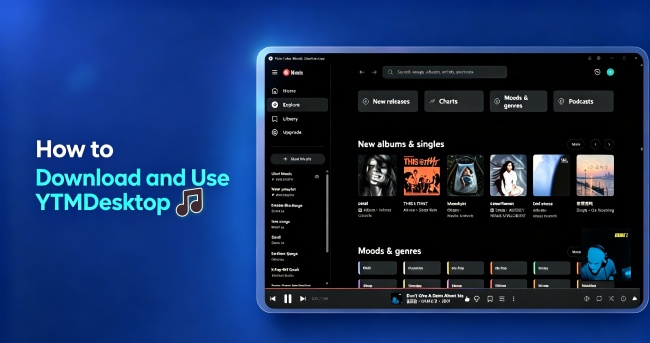
One option is ytmdesktop, an open-source app from GitHub that turns YouTube Music into a desktop app. It uses the same interface as the web version and keeps most of the familiar features, but in an app-style window instead of a browser tab.
If you want more than basic playback, there is also ViWizard YouTube Music Downloader. It works on both Windows and Mac and includes a built-in YouTube Music web player. More importantly, it lets you download music from YouTube Music to desktop without requiring a Premium subscription. This makes it a perfect choice if you want offline access and more control over your music on desktop.
Part 2. Get the Official YouTube Music Desktop App (PWA)
You can get an YouTube Music app-like experience with the official Progressive Web App (PWA). Basically, it lets you “install” YouTube Music from your browser so it acts like a regular desktop app. It adds an icon to your desktop and taskbar, so you can open YouTube Music directly without having to launch your browser first.
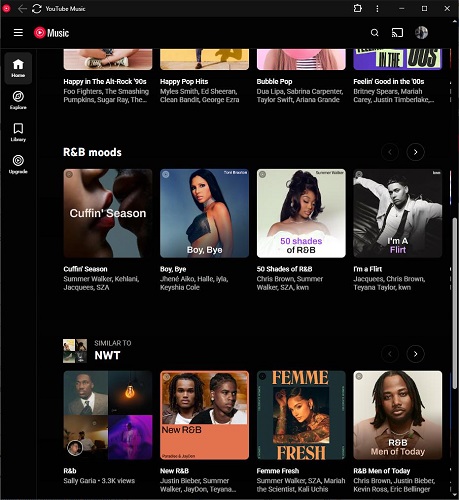
Here’s how to set it up:
Open Google Chrome or Microsoft Edge on your computer.
Go to YouTube Music.
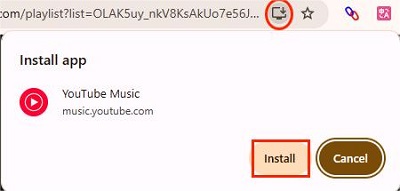
Look for the install icon in the address bar. It usually looks like a small computer with a down arrow.
If you don’t see it, click the three dots (⋮) in the top right corner, find “Cast, save, and share”, and then select “Install YouTube Music…”
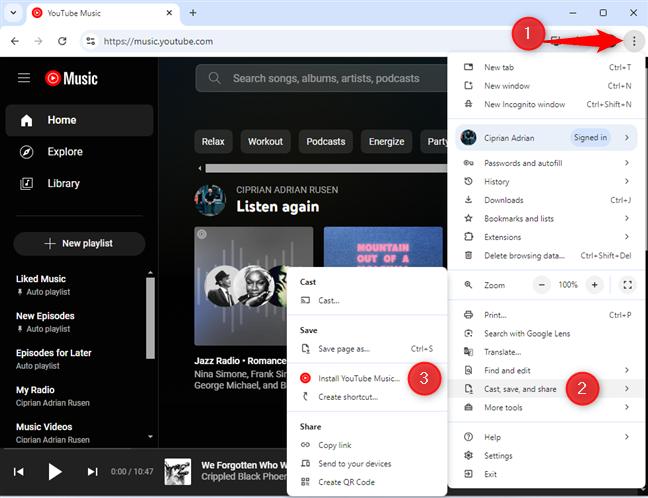
A pop-up will ask if you want to install the app. Click Install.
The app will open in a clean, separate window.
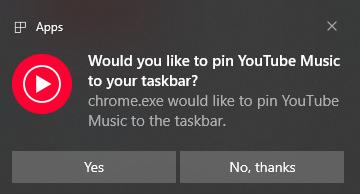
You’ll also see a prompt asking if you want to pin it to your taskbar. Click Yes so it’s always just one click away.
- Pros
- Lightweight and doesn’t eat up RAM like some traditional apps.
- Supports media keys for playback control.
- No URL bar, bookmarks, or other browser distractions.
- Always updated automatically.
- Cons
- If you uninstall Chrome or Edge, the app disappears too.
- You still need an internet connection to stream music.
- No themes or extra plugins.
Part 3. Use an Unofficial YouTube Music Desktop App (GitHub Version)
If you want something that feels more like a traditional desktop app, you can try an unofficial YouTube Music desktop app from GitHub called ytmdesktop.
Unlike the official version, this is a real standalone app. It gives you features that Google left out on desktop, like a mini player, sleep timer, lyrics, better notifications, and integrations with Discord, Last.fm, and Rainmeter. The best part is it works on Windows, Mac, and Linux, so almost everyone can use it.
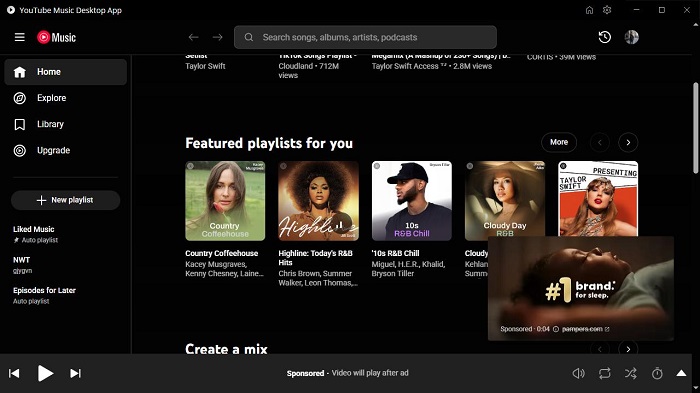
Here's how to get it set up on your computer:
Go to the official ytmdesktop GitHub releases page.
Under the Assets section, download the file that matches your computer.
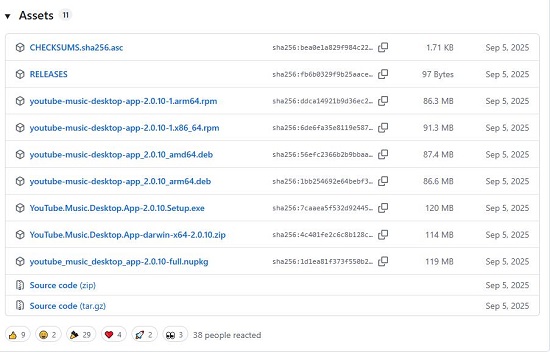
Once it’s downloaded, run the installer and follow the on-screen instructions.
Open the app and sign in to your YouTube Music account. Your playlists, likes, and recommendations will all be there.
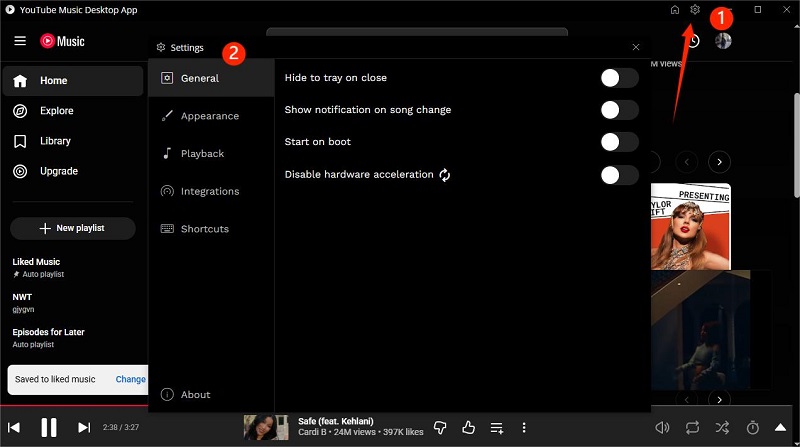
In the app, click the Gear icon in the upper right corner to adjust settings for General, Appearance, Playback, Integrations, and Shortcuts.
- Pros
- Feels like a full desktop app with its own window.
- Free to use.
- Works on Windows, Mac, and Linux.
- Supports external integrations.
- Offers more customization options.
- Cons
- Updates depend on GitHub developers keeping up with Google changes.
- Uses a little more battery and RAM than the simple PWA version.
- Still contains ads and has limited features for free users.
Part 4. Use a YouTube Music Desktop App with Built-in Downloader
If you liked the idea of a standalone desktop app in Part 3 but want more than just streaming, there’s a really powerful option that takes things further. ViWizard YouTube Music Downloader lets you play YouTube Music right in a desktop app and download your favorite songs and playlists without needing a Premium account.
Unlike ytmdesktop or the official PWA, ViWizard doesn’t just give you a separate window to play music. It lets you download your YouTube Music full library to computer without limits, skip ads, and save music in DRM-free formats. On top of that, it supports nine other music platforms, so you can manage all your favorite songs in one place and even transfer them to other devices.

Download songs, playlists, albums, and your whole music library from 10 major streaming platforms, including YouTube Music, to MP3, FLAC, WAV, AIFF, M4A, or M4B with original sound quality and full song info and keep your music forever.
Why It Beats the Standard App Experience
To see why many people prefer this over the official route, let’s look at how it compares to the PWA and the GitHub version.
| Feature | Official PWA | YTMDESktop (GitHub) | ViWizard YouTube Music Downloader |
|---|---|---|---|
| Desktop App Window | ✅ | ✅ | ✅ |
| Offline Download | ✅ (only for Premium) | ✅ (only for Premium) | ✅ (unlimited) |
| DRM-Free Format | ❌ | ❌ | ✅ |
| Ad-Free Playback | ❌ | ❌ | ✅ |
| Extra Music Platforms | ❌ | ❌ | ✅ (10 platforms) |
| Customize Audio Quality | ❌ | ❌ | ✅ |
| Media Key Support | ✅ | ✅ | ✅ |
| Automatic Updates | ✅ | ✅ | ✅ |
How to Use ViWizard YouTube Music Download on Desktop
Step 1 Open ViWizard YouTube Music Downloader on your computer. If you want to download music from YouTube Music, go to Menu > Preferences > Conversion. Pick the format you want, like MP3 or another option. You can also adjust the audio quality and choose a folder where all your downloads will be saved. Click OK to confirm your settings.

Step 2 Go back to the main screen, scroll down, and click the YouTube Music icon to open the built-in web player. Sign in to your YouTube Music account.

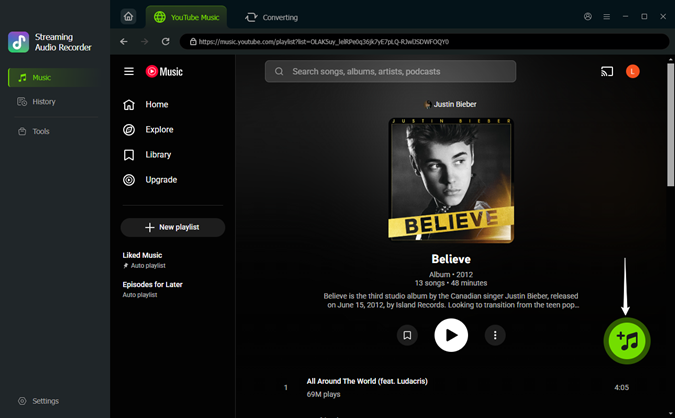
Step 3 Use the web player just like you normally would. Browse your library, search for songs, and play them. When you find tracks, playlists, albums, or podcasts you want to download, open them and click the green Plus (+) button at the bottom right.
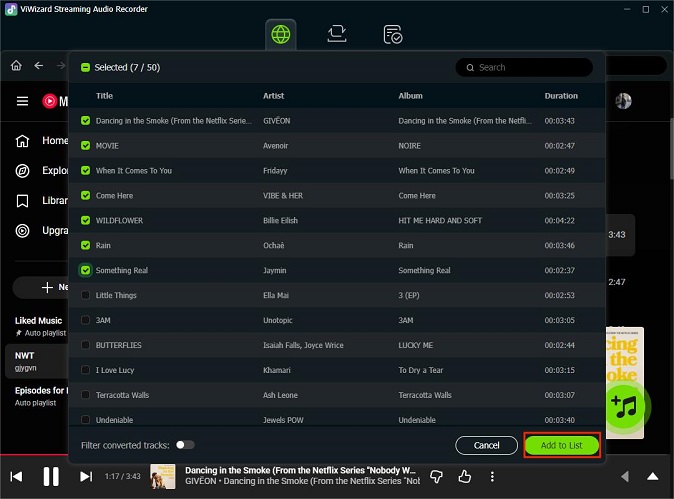
Step 4 A pop-up will appear showing all the tracks or episodes on the page. You can check Select All to grab everything or pick specific tracks you want. When you’re ready, click Add to List.
Step 5 Hit the Convert button. ViWizard will start downloading your selected music, automatically adding correct artist info and album art. After the downloads finish, you can play the tracks directly inside the app without ads or an internet connection. You can also click the folder icon next to a track to open it in your output folder and play it with any other media player.

- Pros
- Built-in YouTube Music web player for streaming.
- Unlimited downloads of songs, albums, and playlists.
- Saves music in DRM-free formats like MP3, M4A, and FLAC.
- Supports 10 music platforms in one app.
- Works offline with no ads.
- Cons
- Mainly focused on downloading music.
- Requires installation on Windows or Mac.
- Full features need a license after the free trial.
Part 5. FAQs About the YouTube Music Desktop App
Is the YouTube Music desktop app safe?
If you use the official PWA from your browser, it’s completely safe because it’s made by Google. For unofficial versions like ytmdesktop, they are generally safe too. They’re open-source, which means the community can check the code for anything suspicious. Just make sure you download them from the official GitHub page.
Can I use YouTube Music on multiple desktop devices?
Yes. You can sign in to your account on as many computers as you want. The catch is with playback. If you have a standard Individual Premium account, you can only stream music on one device at a time. If you start playing a song on your office PC while your home laptop is still running, the first one will pause. If you want to play music on multiple devices at the same time, you’ll need the Family Plan.
Can I listen to YouTube Music offline on my computer?
Officially, Google has started rolling out a Downloads feature for the desktop PWA in some regions for Premium members. If you see a Download button for a track or an album, you’re in luck. If not, you can only stream music online. This is why many people prefer ViWizard YouTube Music Downloader, which lets you get fully offline, DRM-free files that work without an internet connection.
Does YouTube Music for desktop have a Mini Player mode?
The official PWA does not have a mini player. ytmdesktop does, so you can shrink the window but still have access to playback controls like play, pause, and skip.
Are there keyboard shortcuts for the YouTube Music PWA?
Yes! You don’t need to grab your mouse every time. While the app is focused, you can use these shortcuts:
- Spacebar or K: Play/Pause
- J / L: Skip backward or forward 10 seconds
- ; / H: Previous or Next track
- M: Mute
- Shift + /: Show the full list of available shortcuts
Conclusion
While YouTube Music doesn’t have an official standalone desktop app, there are several ways to enjoy it on your computer. The PWA gives you a simple, safe, and browser-based app experience, while ytmdesktop adds more desktop-style features like a mini player and integrations. If you want offline access, unlimited downloads, and extra features, ViWizard YouTube Music Downloader is the most powerful choice. No matter which option you pick, you can find a setup that fits your listening habits and makes YouTube Music feel right at home on your desktop.
You May Be Interested
How to Use YTMusicAPI to Manage Your YouTube Music Library

How to Connect and Play YouTube Music on Discord

5 Available Ways to Download Music from YouTube to Chromebook
How to Download YouTube Music to MP3

How to Block/Remove Ads on YouTube Music without Premium

How to Play YouTube Music in the Background
How to Download and Use YTMDesktop in 2026

Nick Orin often turns to tech forums to see what apps people are talking about. He likes testing different software, comparing features, and finding out which tools are worth a try.

Leave a Comment (0)