


If you're a book worm, you might have considered having all the books you love in your digital devices rather than managing loads of paper books on shelves. Apparently there're many advantages of using e-book service, you can take your books everywhere with mobile devices and read them without having to worry about losing pages or bookmarks.
Today we're going to look at Audible and Kindle Unlimited to help you decide which one you should choose. Both Audible and Kindle Unlimited services are supported by Amazon, but they're actually focusing on different kinds of users. So in the following sections, I'll be giving some insights on Amazon Audible vs Kindle Unlimited.

Do you know the differences between Audible Plus and Premium Plus? Here we make a detailed guide for you. Just click this article for check!
Part 1. What Are Audible & Kindle Unlimited?
Audible
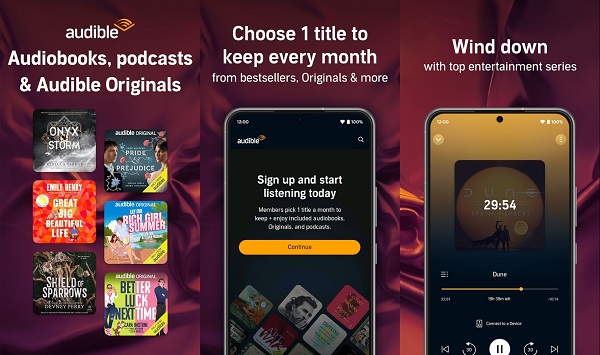
Audible is Amazon's audiobook-focused subscription service. It's built for people who prefer listening over reading.
- Massive Library: Over 1 million titles, including exclusive "Audible Originals."
- The Credit System: You get at least one credit per month to buy any book, regardless of price.
- Ownership: Unlike a library, you own the books you buy with credits. They stay in your library even if you cancel your subscription.
- Member Perks: Access to the "Plus Catalog" and 2-for-1 sales.
- Best For: People who want specific bestsellers, celebrity narrators, and a permanent digital bookshelf.
Kindle Unlimited
Kindle Unlimited is a reading subscription that focuses on ebooks, with limited audiobook support.
- Quantity Over Name Brands: Access to over 5 million eBooks, though it focuses heavily on independent authors rather than big-name bestsellers.
- Borrowing Limit: You can borrow up to 20 titles at a time.
- Audio Integration: Includes roughly 6000 titles with free professional narration.
- The Catch: This is a rental service. If you cancel, you lose access to everything immediately.
- Best For: Avid readers who go through multiple books a month and enjoy discovering "hidden gem" indie authors.
After understanding what Audible and Kindle Unlimited each offer, it's helpful to clear up some common questions about how these two services work together.
Does Kindle Unlimited include Audible?
Is Audible free with Kindle Unlimited?
Are all Audible books available on Kindle Unlimited?
Can you bundle Kindle Unlimited and Audible?
Can you listen to Kindle Unlimited books on Audible?
Part 2. Audible vs Kindle Unlimited
Now, let's take a look at this table for an at-a-glance comparison of Audible and Kindle Unlimited. After that, we'll dive deeper into the differences between the two services.
| Feature | Audible | Kindle Unlimited |
|---|---|---|
| Cost | $7.95/month (Plus) or $14.95/month (Premium Plus) | $11.99/month |
| Credits/Access | 1 or 2 credits per month for audiobooks | Borrow up to 20 books at a time |
| Ownership | Keep audiobooks forever, even if you cancel | No ownership; access ends when you cancel |
| Library Size | 1 million audiobooks | 5 million eBooks and 6,000+ audiobooks |
| Special Features | WhisperSync for syncing eBooks and audiobooks | Borrow up to 10 titles at once |
| Availability | Available worldwide (with some regional limits) | Available in many countries, with varied content by region |
| Offline Access | Download audiobooks to keep | Download eBooks and audiobooks for offline use |
| Selection | Extensive and includes popular titles | Limited to what's in Kindle Unlimited's library |
2.1 Price and Subscription Model
Audible offers two subscription plans. The first is the Plus membership, which costs $7.95 per month and gives you access to the Plus Catalog—but it doesn't include any credits. The second is Premium Plus, priced at $14.95 per month. With this plan, you get one credit every month, which you can use to purchase any audiobook you want, regardless of its original price. Once you buy it, the audiobook is yours to keep forever. Just keep in mind that your credits need to be used before your subscription renews, unless they expire.

Kindle Unlimited is priced at $11.99 per month. With this subscription, you can access a wide range of eBooks and around 6000 audiobooks. However, you don't own the books; you borrow them as long as you're subscribed. Once you cancel your subscription, you lose access to these books. This can be a drawback if you want to keep your books permanently. To get your money's worth, you would need to read or listen to several books each month.
| Feature | Audible (Premium Plus) | Kindle Unlimited |
|---|---|---|
| Monthly Cost | $14.95 | $11.99 |
| Ownership | You own it. Books bought with credits stay in your library forever. | You rent it. Access ends the moment you stop paying. |
| The "Bonus" | Access to the "Plus Catalog" (thousands of free streaming titles). | Access to thousands of audiobooks with "Free Narration." |
| Free Trial | 30 days | 30 days |
2.2 Content Type and Library Size
Audible has a huge library with over a million audiobooks. You can find bestsellers, celebrity memoirs, and full-cast audiobooks like the Harry Potter series. If you're looking for professionally narrated audiobooks, Audible is definitely the place to go.
Kindle Unlimited is one of the best ebook subscriptions out there, but it doesn't always include the most popular books or new releases. While it claims to have over 5 million digital titles, that number covers ebooks, audiobooks, comics, and magazines combined. When it comes to ebooks alone, the selection is closer to around 78,000 titles. It's particularly great for niche independent works, romance, or self-help books, making it a solid choice if you're into those genres.
2.3 Number of Books Per Month
On Audible, how many books you can get depends on your plan. The standard plan gives 1 credit per month, which you can use for any audiobook. If you want more, there's a 2-credit plan for $22.95 per month. For heavy listeners, Audible also offers annual subscriptions with 12 or 24 credits upfront, which costs $149.50 and $229.50 per year, respectively. Getting all your credits at once gives you flexibility, you can choose how and when to use them.
With Kindle Unlimited, you can borrow up to 20 books at a time, read them at your own pace, return them, and grab 20 more. There's no monthly limit on how many books you can read. It is a better choice for fast reader or users who likes switching between titles often.
2.4 Geographical Availability
Audible has a slightly wider global reach, with separate stores for the US, UK, Asia, and the Pacific region. The titles available can vary depending on the country store, but any audiobooks you've already purchased and downloaded stay in your library. If you want a title that isn't available in your country, you can switch your account's country settings while keeping your subscription active.
- Americas: United States, Canada, Brazil
- Europe: United Kingdom, Germany, France, Italy, Spain
- Asia & Pacific: Australia, Japan, India
Kindle Unlimited is also offered in many countries, including the US, UK, Canada, Germany, France, Italy, Spain, India, Japan, Brazil, and Mexico. In the US, you have access to a broad range of titles, but in countries like the UK, Germany, or Australia, the available selection may be more limited. So, if you're outside the US, the number of books you can borrow might be reduced.
Like Audible, you can keep your Kindle content if you move to a new country. The difference is that your subscription itself won't carry over—since it's tied to a specific country store, you'll need to re-subscribe in the new region to continue using Kindle Unlimited.
2.5 User Experience
Both services are designed for life on the go, but they shine in different ways. Audible works on more devices, including Alexa, Apple Watch, and Fire TV. Kindle Unlimited stands out for its reading features and makes it easy to sync your progress across devices.
| Feature | Audible | Kindle Unlimited |
|---|---|---|
| Primary Media | Audiobooks, Podcasts, Originals | E-books, Magazines, Comics, Audiobooks |
| Supported Devices | iOS, Android, Kindle e-readers, Alexa, Apple Watch, Fire TV | iOS, Android, Kindle e-readers, Windows/Mac, Web |
| Audio Features | Variable speed, Sleep timer, High-quality audio | Narration for select titles (uses Audible player) |
| Reading Features | None (audio only) | Text size, font, background color, dictionary, Immersive Reading |
| Syncing | Whispersync for Voice across audio devices | Whispersync between e-book and audiobook |
| Offline Downloads | Full Library: Any owned title or Plus Catalog selection can be downloaded for offline use. | Borrowed Limit: Up to 20 titles can be downloaded offline at one time. |
Part 3. Is Audible or Kindle Unlimited Better?
Which is better, Audible or Kindle Unlimited? It really depends on how you like to enjoy books. Here's a quick guide to help you decide:
Choose Audible if:
- You prefer listening to books rather than reading
- You want to own the books you buy, even if you cancel your subscription
- You want access to the latest bestsellers
- You enjoy high-quality, professional narration
- You usually read 1–2 books per month
- You take advantage of member discounts and deals for extra audiobooks
- You want to listen on an Apple Watch or via Alexa without needing your phone
Choose Kindle Unlimited if:
- You read a lot of ebooks and like exploring different genres without buying each book
- You prefer reading on a screen but enjoy audio as a bonus
- You like switching between reading and listening when some books include Audible narration
- You like borrowing multiple titles at once and don't mind returning them when finished
- You want a lower monthly cost compared to Audible
- You're interested in indie authors or niche topics that might not be in Audible's bestseller-heavy catalog
Part 4. How to Get More Value from Audible and Kindle Unlimited
Still not sure which one to choose or thinking about using both Audible and Kindle Unlimited? Here's how to get the most value from them and save money along the way.
1. Use Whispersync for Voice discounts
If a Kindle Unlimited ebook has companion narration, you can often add the Audible version at a big discount, sometimes as low as $0.99–$7.49. That's usually cheaper than spending a monthly credit.

2. Borrow KU books with free narration
Some Kindle Unlimited titles include free Audible narration. Just borrow the ebook, and the audio will show up in your Audible app automatically. You can switch between reading and listening anytime.

Read More : How to Listen to Kindle Books with/without Audible
3. Take advantage of deals and free catalogs
Audible regularly runs sales like 2-for-1 sales, and the Plus Catalog lets you listen without using credits. With Kindle Unlimited, use the 20-book borrowing limit to explore new authors and genres without extra cost.

4. Download Plus Catalog titles before your subscription ends
Audible Plus lets you listen to and download as many titles as you want, but only while your subscription is active. Once it ends, those titles disappear from your library. That's why it makes sense to save what you like before your plan runs out.
Keep in mind that downloads inside the Audible app aren't permanent, since Audible can still remove access. To truly keep a backup, you'll need a tool like ViWizard Audible Converter, which saves Plus Catalog titles in DRM-free formats like MP3 or M4B. That way, you can store them on your device and listen anytime, even after your subscription ends.

Key Features of ViWizard Audible Audiobook Converter
Free Trial Free Trial* Security verified. 5,481,347 people have downloaded it.
- Convert Audible audiobook to unprotected audio formats like MP3
- Split Audible book into several smaller segments by chapter or by time
- Support playing Audible audiobooks on any device or media player
- Handle the conversion of Audible audiobooks up to 100× faster speed
Step 1Open ViWizard and Sign in to Audible
First, download and install ViWizard Audible Converter on your Windows or Mac computer. Launch the program, and you'll see a built-in Audible player. Log in with your Audible account, and ViWizard will automatically load your Audible Plus titles and any audiobooks you've purchased.

Step 2Choose Your Output Format and Settings
Click Menu > Preferences > Conversion to set how your audiobooks will be saved. You can choose formats like MP3, M4A, M4B, FLAC, WAV, or AIFF. If you want to keep chapters intact, M4B is a good option. You can also adjust the audio quality and select a destination folder for your files.

Step 3Select Audible Plus Titles to Convert
Once your library appears, click the "+" button in the bottom-right corner. Browse your Audible Plus catalog and choose the audiobooks you want to save, then add them to the conversion list.

Step 4Convert and Save Your Audiobooks
Hit the Convert button to start the process. ViWizard will download and convert your audiobooks at high speed while keeping chapters and metadata. When it's done, the files are stored on your computer with no expiration, so you can listen anytime, even after your Audible subscription ends.

Summary:
Ultimately, the choice comes down to your reading and listening habits. Whether you want to keep your books forever with Audible or explore a vast selection with Kindle Unlimited, there's an option that's right for you. And don't forget that using ViWizard Audible Converter is a great way to help you take advantage of your subscriptions by keeping audiobooks offline forever!
You May Be Interested




Adam Gorden is always looking for new ways to explore music and videos. He likes trying different media tools and learning how to manage audio and video files with ease.

Leave a Comment (0)